Choosing the right point-of-sale (POS) system is one of the most critical decisions for a restaurant owner. A powerful POS streamlines every facet of your business, from taking customer orders and managing tables to tracking inventory and analyzing sales data. An inefficient system, however, can create bottlenecks, frustrate staff, and ultimately impact your bottom line. Finding the best POS software for restaurants means looking beyond just traditional payment processing.
In a world where customers increasingly seek flexible and modern payment options, accepting Bitcoin is no longer a niche idea; it's a strategic advantage. Integrating Bitcoin payments can significantly reduce transaction fees compared to credit cards, completely eliminate the risk of fraudulent chargebacks, and attract a growing demographic of tech-forward consumers. This guide is designed to help you navigate this new landscape. We will provide a comprehensive roundup of the leading restaurant POS systems, evaluating their core functionalities, pricing structures, and unique benefits.
Crucially, we will detail how each platform can be integrated with Flash, a non-custodial solution that enables you to accept instant Bitcoin payments with near-zero fees. This article provides a clear, actionable roadmap for any restaurant looking to modernize its payment infrastructure. We've included screenshots and direct links for each option to help you make an informed decision. Let’s explore the systems that can future-proof your operations and enhance your profitability.
1. Flash: The Ultimate Bitcoin Payment Gateway
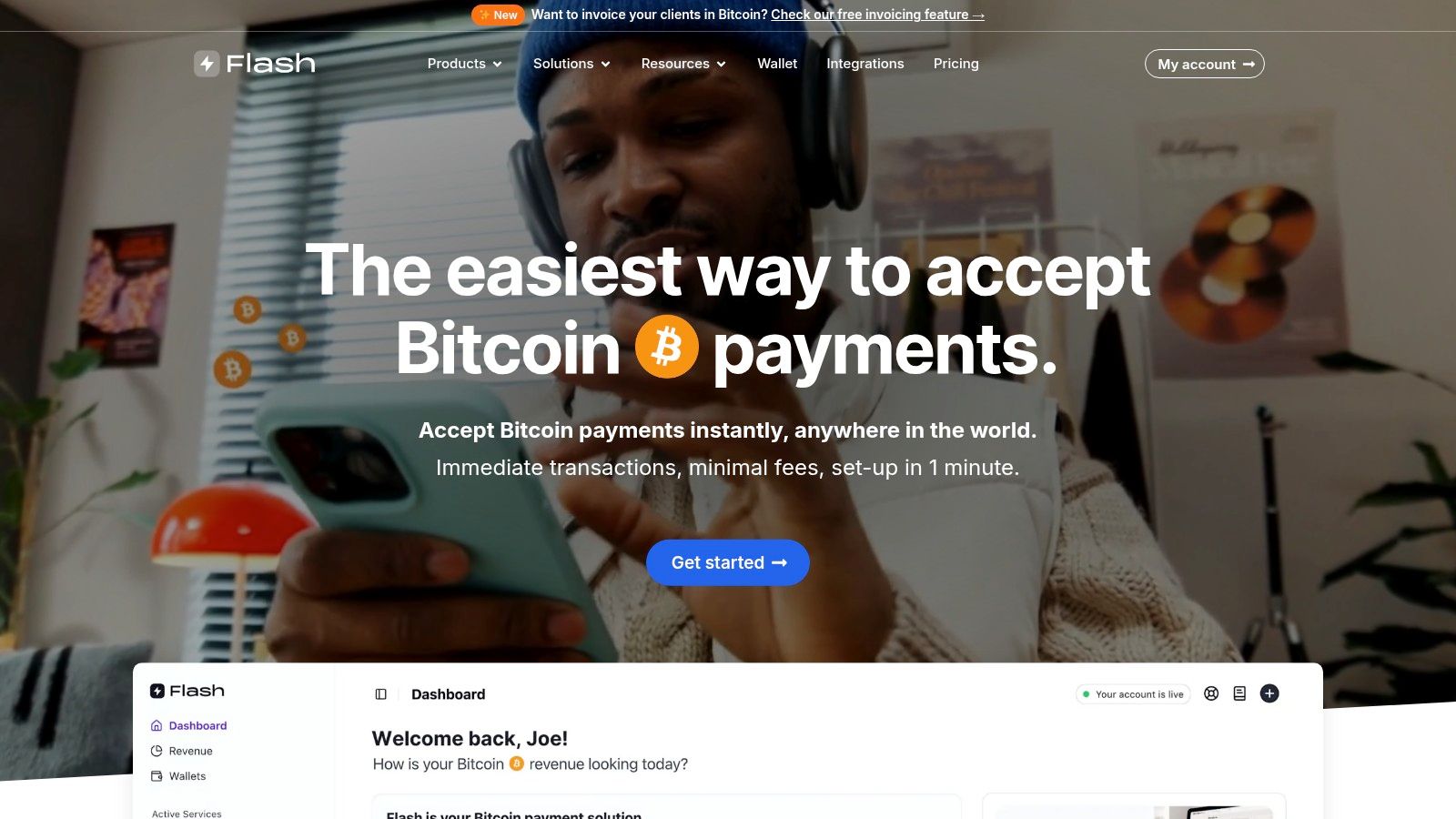
Flash positions itself as a premier choice for restaurants aiming to modernize their payment infrastructure by integrating Bitcoin. It's not just a payment processor; it's a comprehensive, non-custodial gateway designed to connect restaurants directly with the burgeoning Bitcoin economy. This platform is particularly compelling for establishments looking to offer cutting-edge payment options, reduce transaction fees, and enhance customer privacy, making it a powerful contender for the best pos software for restaurants that prioritize financial sovereignty and innovation.
Flash’s core strength lies in its decentralized, wallet-to-wallet architecture. Unlike traditional payment systems that rely on intermediaries, Flash facilitates direct transactions from the customer's Bitcoin wallet to the restaurant's. This model eliminates the need for the platform to ever hold merchant funds, drastically increasing security and giving the restaurant complete control over its revenue. The entire process is streamlined through the Bitcoin Lightning Network, ensuring payments are settled almost instantly and at a fraction of the cost of legacy credit card fees.
Why Flash is a Top Choice for Restaurants
Flash distinguishes itself by making sophisticated Bitcoin payment technology incredibly accessible. The platform's dedicated point-of-sale (POS) application can transform any standard smartphone or tablet into a fully functional Bitcoin payment terminal. This allows restaurants to adopt Bitcoin payments without investing in expensive, specialized hardware. Servers can generate QR codes for bills table-side, or a dedicated tablet at the counter can handle transactions, offering a flexible and low-cost implementation.
The onboarding process is another significant advantage. By forgoing mandatory KYC (Know Your Customer) requirements, Flash removes a major barrier to entry. Restaurant owners can set up their payment system in under a minute, avoiding the lengthy paperwork and compliance hurdles common with traditional financial services. This simplified approach is ideal for small, independent restaurants and large chains alike, enabling them to quickly tap into a global customer base of over 500 million Bitcoin users.
Key Features and Practical Applications
Flash provides a suite of tools designed to cover every payment scenario a restaurant might encounter.
- Point-of-Sale (POS) App: The cornerstone of its offering for brick-and-mortar restaurants. Staff can easily create payment requests for specific bill amounts, and customers simply scan a QR code with their Lightning-enabled Bitcoin wallet to pay instantly.
- Payment Links & Invoices: Ideal for catering services, private events, or online ordering. Restaurants can generate a unique payment link for a specific invoice and send it to the client via email or text for a seamless, remote payment experience.
- Customizable Payment Widgets: For restaurants with their own websites for online ordering or merchandise sales, Flash offers embeddable widgets. These can be integrated with minimal to no coding, providing a native checkout experience for customers paying with Bitcoin online.
- Subscription Modules: This feature is perfect for restaurants offering meal kits, coffee subscriptions, or exclusive club memberships. It allows for automated recurring billing, all handled directly via the Bitcoin network.
Pricing and Getting Started
Flash's pricing structure is designed to be competitive, though specific details are not listed publicly on its website. Potential users will need to create an account or contact the sales team to get precise information on transaction fees. This approach allows them to tailor pricing to the business's volume and needs.
Getting started is exceptionally straightforward. Interested restaurant owners can visit the Flash website, sign up, and download the POS app. The platform's comprehensive documentation guides users through the simple setup process, ensuring a smooth transition to accepting Bitcoin.
Pros:
- Fully Decentralized & Non-Custodial: Offers unparalleled security and full control over your funds.
- Instant, Low-Fee Transactions: Utilizes the Lightning Network for efficient and cost-effective payments.
- No KYC Required: Enables rapid, hassle-free onboarding for any restaurant.
- Versatile Payment Tools: Includes a dedicated POS app, payment links, and website widgets.
- Global Customer Reach: Instantly opens your restaurant to millions of Bitcoin users worldwide.
Cons:
- Bitcoin-Only Focus: Does not support other payment methods, which may be a limitation for some.
- Pricing Not Public: Requires direct contact or sign-up to understand the full cost structure.
2. Toast
Toast has carved out a significant niche in the hospitality industry by offering an all-in-one, restaurant-specific platform. Unlike general-purpose POS systems, Toast is built from the ground up to handle the unique complexities of food service, from fine dining coursing to quick-service workflows. This laser focus makes it one of the best POS software for restaurants seeking an integrated solution that covers everything from the front-of-house to the back office.
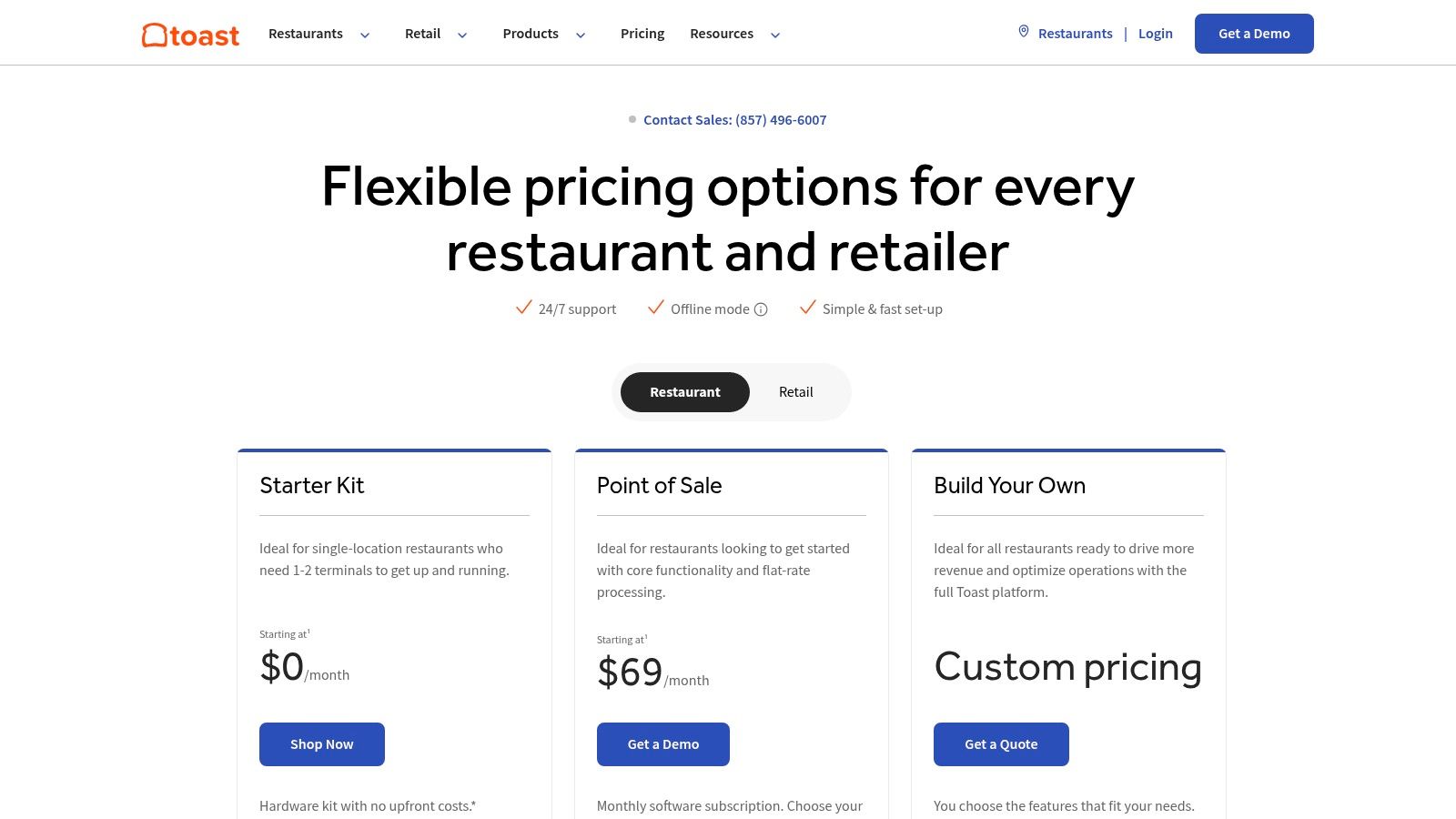
The platform’s strength lies in its end-to-end ecosystem. Toast provides purpose-built hardware, a robust POS interface, kitchen display systems (KDS), online ordering, delivery management, and even payroll services. This tight integration ensures that data flows seamlessly across all operations, giving owners a unified view of their business without needing to juggle multiple vendors.
Core Features and Pricing
Toast's offerings are designed to scale with a restaurant's growth. Its modular approach allows you to add features as needed.
- Pricing Structure: Toast offers a compelling entry point with its Starter Kit, which includes a terminal and tap-to-pay device for $0 down and a $0/month software fee, operating on a pay-as-you-go processing rate. For growing businesses, paid plans start at $69/month, offering more robust features. Custom pricing is available for large, multi-location enterprises.
- Hardware: Toast provides its own durable, restaurant-grade hardware, including terminals, handhelds (Toast Go® 2), and KDS screens, designed to withstand the heat and spills of a busy kitchen.
- Integrated Suite: The system includes online ordering, delivery services integration, customer loyalty programs, and marketing tools, all managed from a single dashboard.
Integrating Bitcoin Payments with Toast via Flash
While Toast doesn't offer native Bitcoin support, its flexible architecture allows for seamless integration with third-party payment gateways like Flash. This setup enables restaurants to accept Bitcoin payments at the point of sale without disrupting their established Toast workflow.
Here’s a practical example of how it works:
- A customer wishes to pay with Bitcoin.
- The cashier rings up the order on the Toast terminal as usual.
- Instead of selecting a traditional payment method, they open the Flash app on an adjacent device (like a tablet or smartphone) and enter the total sale amount.
- The Flash app generates a QR code with the Bitcoin invoice.
- The customer scans the QR code with their Bitcoin wallet and confirms the payment.
- Once the Bitcoin network confirms the transaction (instantly with Lightning), the cashier marks the order as "paid" in Toast, typically using a custom tender type like "Bitcoin" or "External Payment".
This parallel process allows Toast to handle order management and sales reporting while Flash securely processes the Bitcoin transaction.
Pros and Cons
| Pros | Cons |
|---|---|
| Restaurant-Specific Functionality: Deep features for menus, tables, and KDS. | Locked into Toast Payments: Users must use their payment processor. |
| Scalable All-in-One System: Hardware and software from a single provider. | Contract Complexity: Long-term contracts can be a sticking point. |
| Flexible Entry Point: $0 upfront hardware option lowers initial costs. | Processing Rates: Pay-as-you-go rates may be higher than competitors. |
Website: https://pos.toasttab.com/pricing
3. Square for Restaurants
Square has long been a go-to for small businesses, and its dedicated Square for Restaurants platform extends that accessibility to the food service industry. It provides a powerful, low-friction POS solution known for its transparent pricing and ease of use. This makes it an excellent choice for new cafes, food trucks, and growing single-location restaurants that need a robust system without the complexity of long-term contracts.
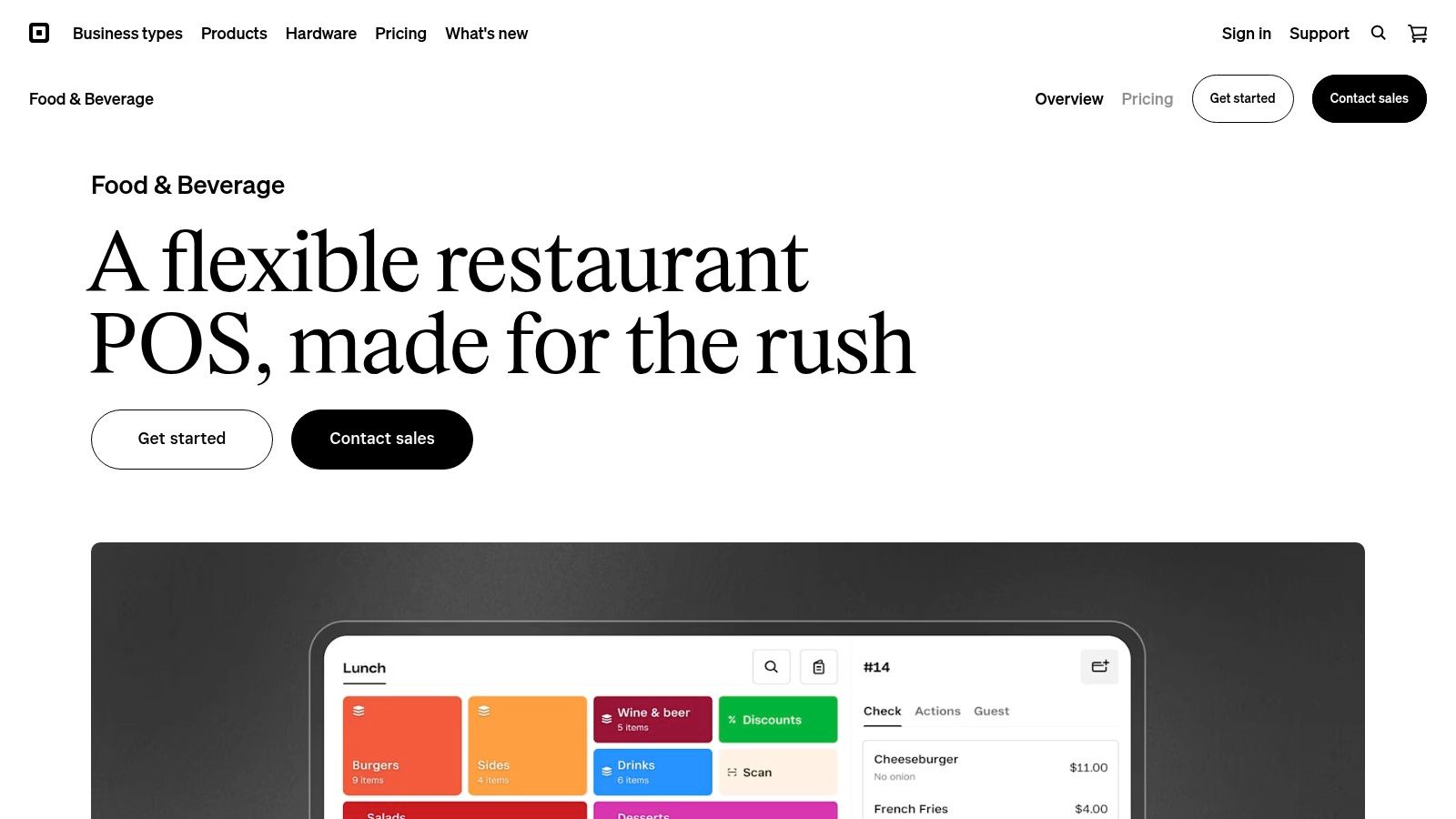
The platform's strength is its approachable yet comprehensive ecosystem. Square for Restaurants simplifies operations with an intuitive iOS-based app, a wide range of affordable hardware, and seamless integration with its broader suite of business tools. From multi-channel ordering to its Kitchen Display System (KDS), Square equips restaurateurs with the tools needed to manage operations efficiently, making it a top contender for the best pos software for restaurants.
Core Features and Pricing
Square's pricing model is designed for clarity and scalability, allowing businesses to start small and add functionality as they grow.
- Pricing Structure: Square offers a popular Free tier with no monthly software fees, ideal for new establishments. The Plus plan at $69/month per location unlocks advanced features like table management and a KDS. A Premium plan with custom pricing is available for larger businesses requiring more tailored solutions.
- Hardware: The platform supports a versatile lineup of hardware, including its proprietary terminals, registers, and handheld devices. The quick setup and user-friendly design allow for rapid deployment in any restaurant environment.
- Integrated KDS: The Plus plan includes a Kitchen Display System at no extra cost, helping to streamline communication between the front and back of the house and improve order accuracy.
Integrating Bitcoin Payments with Square via Flash
While Square does not natively process customer Bitcoin payments through its POS, its system is flexible enough to work alongside third-party solutions like Flash. This parallel setup enables restaurants to accept Bitcoin without altering their core Square for Restaurants workflow for order entry and kitchen management.
Here’s a practical example of how it works:
- A customer indicates they want to pay with Bitcoin.
- The server enters the order into the Square for Restaurants app on their terminal or handheld device.
- On a separate device, such as a tablet or phone running the Flash app, the cashier inputs the final bill amount.
- Flash generates a unique QR code for the Bitcoin transaction.
- The customer scans this QR code with their mobile Bitcoin wallet to send the payment.
- Upon confirmation of the Bitcoin payment via the Lightning Network, the cashier finalizes the transaction in Square POS by selecting a custom tender type, such as "Bitcoin" or "Third-Party Payment," to close the ticket.
This method ensures Square's reporting and operational tools remain accurate while Flash securely handles the Bitcoin payment processing.
Pros and Cons
| Pros | Cons |
|---|---|
| Transparent Pricing: Clear tiers with a free option and no long-term contracts. | Advanced Features Require Plus: Key functions like KDS are behind a paywall. |
| Affordable Hardware: A wide range of accessible and easy-to-set-up devices. | Higher Processing Fees: Flat-rate fees can be costly for high-volume venues. |
| User-Friendly Interface: The iOS app is intuitive and easy for staff to learn. | Less Specialized: May lack some of the deep, niche features of restaurant-only systems. |
Website: https://squareup.com/us/en/point-of-sale/restaurants
4. Lightspeed Restaurant
Lightspeed Restaurant offers a sophisticated, cloud-based platform designed for ambitious food and beverage businesses. It stands out with its powerful analytics and multi-location management tools, positioning it as one of the best POS software for restaurants planning to scale. The system is engineered to handle complexity, from intricate menus and floor plans to detailed inventory tracking across multiple sites, giving owners the business intelligence they need to grow.
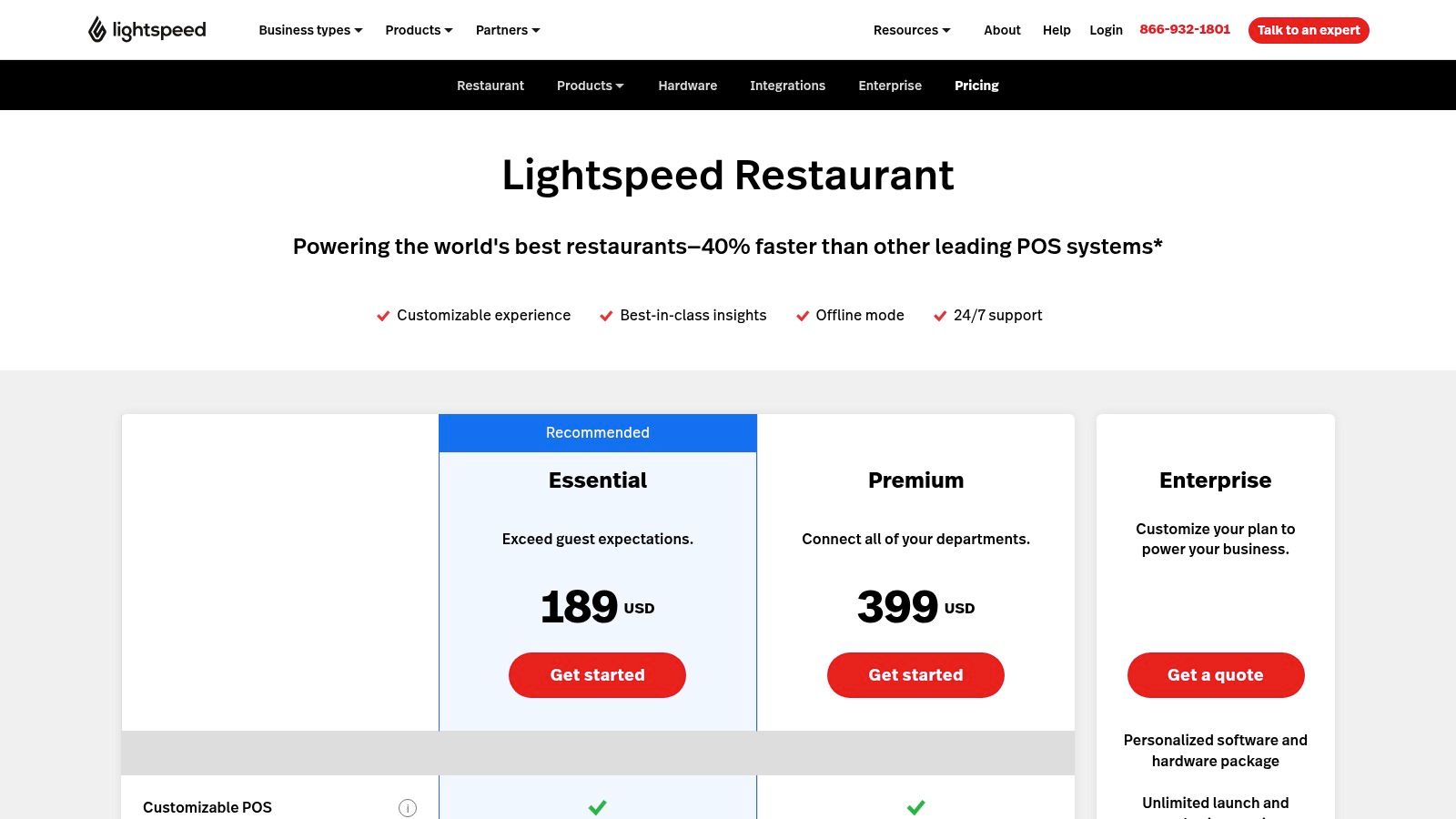
Unlike systems focused solely on transaction processing, Lightspeed emphasizes data-driven decision-making. Its robust backend provides granular reporting on sales, inventory, and customer behavior, helping operators optimize everything from menu engineering to staff performance. With features like offline mode and 24/7 support, Lightspeed ensures operational continuity, making it a reliable choice for high-volume environments.
Core Features and Pricing
Lightspeed's modular design allows restaurants to build a system that perfectly matches their operational needs, with transparent pricing for add-ons.
- Pricing Structure: The Starter plan begins at $69/month and includes the core POS, integrated payments, and basic reporting. The Premium plan, at $189/month, adds loyalty programs, online ordering, and advanced inventory. Enterprise-level plans offer API access and dedicated account management.
- Advanced Analytics: An optional Advanced Insights add-on provides deep-dive analytics, identifying sales trends, high-value customers, and menu performance, turning raw data into actionable strategies.
- Ecosystem Integrations: The platform supports extensive integrations for accounting, delivery services (like Uber Eats and DoorDash), and more, allowing businesses to create a connected tech stack. Kitchen Display Systems (KDS) are available as an add-on.
Integrating Bitcoin Payments with Lightspeed via Flash
While Lightspeed does not have a native Bitcoin integration, its flexible system allows for a straightforward parallel workflow using Flash. This lets restaurants cater to the growing Bitcoin community without altering their core Lightspeed setup for reporting and inventory management.
Here’s a practical example of how it works:
- A customer chooses to pay with Bitcoin.
- The server finalizes the order and total amount in the Lightspeed POS terminal or tableside device.
- On a separate device, such as a tablet or smartphone, the server opens the Flash app and inputs the final bill amount.
- Flash generates a Bitcoin Lightning invoice as a QR code.
- The customer scans the QR code with any Lightning-enabled Bitcoin wallet to complete the payment instantly.
- Once payment is confirmed in Flash, the server closes the check in Lightspeed, using a custom payment type like "Bitcoin" or "Third-Party Payment" to accurately track sales.
This method keeps Bitcoin transactions separate and secure while ensuring all order details and sales data remain centralized within Lightspeed for consistent reporting.
Pros and Cons
| Pros | Cons |
|---|---|
| Strong Analytics & Multi-Location Tools: Ideal for scaling brands. | Higher Software Cost: Base pricing is higher than some competitors. |
| Well-Suited for Growth: Deep features for complex operations. | Add-Ons Required: Key features like delivery require paid additions. |
| Transparent Add-On Pricing: Clear costs for KDS, loyalty, and more. | Learning Curve: Advanced features may require more initial training. |
Website: https://www.lightspeedhq.com/pos/restaurant/pricing/
5. Clover
Clover has established itself as a versatile and widely recognized player in the POS space, offering sleek hardware and software bundles for various business types, including restaurants. Its strength lies in providing a simplified, all-in-one solution that combines payment processing, hardware, and industry-specific software, making it a strong contender for the best POS software for restaurants, especially for those who value transparent pricing and pre-packaged systems.
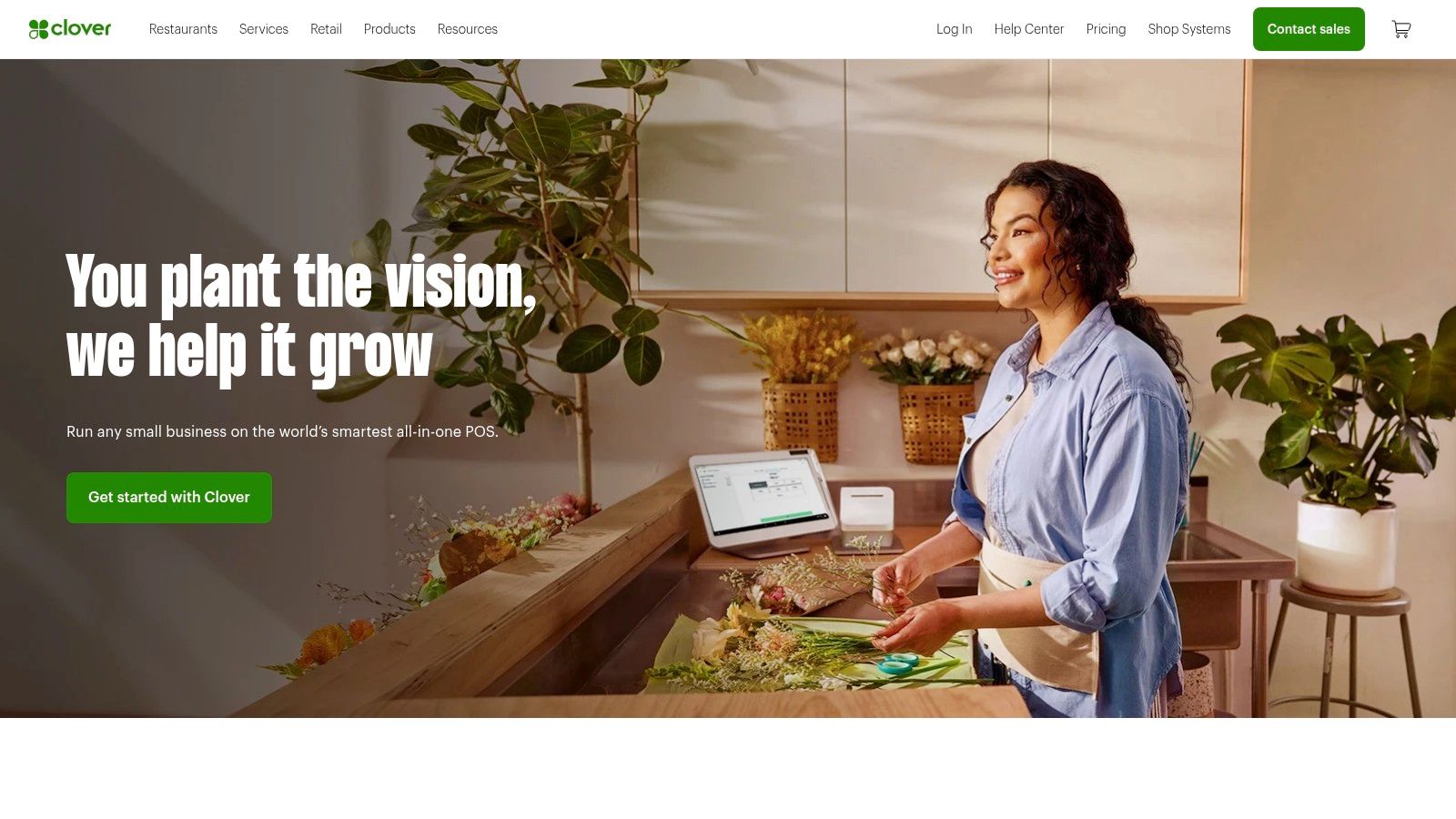
Unlike systems that require you to source tablets and payment readers separately, Clover provides a cohesive ecosystem where hardware and software are designed to work together seamlessly. The platform offers dedicated plans for both quick-service and full-service dining, ensuring restaurants get the features they need, such as order management, table mapping, and menu customization, right out of the box.
Core Features and Pricing
Clover's pricing model is known for its clarity, particularly for card-present transactions, which appeals to many small and medium-sized restaurants.
- Pricing Structure: Clover offers specific restaurant software plans like Counter Service Restaurant (starting from $54.95/month) and Table Service Restaurant (starting from $84.95/month). Its flat-rate card-present processing fee is typically around 2.3% + $0.10, providing predictable costs.
- Hardware: The hardware lineup is a key feature, ranging from the handheld Clover Flex for tableside ordering and payments to the comprehensive Station Duo for main counter operations.
- All-in-One Bundles: Restaurants can purchase or finance hardware and software subscriptions together, simplifying the setup process and reducing the complexity of dealing with multiple vendors. The system also supports add-ons like kitchen display systems and self-order kiosks.
Integrating Bitcoin Payments with Clover via Flash
While Clover does not natively process Bitcoin, its Android-based operating system makes it highly adaptable for integrating third-party applications like Flash. This allows restaurants to accept Bitcoin payments alongside traditional methods without overhauling their primary POS workflow.
Here’s a practical example of how it works:
- A customer informs the cashier they want to pay with Bitcoin.
- The cashier enters the order into the Clover terminal as usual to calculate the total.
- On a separate device, such as a tablet or smartphone running the Flash app, the cashier inputs the final bill amount.
- Flash instantly generates a QR code representing the Bitcoin invoice.
- The customer scans the code with their Bitcoin wallet to authorize the payment.
- Upon confirmation on the Bitcoin network (which is instant with the Lightning Network), the cashier finalizes the sale in Clover by selecting a custom tender type, such as "Bitcoin" or "Third-Party Pay," to keep sales records accurate.
This parallel workflow ensures that Clover continues to manage inventory and sales data while Flash handles the secure Bitcoin transaction.
Pros and Cons
| Pros | Cons |
|---|---|
| Clear Card-Present Rates: Predictable and transparent transaction fees. | Pricing Varies by Reseller: Published rates may only apply to direct purchases. |
| Dedicated Restaurant Plans: Specific features for counter and table service. | Potentially Higher Cost: Bundles can be pricier than iPad-based POS setups. |
| Integrated Hardware Bundles: Simplifies sourcing hardware and software. | Locked into Clover Ecosystem: Less flexibility to mix and match components. |
Website: https://www.clover.com/
6. TouchBistro
TouchBistro has established itself as a leading iPad-based POS system, designed with the dynamic environment of the restaurant industry in mind. It transforms a standard iPad into a powerful, mobile point-of-sale terminal, offering flexibility for everything from tableside ordering to line busting. As one of the best POS software for restaurants, its strength lies in its modular design, allowing establishments to build a custom solution that perfectly fits their operational needs and budget.
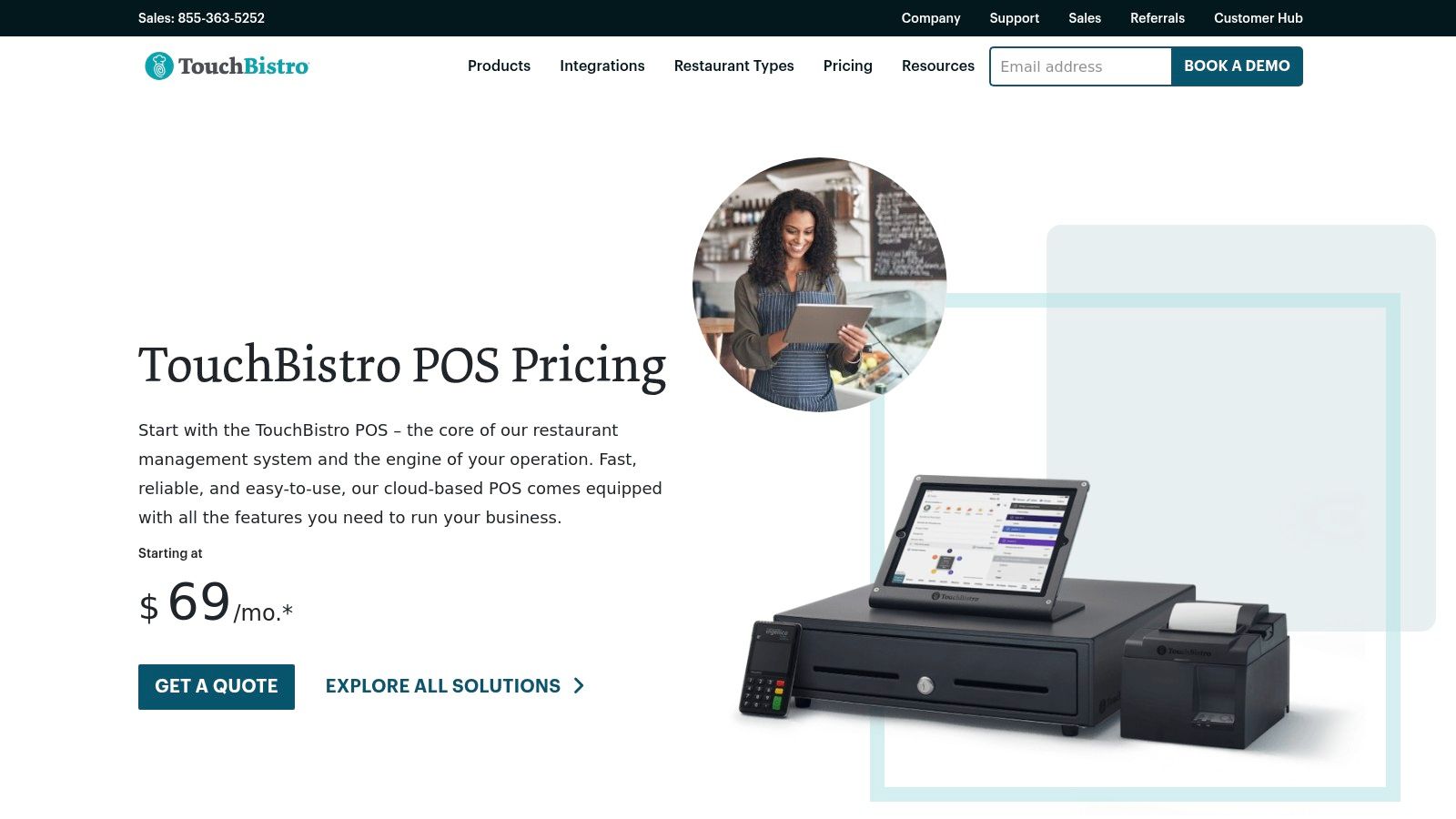
The platform is renowned for its intuitive interface and restaurant-specific features, making staff training straightforward and efficient. By focusing exclusively on the food and beverage industry, TouchBistro addresses key pain points like complex menu modifications, table management, and staff performance tracking. Its commitment to providing 24/7 customer support ensures that restaurants have assistance whenever they need it.
Core Features and Pricing
TouchBistro’s a la carte model lets you start with a robust core system and add advanced functionality as your business grows. This prevents overpaying for features you don't need.
- Pricing Structure: The core POS software starts at $69/month. From there, you can add individual modules like Reservations, Online Ordering, Gift Cards, and Loyalty, each with its own monthly fee. This allows for clear, predictable budgeting.
- Hardware: While the system runs on iPads, TouchBistro offers bundled hardware kits that include stands, cash drawers, and printers. They also provide integrated payment processing terminals for a complete setup.
- Key Functionality: The base package includes comprehensive menu and floor plan management, tableside ordering capabilities, detailed reporting and analytics, and robust staff management tools.
Integrating Bitcoin Payments with TouchBistro via Flash
TouchBistro does not natively support Bitcoin, but its workflow is perfectly compatible with third-party payment apps like Flash. This enables restaurants to accept Bitcoin payments alongside traditional methods without disrupting the order-taking process on the iPad.
Here’s a practical example of how it works:
- A server takes an order and enters it into the TouchBistro app on their iPad.
- When the customer is ready to pay with Bitcoin, the server confirms the final bill amount in TouchBistro.
- On a separate device (like an iPhone or another tablet), the server opens the Flash app and inputs the total amount due.
- Flash generates a unique QR code for the Bitcoin invoice.
- The customer scans this QR code with their mobile Bitcoin wallet to authorize the payment.
- Upon instant confirmation via the Lightning Network, the server finalizes the transaction in TouchBistro by selecting a custom payment type, such as "Third-Party" or "Bitcoin," to close the check.
This parallel system ensures that all sales data is accurately recorded in TouchBistro for reporting, while Flash handles the secure Bitcoin transaction.
Pros and Cons
| Pros | Cons |
|---|---|
| Designed for Restaurant Workflows: Intuitive iPad interface for tableside service. | Add-on Costs Can Accumulate: The modular approach can become pricey. |
| Flexible Modular Pricing: Pay only for the features your restaurant needs. | Hardware Limited to Apple: The system exclusively runs on iPads. |
| Strong Customer Support: 24/7 technical assistance is a key selling point. | Requires Separate Device for Bitcoin: Bitcoin payments need a second device. |
Website: https://www.touchbistro.com/pricing/
7. Capterra
While not a POS system itself, Capterra earns its spot on this list as an indispensable research tool. It’s a comprehensive online marketplace that allows restaurant owners to compare the best POS software for restaurants side-by-side. Instead of visiting dozens of individual vendor sites, Capterra consolidates listings, verified user reviews, and detailed feature breakdowns into a single, searchable platform. This makes it an essential first step for any restaurateur trying to navigate the crowded POS market.
The platform’s real value lies in its powerful filtering tools and authentic user feedback. You can shortlist potential systems based on specific criteria like business size, deployment type (cloud vs. on-premise), and essential features like inventory management or online ordering. Reading reviews from other restaurant owners provides unbiased insights into a system's real-world performance, customer support quality, and overall value, helping you avoid costly mistakes.
Core Features and Pricing
Capterra is a free resource for buyers, acting as a lead-generation platform for the software vendors it lists.
- Pricing Structure: Free for users. Capterra makes its money from the software vendors who pay for placement and leads, so there is no cost for restaurant owners to browse, compare, and connect with providers.
- Comprehensive Filters: Users can narrow down hundreds of options by filtering for must-have features, pricing models, and specific restaurant types (e.g., fine dining, quick service, bar).
- Verified User Reviews: The platform hosts thousands of reviews from real users, offering a transparent look at the pros and cons of each system from the perspective of a fellow business owner.
- Side-by-Side Comparisons: Capterra's comparison tool allows you to select up to four different POS systems and view their features, ratings, and pricing information in a clear, comparative table.
Using Capterra to Find Bitcoin-Ready POS Systems
Capterra’s extensive database is a powerful asset for identifying POS systems that can accommodate Bitcoin payments. While it may not have a dedicated "Bitcoin-compatible" filter, you can strategically use its features to find systems that work well with third-party payment gateways like Flash.
Here’s a practical guide to using the platform for this purpose:
- On the Capterra restaurant POS page, use the search bar or filters to look for systems known for their open APIs or robust integration capabilities.
- Filter for POS systems that support "third-party integrations" or offer customizable payment tender types. This is a key indicator that a system is flexible enough to work with an external app like Flash.
- Read user reviews, specifically searching for keywords like "integration," "API," "custom payment," or "flexibility." This can reveal how easily a system can be adapted for non-standard payment methods.
- Once you have a shortlist, you can visit the vendor websites directly to confirm their integration policies before making a final decision. This research ensures you select a POS that won't create roadblocks when you're ready to accept Bitcoin.
Pros and Cons
| Pros | Cons |
|---|---|
| Saves Significant Research Time: Centralizes vendor data and reviews. | Information Can Lag: Pricing or feature data may not be as current as the vendor's site. |
| Unbiased User Feedback: Verified reviews provide authentic insights. | Must Verify Directly: Always confirm final details and pricing with the vendor. |
| Discover Niche Solutions: Excellent for finding specialized POS systems. | Sponsored Placements: Top-listed results may be influenced by vendor advertising. |
Website: https://www.capterra.com/restaurant-pos-software/
Top 7 Restaurant POS Software Comparison
| Item | Implementation Complexity 🔄 | Resource Requirements ⚡ | Expected Outcomes 📊 | Ideal Use Cases 💡 | Key Advantages ⭐ |
|---|---|---|---|---|---|
| Flash | Low to moderate; minimal/no coding required | Low; uses existing Bitcoin wallets | Instant, secure Bitcoin payments globally | eCommerce, brick-and-mortar, SaaS, digital creators, nonprofits | Decentralized, non-custodial, no KYC, minimal fees, global Lightning Network reach |
| Toast | Moderate; integrated hardware and software | Medium to high; hardware financing available | Streamlined restaurant operations | Restaurants needing end-to-end POS with hardware | Restaurant-specific features, flexible pricing, hardware included, multi-location scaling |
| Square for Restaurants | Low; quick setup, free tier available | Low to medium; varied hardware options | Transparent pricing, good for small/mid-size | Single-location and growing restaurants | Transparent pricing, no contracts, affordable hardware, easy onboarding |
| Lightspeed Restaurant | Moderate to high; add-ons and integrations | Medium to high; some paid add-ons | Strong analytics, multi-location scaling | Scaling restaurants requiring advanced BI | Advanced reporting, multi-location management, extensive integrations |
| Clover | Moderate; hardware/software bundles | Medium; financing/purchasing options | Simplified dining operations | Quick-service and full-service restaurants | Clear card-present rates, dedicated dining plans, bundled hardware/software |
| TouchBistro | Moderate; iPad-based with modular add-ons | Medium; iPad hardware required | Flexible, tailored restaurant POS | Restaurants wanting iPad-first, modular POS | Restaurant-focused workflows, modular pricing, 24/7 support, bundled hardware/payment options |
| Capterra | N/A; comparison platform | N/A | Faster vendor research and comparisons | Restaurant buyers researching POS software | Verified reviews, comprehensive listings, buyer guides, free and updated |
The Final Ingredient: Choosing Your Path Forward
Navigating the landscape of restaurant technology can feel as complex as designing a new menu. We've explored some of the most powerful and popular systems on the market, from industry giants like Toast and Square for Restaurants to specialized solutions like TouchBistro. Each offers a unique blend of features designed to streamline everything from order management to staff scheduling. Yet, the most critical takeaway from our deep dive isn't just about picking one system off a list. It’s about building a future-proof technology stack that serves both your operational needs and your financial strategy.
The central theme is clear: you don’t have to choose between a best-in-class operational POS and accepting modern, low-cost Bitcoin payments. The traditional model of waiting for POS providers to integrate new payment types is outdated. By adopting a hybrid approach, you can leverage a powerful, established system for its core restaurant management features while integrating a dedicated solution like Flash for payment processing. This strategy unlocks the best of both worlds.
Synthesizing Your Decision: From Features to Philosophy
Making the final choice for the best pos software for restaurants requires a shift in perspective. Instead of searching for a single, all-in-one unicorn, focus on two distinct but complementary goals: operational excellence and payment efficiency.
1. Define Your Operational Core:
First, evaluate the POS systems we've covered based on your restaurant's specific workflow.
- High-Volume Quick Service: A system like Square or Clover might be ideal, prioritizing speed, ease of use, and quick onboarding for staff. Their intuitive interfaces are built for rapid transactions.
- Full-Service Fine Dining: A more robust platform like Lightspeed Restaurant or Toast offers advanced table management, detailed reservation systems, and sophisticated reporting needed for complex service environments.
- Niche Concepts (e.g., Food Trucks, Cafes): The flexibility of TouchBistro, with its iPad-native design, offers mobility and tailored features that fit unique, on-the-go business models.
2. Embrace a Modern Payment Rail:
Once your operational backbone is chosen, the next step is to optimize your payment processing. This is where you can gain a significant competitive edge. Instead of relying solely on the high-fee, traditional payment options built into your POS, layering a solution like Flash to accept Bitcoin payments offers immediate, tangible benefits. You gain access to near-instant settlement, dramatically lower transaction fees, and a direct, secure payment channel that eliminates the risk of chargebacks.
Key Insight: Your POS system is for managing your restaurant. Your payment processor is for managing your money. By decoupling these two functions, you empower yourself to choose the best tool for each job, rather than accepting a bundled, one-size-fits-all compromise.
A Practical Roadmap to Implementation
Choosing your software is just the beginning. Successful implementation is what translates your investment into real-world results. For those in the early stages of planning a new venture, using a comprehensive checklist for opening a restaurant can be an invaluable resource, ensuring that technology selection is integrated smoothly with all other critical startup tasks.
As you move forward, consider these actionable steps:
- Run a Cost-Benefit Analysis: Calculate your current credit card processing fees. Compare that figure to the minimal network fees associated with Bitcoin transactions. The potential savings are often substantial and can be reinvested into your business.
- Train Your Team Effectively: The concept of accepting Bitcoin may be new to some staff. Create simple, one-page guides showing them how to generate a QR code with Flash. Emphasize that from their perspective, the process is as simple as any other digital payment method.
- Market Your New Capability: Don't keep your modern payment options a secret. Announce on social media, add a "Bitcoin Accepted Here" sticker to your window, and mention it on your menu. This will attract a new, tech-savvy customer base actively looking for businesses that share their values.
Ultimately, selecting the best pos software for restaurants is a foundational step, but it’s your forward-thinking approach to payments that will define your restaurant’s agility and profitability in the years to come. By pairing a robust operational system with the lean, efficient power of Bitcoin, you are not just keeping up with trends. You are building a more resilient, cost-effective, and customer-centric business.
Ready to upgrade your payment system and reduce costly transaction fees? Discover how Flash integrates seamlessly with your existing workflow, allowing you to accept secure, low-fee Bitcoin payments in seconds. Visit Flash to get started and future-proof your restaurant's revenue.