When you send Bitcoin, you're not just clicking a button; you're broadcasting a request across a decentralized network. It's a process of sending digital assets from one digital wallet to another. This entire action is locked down by cryptography and permanently stamped onto a public ledger—the blockchain—making every transaction both immutable and transparent.
How a Bitcoin Transfer Really Works
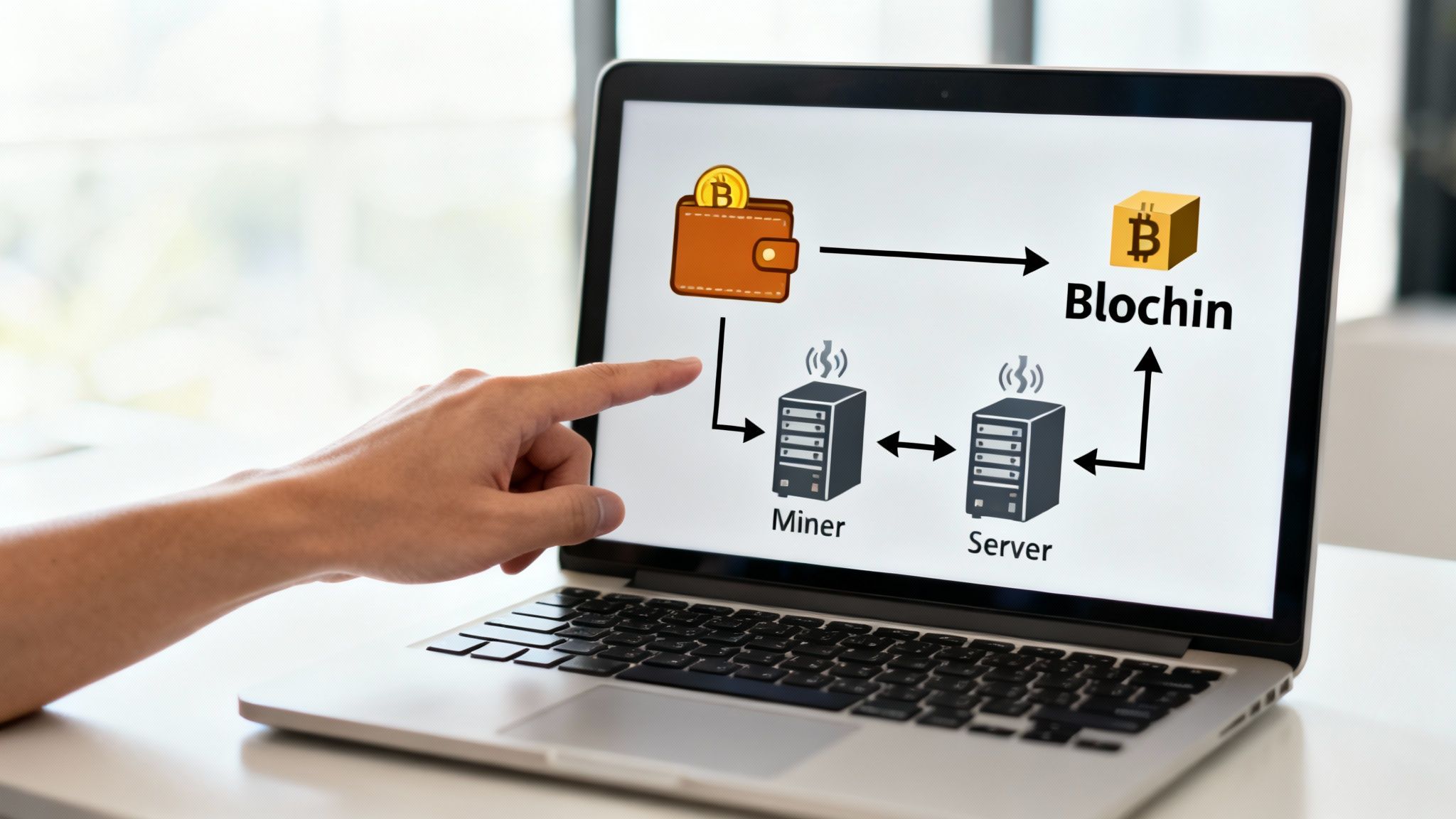
Before you even think about sending your first Bitcoin, you need to understand what's happening under the hood. This isn't just theory; it's the practical foundation that keeps your transfers secure. Think of it like learning the rules of the road before you get behind the wheel.
At the center of it all is your Bitcoin wallet. But here's a common misconception: your wallet doesn't actually "store" your Bitcoin. What it really holds are the cryptographic keys—the digital proof that you own your funds and have the authority to access them on the blockchain.
Public Address vs. Private Key
Getting the difference between your public address and private key is absolutely critical. They work as a pair, but confusing them can lead to a complete and irreversible loss of your funds. It’s the first lesson everyone in the Bitcoin space learns, often the hard way.
Public Address: This is like your bank account number. It's a long string of letters and numbers you can safely share with anyone who wants to send you Bitcoin. It’s generated from your private key, but it's a one-way street—no one can reverse-engineer it to find your key.
Private Key: This is the master key to your digital vault, like your bank password and PIN rolled into one. It's a secret code that gives you—and only you—full control over the Bitcoin associated with your address. You must never share your private key with anyone, for any reason.
Your private key is the ultimate proof of ownership. Whoever holds the private key controls the Bitcoin. Protecting it is the single most important rule in Bitcoin security.
This distinction is the bedrock of every transaction. When you send Bitcoin, you're actually using your private key to digitally "sign" an authorization, telling the network to move funds from your address to someone else's.
The Network and the Miners
Once you hit 'send,' your transaction doesn't just teleport to the recipient. First, it gets broadcast to the entire Bitcoin network—a massive, global web of thousands of computers, or "nodes." These nodes all work together to check and validate your transaction.
This is where miners come into play. Miners are powerful, specialized computers competing to bundle a group of pending transactions into a new "block." To do this, they solve incredibly complex mathematical puzzles. Once a miner finds the solution, they add the new block to the blockchain, the permanent public ledger. Only when your transaction is included in a confirmed block is the transfer truly complete and irreversible.
Understanding this flow is more important than ever. Bitcoin is increasingly used for everyday payments. You can learn more about how merchants are adopting crypto payments and see how different regions are stacking up. This foundational knowledge is your best defense against common mistakes and security risks.
Preparing Your Wallet for a Secure Transfer
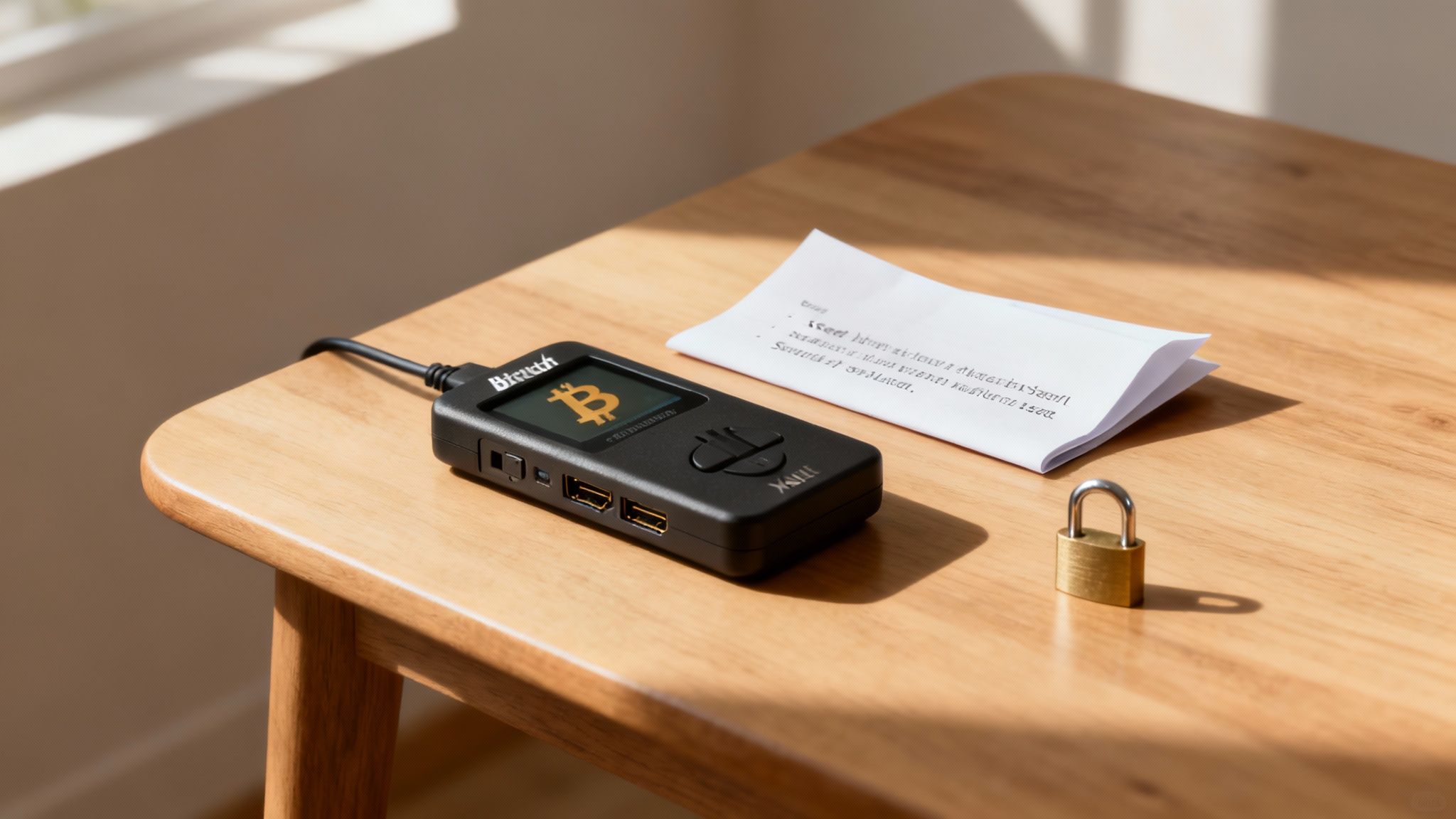
A successful Bitcoin transfer doesn’t just happen the moment you hit "send." The real work starts long before that, with how you prepare your wallet. Think of this initial prep as transforming your wallet from a simple container into a personal vault. It’s your first and most important line of defense against both clever hackers and simple human error.
Before you even think about moving funds, you need to lock down your wallet’s access controls. This goes way beyond using your pet's name as a password. A strong, unique password is the bare minimum.
But you can, and should, do more. Always enable multi-factor authentication (MFA) if your wallet offers it. MFA acts as a second checkpoint, usually requiring a code from an authenticator app on your phone. It makes it incredibly difficult for someone to get in, even if they somehow manage to steal your password.
Fortifying Your Digital Defenses
In the world of Bitcoin, one piece of information is more valuable than anything else: your seed phrase. Also called a recovery phrase, this string of 12 to 24 words is the master key to your entire wallet. If you lose your device, this phrase is the only way to restore your funds. Lose the phrase, and your Bitcoin is gone for good.
Backing up your seed phrase isn't just a good idea—it's absolutely critical. But how you store it is just as important. Keeping a digital copy in a text file, email draft, or cloud storage is asking for trouble. It exposes your master key to every online threat imaginable.
The only safe way to store a seed phrase is completely offline. I've seen these methods work time and time again:
- Go Analog: Write it down clearly on paper. Store it somewhere safe and private, like a fireproof safe or a bank deposit box.
- Etch in Metal: For ultimate peace of mind against fire or water damage, engrave your seed phrase onto a small metal plate.
- Split It Up: For an extra layer of security, you can split the phrase into multiple parts and store each piece in a different, secure location.
A common mistake is treating your seed phrase like just another password. It's so much more powerful. Never, ever type it, photograph it, or say it out loud near any device connected to the internet. The second it touches the digital world, you have to assume it's been compromised.
Choosing the Right Tool for the Job
The type of wallet you use has a massive impact on both the security and convenience of your transfers. The choice boils down to two main types: software wallets (hot) and hardware wallets (cold).
Software Wallets (Hot Wallets)
These are the apps you run on your computer or phone. Because they're always connected to the internet, they make sending and receiving Bitcoin incredibly fast and easy. They’re perfect for handling small, everyday amounts, but their online nature makes them more vulnerable to attack.
Hardware Wallets (Cold Wallets)
These are small physical devices built for one purpose: keeping your private keys offline. When you make a transaction, it's signed inside the secure chip on the device itself, meaning your keys are never exposed to your potentially compromised computer.
If you’re holding any significant amount of Bitcoin, a hardware wallet isn't a luxury; it's a necessity. It offers the highest level of protection against the most common online threats, ensuring your funds are secure before you even start a transfer.
Think of it this way: a software wallet is like the cash in your pocket, while a hardware wallet is like a Swiss bank vault. Both hold money, but one is clearly built for serious, long-term security. Getting this foundation right is the key to every safe transaction you'll ever make.
Sending and Receiving Bitcoin Confidently
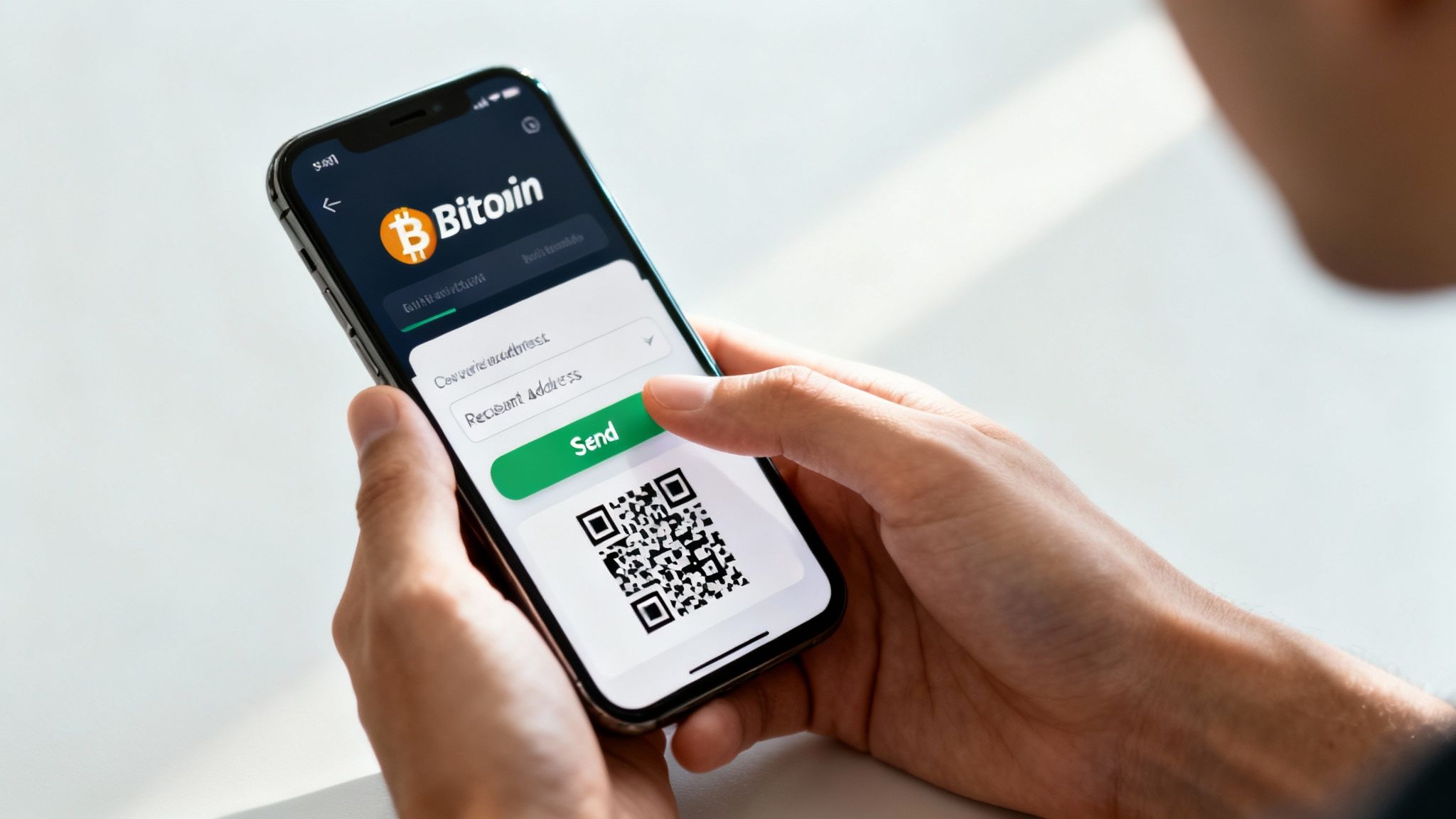
Alright, your secure wallet is set up and ready for action. Now we get to the fun part: actually moving some Bitcoin. This is where the rubber meets the road, and all that careful preparation pays off.
Sending and receiving Bitcoin isn't complicated, but it does demand your full attention. The blockchain doesn't have an "undo" button, so precision is everything. Let's walk through exactly how to handle a transfer so your funds get where they need to go without a hitch.
Initiating a Secure Bitcoin Transfer
First things first: you need the recipient's public address. This long string of characters is the destination for your coins, and getting it right is the most critical part of the entire process.
The best and only way you should handle this is to copy and paste the address. Never, ever try to type it out by hand. You're just asking for trouble.
Once the address is pasted into your wallet's 'send' field, you have one more crucial check to perform. I do this every single time, without fail: verify the first four and last four characters. This quick glance is your best defense against clipboard-hijacking malware or a simple copy-paste error.
Let's say a merchant gives you this address:bc1qxy2kgdygjrsqtzq2n0yrf2493p83kkfjhx0wlh
Before you even think about hitting 'send,' you'd confirm that the address in your wallet starts with bc1q and ends with 0wlh. This two-second habit can save you from a catastrophic, irreversible mistake. It's a tiny price to pay for peace of mind.
Next, you'll punch in the amount of Bitcoin to send. Most wallets give you the option to enter the amount in either BTC or your local currency (like USD or EUR). I often find it easier to use the fiat value, as it helps avoid mistakes with decimal places.
Choosing the Right Network Fee
After the address and amount are set, your wallet will ask you to choose a network fee. This is the "gas" for your transaction—it's what you pay miners to pick up your transaction and include it in a block. This fee isn't based on how much you send, but on the data size of your transaction and how busy the network is at that moment.
Your choice here is a direct trade-off between cost and speed:
- Low Fee: You'll save a few cents, but your transaction could be stuck waiting for hours, especially when the network is congested. Only use this if you're in no rush at all.
- Medium Fee: This is the sweet spot for most everyday transfers. It offers a reliable confirmation time without breaking the bank.
- High Fee: Pay a premium to jump to the front of the line. This is the go-to for time-sensitive payments where you need a confirmation now.
Thankfully, most modern wallets—especially those integrated with payment systems like Flash—do the heavy lifting for you. They'll suggest an optimal fee based on current network traffic. For most users, just going with the recommended fee is the safest and easiest option.
Here’s a quick reference table to give you a better feel for how fees, measured in satoshis per virtual byte (sats/vB), impact confirmation times on the Bitcoin network.
Bitcoin Transaction Fee Reference Guide
| Fee Level | Sats/vB (Example) | Estimated Confirmation Time | Best For |
|---|---|---|---|
| High | 100+ sats/vB | ~10-20 Minutes | Urgent payments, exchange arbitrage |
| Medium | 50-99 sats/vB | ~30-60 Minutes | Standard transactions, everyday purchases |
| Low | 10-49 sats/vB | 1-3 Hours (or more) | Non-urgent transfers, consolidating funds |
| Minimum | 1-9 sats/vB | Potentially Days | Payments where time is not a factor at all |
Note: These are estimates. Actual confirmation times can vary significantly based on real-time network congestion.
Choosing the right fee ensures your transaction is processed in a timeframe that meets your needs without overpaying.
Safely Receiving Bitcoin
On the flip side, receiving Bitcoin is refreshingly simple. All you have to do is give the sender your public address. The main thing to focus on here is how you share it.
In your wallet, find the 'receive' or 'request' option. It will show you a public address and, almost always, a corresponding QR code. For in-person transactions, the QR code is king. The sender just scans it, and the address populates in their wallet perfectly, eliminating any chance of human error.
If you're sharing the address online, copy it directly from your wallet and paste it into the message or email. Just like when you're sending, it's a good habit to have the sender confirm the first and last few characters with you.
A crucial pro-tip for privacy: generate a new address for every single transaction you receive. While you can reuse addresses, creating a fresh one each time makes it much harder for anyone on the public blockchain to link all your financial activity back to you.
Tracking Your Transfer on the Blockchain
The moment you hit 'send,' your wallet broadcasts the transaction to the network. It will immediately give you a Transaction ID (TXID), which is essentially your digital receipt and tracking number.
You can take this TXID and paste it into any public blockchain explorer. These websites are like a window into the Bitcoin network, letting you watch your transaction's journey in real-time. You'll see it get its first confirmation and then watch as subsequent blocks are built on top of it, cementing it into the blockchain forever.
For most businesses and services, a transaction is considered final after it has three to six confirmations. This transparency is one of Bitcoin's superpowers—the ability for anyone to verify a payment without needing to trust an intermediary.
Navigating Bitcoin Fees and Confirmation Times
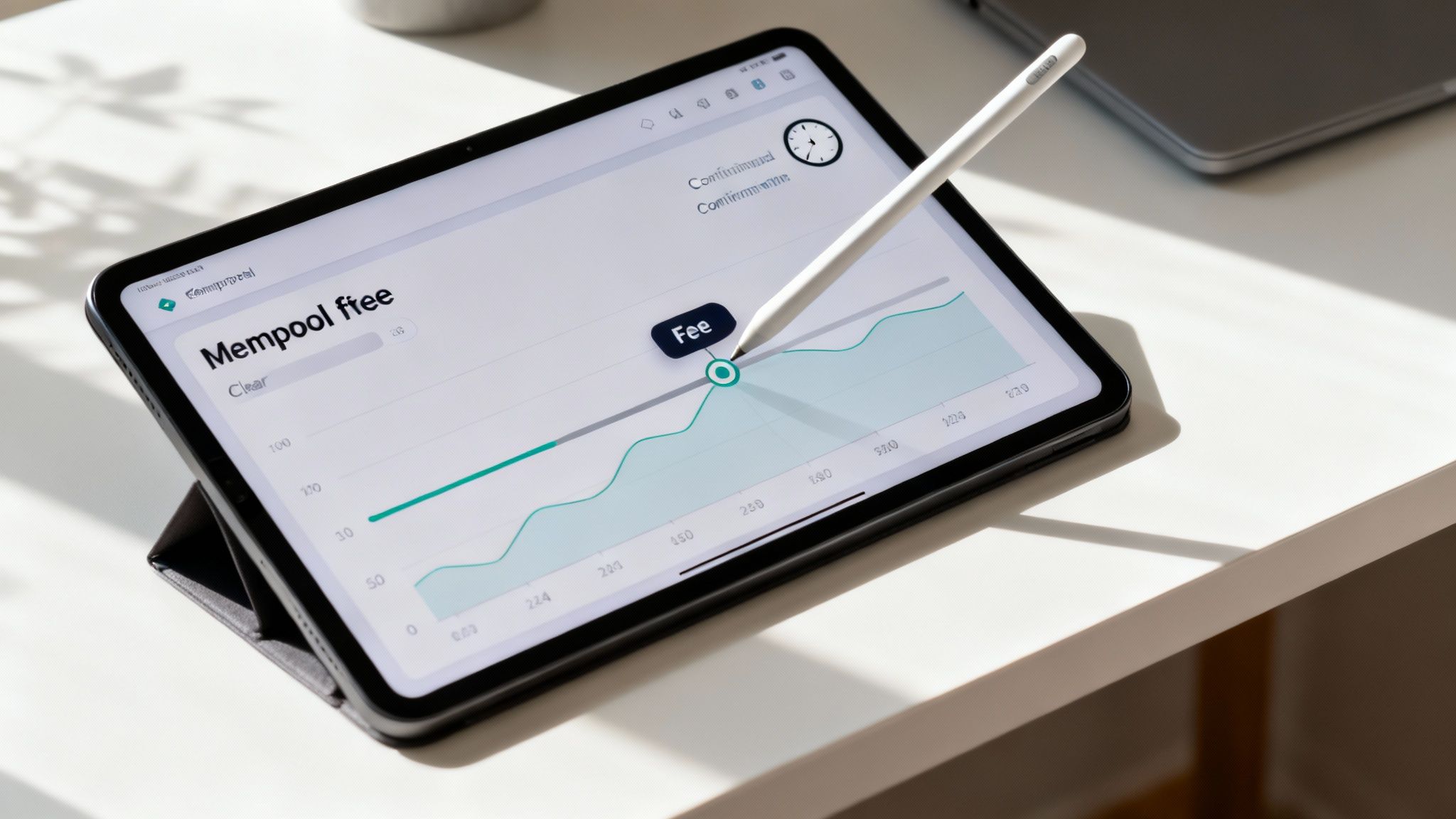
There's nothing more frustrating than getting hit with a high fee or a painfully long wait time. It can sour the whole experience. But these things aren't random—they're just a product of simple supply and demand on the Bitcoin network.
Here's how it works: when you send a transaction, it doesn't go straight to the blockchain. Instead, it lands in a global waiting room called the mempool, along with every other unconfirmed transaction. Miners grab transactions from this pool to build the next block.
Since a new block is only created about every ten minutes and has a fixed size, miners naturally prioritize the transactions that pay them the most. When the network is swamped, you’re competing with thousands of others for that limited space, which sends fees soaring. Understanding this dynamic is the key to getting your transfers done without overpaying or waiting forever.
Gauging Network Congestion
Instead of just guessing and hoping for the best, you can get a real-time look at the network's traffic. Mempool explorers are websites that visualize all the waiting transactions, showing you exactly what fee levels are getting confirmed quickly.
A quick check on a mempool explorer before you hit "send" is a game-changer. You can see the fee rate (measured in sats/vB) needed to get into the next block versus a rate that might leave you hanging for a while. This simple habit turns you from a passive participant into a strategic one.
Think of the mempool like a toll road during rush hour. If you want the express lane (next-block confirmation), you pay a higher toll (fee). If you're okay with sitting in traffic, you can pay less. The mempool explorer is your live traffic report.
Practical Tips for Optimizing Your Transfer
Armed with this insight, you can start actively managing your transfers to find the perfect balance between cost and speed. You don't have to just accept the default fee your wallet suggests.
Time Your Transfers Wisely: The Bitcoin network has predictable ebbs and flows. Activity often dips over the weekend or during late-night hours in North American and European time zones. Sending your transaction during these lulls can slash your fee.
Use Modern Address Formats: Not all Bitcoin addresses are built the same. Newer formats, especially Native SegWit addresses that start with "bc1", are way more efficient. Using one can shrink your transaction's data size, leading to a 15-30% reduction in the fee you have to pay.
Batch Your Transactions: If you have to make several payments, some advanced wallets let you batch them into a single transaction. This is vastly more efficient than sending them one by one and can dramatically cut your total fee costs.
Getting a handle on fees is crucial for any kind of financial transaction, whether it's moving Bitcoin or even calculating true take-home pay on creator platforms. Every satoshi saved is a satoshi earned.
The Importance of Network Confirmations
Once a miner includes your transaction in a block, it gets its first confirmation. This is the moment your Bitcoin transfer is officially recorded on the blockchain. But for most serious transactions, one confirmation isn't enough.
The blockchain is a chain of blocks, with each new one built on top of the last. Every block added after yours is another confirmation, making your transaction exponentially more secure and essentially irreversible.
A tiny purchase, like a cup of coffee, might be fine with one confirmation. But for anything significant, merchants and exchanges will always wait for more.
Here’s a common breakdown of what to expect:
- One Confirmation: This is fast, but there's a tiny, tiny chance it could be reversed if the network has a hiccup (called a re-org).
- Three Confirmations: This is a solid level of security, perfect for most medium-value transfers.
- Six Confirmations: This is the gold standard for finality. At this point, reversing the transaction is practically impossible, making it completely secure.
Waiting for those extra confirmations is a non-negotiable security measure. It ensures the funds are truly settled and protects everyone involved. It might add a bit of time, but the peace of mind is well worth it.
How to Troubleshoot Common Transfer Issues
So, you've sent your Bitcoin, but it seems to be stuck in limbo. Don't panic. Even the most carefully planned transfer can hit a snag, and seeing a transaction marked "pending" for what feels like an eternity can be nerve-wracking.
Nine times out of ten, the culprit is a simple one: the network fee was too low. Think of it like a traffic jam. When the Bitcoin mempool gets clogged with transactions, miners naturally pick the ones that offer the biggest reward (the highest fees). If you cheaped out on the fee, your transaction gets pushed to the back of the line and can sit there for hours—or even days—during peak congestion.
Playing Detective with a Stuck Transaction
Your first move is to get the real story. Don't just sit there refreshing your wallet. You need to become a blockchain detective.
Grab your transaction ID (TXID)—it’s like a digital receipt for your transfer—and plug it into a public blockchain explorer. This is your window into the raw, unfiltered truth of what's happening on-chain.
A good explorer will lay it all out for you:
- Confirmation Status: Is it actually unconfirmed and stuck in the mempool, or has it already been picked up?
- Fee Rate: You'll see the exact fee you paid (usually in sats/vB). Now you can compare that to the going rate on sites that track network fees.
- Network Priority: Some explorers even give you a rough estimate of where your transaction is in the queue to be mined.
This one step cuts through all the guesswork. If your transaction is unconfirmed and the fee rate looks pitifully low compared to what others are paying, you've found your problem.
Giving Your Transaction a Nudge with RBF
Luckily, you're not powerless. If your wallet supports it, you have a secret weapon called Replace-by-Fee (RBF). It’s a brilliant feature that lets you do exactly what it sounds like: rebroadcast the same transaction, but this time with a more attractive, higher fee.
Miners see this new, juicier offer and are financially motivated to grab it instead of your original low-fee transaction. You’re essentially bumping yourself to the front of the queue. RBF doesn't cancel the first attempt; it just replaces it, making it an absolute lifesaver for time-sensitive payments.
Knowing how to diagnose and unstick a Bitcoin transfer is a core skill. It turns a moment of pure panic into a solvable puzzle. Getting comfortable with a block explorer and RBF puts you back in control when things go sideways.
The One Mistake You Can't Undo
While a stuck transaction is almost always fixable, there's one common error that is tragically permanent: sending Bitcoin to the wrong address.
The blockchain is immutable. Once a transaction is confirmed, it's set in stone forever. There's no customer service line to call, no bank to reverse the charge. If you send your funds to an address you don't control, they're gone—unless the owner is kind enough to send them back (and good luck with that).
This is the cold, hard reality of self-custody, and it highlights why triple-checking the recipient's address before you hit "send" is the single most critical step of the entire process.
This very need for secure and efficient transfers is what’s pushing Bitcoin into the mainstream. Cross-border payments, in particular, have been transformed, offering speed and low costs that legacy banking can't touch. We're talking about a world where millions of people own and use Bitcoin. As you can see in this deep dive on how blockchain is reshaping cross-border payments on bvnk.com, this isn't just a niche trend. It’s a global shift, and it makes mastering these fundamental troubleshooting skills more important than ever.
Your Bitcoin Transfer Questions Answered
Even when you feel like you've got the hang of it, questions always seem to pop up during a Bitcoin transfer. To tie everything together, I've rounded up some of the most common things people ask when they're moving Bitcoin around. Think of this as your go-to cheat sheet for navigating transactions with more confidence.
How Long Does a Bitcoin Transfer Actually Take?
The speed of your transfer really boils down to two things: how busy the network is and how much you're willing to pay in fees. If you set a reasonable fee, you can generally expect the first confirmation to show up within 10 to 20 minutes. That's because a new block gets added to the Bitcoin blockchain roughly every ten minutes.
But one confirmation usually isn't enough. For security reasons, most merchants and exchanges wait for multiple confirmations—typically somewhere between three and six. This means your transaction is usually considered final and settled within 30 to 60 minutes. Keep in mind, if the network is really congested and you cheap out on the fee, your transaction can get stuck in limbo for hours.
Can I Cancel a Bitcoin Transaction After I've Sent It?
In a word: no. Once a Bitcoin transaction is broadcast to the network, it’s irreversible. This finality is one of the core principles of blockchain technology. There's no customer service line to call or a bank to ask for a chargeback.
This is exactly why you have to be meticulous about double-checking the recipient’s address and the amount before you hit 'send'. Some advanced wallets have a feature called Replace-by-Fee (RBF), but that doesn't actually cancel anything. It just lets you replace your stuck transaction with a new one that has a higher fee to hopefully get it processed faster.
What Happens If I Send Bitcoin to the Wrong Address?
If you send your Bitcoin to a valid address that just happens to be owned by someone else, those funds are almost certainly gone for good. Your only hope is that the person on the other end is honest enough to send them back.
On the other hand, if you just make a typo and the address isn't mathematically valid, the network will probably just reject the transaction outright. In that case, the funds never actually leave your wallet. My advice? Always use your device's copy-paste function for addresses and then visually check the first and last few characters to be safe.
The blockchain’s immutable nature means there's no "undo" button. The responsibility for getting it right falls squarely on the sender, which is why you need to be extremely careful with every single transfer.
How Can I Track My Transfer?
You can watch any Bitcoin transfer happen in real-time on a public blockchain explorer. The second you send the funds, your wallet will give you a unique transaction ID (TXID). This long string of letters and numbers is essentially your digital receipt.
To see what's happening, just copy that TXID and paste it into the search bar on any Bitcoin block explorer website. You'll get a live look at all the details:
- How many network confirmations it has so far.
- The exact miner fee you paid.
- The sending and receiving Bitcoin addresses.
It's the most transparent way to verify the status of any transfer on the network, giving you a clear window into its journey from your wallet to its final destination.
Ready to start accepting Bitcoin payments without the hassle? Flash gives merchants powerful, decentralized tools to get set up in under a minute. Our wallet-to-wallet system ensures you're always in control of your funds. Start accepting Bitcoin today at Flash.