Right, before you can start stacking sats, you need to know where to send them. Finding your Bitcoin wallet address is usually straightforward. Just pop open your wallet app and look for a button that says “Receive” or sometimes “Deposit”.
Give that a tap, and you'll see a long jumble of letters and numbers, often with a QR code right next to it. That's it. That's your public address. You can share this with anyone to get paid without a second thought.
What Exactly Is a Bitcoin Address? And Why Should You Care?
Think of your Bitcoin address as a one-way inbox for your digital cash. It's like a bank account number, but for Bitcoin. You can hand it out to anyone, anywhere in the world, and they can send funds to you. It's totally safe to share.
This public address is generated from your wallet's public key, but it's critically different from your private key. Your private key is the secret sauce—the password that gives you control over your Bitcoin. You guard that with your life and never, ever share it with anyone. Your public address, on the other hand, is made for sharing.
The most important takeaway is the fundamental difference between your public address and private key. One is for sharing (your address), and the other is for securing (your key). Confusing the two is one of the most common and costly mistakes a newcomer can make.
A Quick Look at Different Address Types
As you start using your wallet, you might notice your addresses don't always look the same. That’s because Bitcoin has evolved over the years, leading to a few different formats. You don't need to be an expert, but it helps to recognize them:
- Legacy (P2PKH): The old school addresses. These always start with the number 1.
- SegWit (Bech32): This is the most common format you'll see today. They start with bc1 and are designed to make your transactions cheaper. A nice little bonus.
- Taproot (P2P-TR): The new kid on the block. These start with bc1p and come with some slick privacy and efficiency upgrades for more complex transactions.
Your wallet will manage all of this behind the scenes, so you don't have to worry about the technical details. But knowing the formats can give you a bit of confidence that you're looking at a legitimate Bitcoin address.
With the Bitcoin network buzzing with around 270,000 transactions daily across nearly a million active addresses, it's clear a lot of people are putting these addresses to good use. You can dive deeper into the network's activity over at bitbo.io.
Before we get into the nitty-gritty of finding your address on different platforms, let's quickly summarize.
Quick Guide to Locating Your Bitcoin Address
Here's a quick summary of where to look for your address based on the type of wallet you use.
| Wallet Type | Common Location for Address |
|---|---|
| Software Wallets | Typically under a "Receive" or "Deposit" tab on the main dashboard. |
| Mobile Wallets | A prominent "Receive" button, often at the bottom of the main screen. |
| Hardware Wallets | Inside the device's companion app (e.g., Ledger Live, Trezor Suite) under an "Account" and then a "Receive" section. |
| Exchanges | In the "Wallet" or "Assets" section, find Bitcoin and click "Deposit". |
This table should give you a good starting point, but let's break down the exact steps for each type of setup next.
Finding Your Address in Software and Mobile Wallets
For most people dipping their toes into Bitcoin, a software or mobile wallet is the first stop. They’re designed to be intuitive, and thankfully, that means finding your wallet address is usually a piece of cake. You won’t have to dig through confusing menus; it's almost always right there on the main screen.
Look for a big, friendly "Receive" button as soon as you open the app. That’s your target. Giving that a tap is typically the only step you need to take.
Once you do, your wallet will instantly show you your unique Bitcoin address, usually in two handy formats:
- A long string of characters: This is the full address. It’s perfect for copying and pasting into an email or a message.
- A QR code: This scannable black-and-white square is ideal for face-to-face transactions or if you're sending funds from another device.
You'll almost always see a "copy" icon right next to the text-based address. Make this your best friend. Clicking it copies the address perfectly, which is absolutely critical—Bitcoin transactions are final, so a typo could mean your funds are gone forever.
Wait, Why Does My Address Keep Changing?
You might notice something odd: every time you hit "Receive," your wallet shows you a brand new address. Don't panic! This is actually a smart, built-in privacy feature.
By generating a fresh address for each transaction, your wallet makes it much harder for snoops on the public blockchain to connect the dots and trace all your payments back to you.
The key thing to remember is that all your old addresses still work and are permanently tied to your wallet. You can safely receive Bitcoin to any of them, but it’s always best practice to use a new one each time to protect your financial privacy.
Here’s a classic example of a "Receive" screen from a desktop wallet, Bitcoin Core.
As you can see, it's straightforward. The QR code is prominent, the full address is right below, and you have clear options to copy it or even request a specific amount.
The Mobile Wallet Takeover
There’s no denying it—we live on our phones, and that’s where Bitcoin is heading too. By 2025, mobile wallets are set to be the main way people interact with their funds, with over 78% of users expected to use mobile apps.
This shift is happening for good reason. It’s not just about convenience; it's also about security. Around 84% of mobile wallets now incorporate biometrics like fingerprint or Face ID. This makes accessing and sharing your wallet address both safer and simpler. You can dive deeper into these Bitcoin wallet trends on coinlaw.io.
Because of this mobile-first world, developers are obsessed with making the user experience as smooth as possible. So, when you're looking for your wallet address, remember that it’s probably just one tap away. The entire process is designed to be as simple as sending a text.
Locating Your Address on a Hardware Wallet
If you're using a hardware wallet, you've already prioritized top-tier security for your Bitcoin by keeping your private keys completely offline. That's a great first step. Finding your wallet address with one of these devices requires a few more physical checks than a software wallet, but this process is precisely what keeps your funds safe from online threats.
The whole thing starts by physically connecting your hardware wallet to your computer. Once it’s plugged in, you'll unlock it with your PIN and then open up its companion software, like Ledger Live or Trezor Suite. Think of this application as the secure bridge between your offline device and the online world.
From there, you'll navigate to your Bitcoin account inside the app. Much like with software wallets, you're looking for a “Receive” button. Clicking this tells the wallet you want to generate a fresh address to accept funds.
The All-Important Verification Step
This is where hardware wallets really shine—and where you need to pay close attention.
After you click "Receive" in the software, a Bitcoin address will pop up on your computer screen. At the very same moment, your hardware wallet's own little screen will also display an address. Your one crucial job is to meticulously compare them.
You must physically confirm that the address shown on your computer screen perfectly matches the one displayed on your hardware wallet’s screen. This is a non-negotiable security check.
Why is this so critical? It's your defense against nasty bits of malware that might be lurking on your computer, like "address poisoning" or clipboard-hijacking viruses. If a virus were to swap out the address in the software, the mismatch on your hardware device would be your screaming red flag, stopping you from accidentally sending your Bitcoin straight to a scammer.
So, to break it down, the standard procedure looks something like this:
- Connect and Unlock: Plug your hardware wallet into your computer and punch in your PIN on the device itself.
- Open the Companion App: Fire up the official software for your device (e.g., Ledger Live, Trezor Suite).
- Navigate to Receive: Find your Bitcoin account and hit the "Receive" option.
- Verify on Device: Carefully—and I mean carefully—compare the string of characters on your computer screen with the one on your hardware wallet's physical screen.
- Approve and Share: If they match perfectly, approve the address on your device. Only then is it safe to copy the address from your computer screen and share it.
Making this verification a rock-solid habit is the single most important practice for any hardware wallet owner. It’s what guarantees your Bitcoin always ends up exactly where it's supposed to.
How to Share Your Bitcoin Address Safely
Okay, so you've found your wallet address. What's next? Getting it to the person who's paying you, and doing it without any costly mistakes. Bitcoin transactions are a one-way street—once sent, they're gone for good. That means getting the address right isn't just a good idea; it's everything.
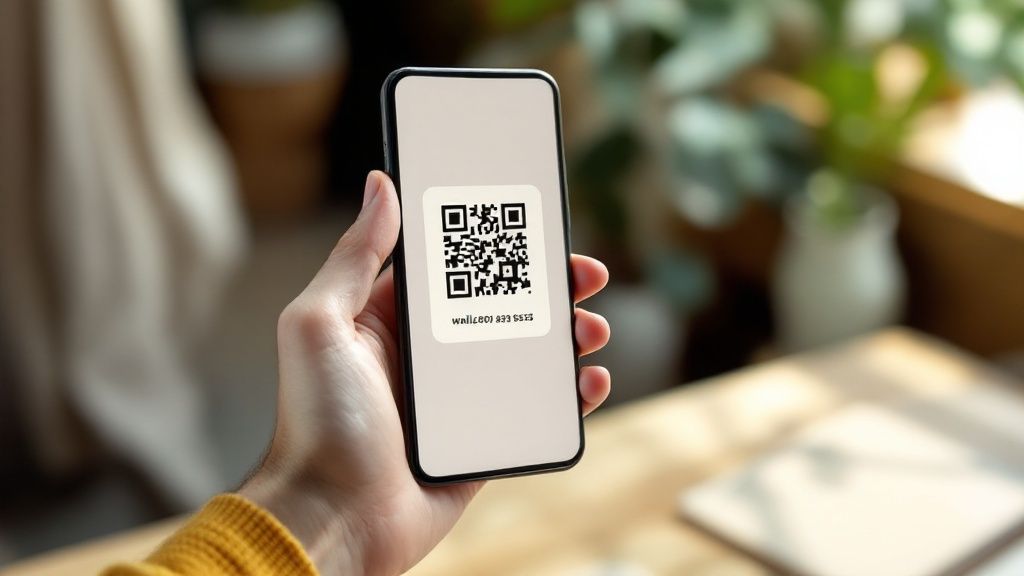
Here’s the single most important rule to tattoo on your brain: never, ever type out a Bitcoin address by hand. These things are long, complicated strings of gibberish designed for computers, not people. Your wallet will always have a "copy" button. Use it. This puts the exact address on your device's clipboard, ready to paste.
Even with copy-paste, take a second to double-check. A simple but effective habit is to verify the first four and last four characters of the address after you paste it. Why? Because sneaky clipboard-hijacking malware exists, and its whole job is to swap your address with a scammer's address. That quick check can save you a world of pain.
The Right Way to Share for Any Situation
How you share your address really depends on where you are and what you're doing. The goal is always the same: perfect, error-free transmission.
Here are the best ways to handle the most common scenarios:
- Online Transactions: If you're getting paid by a friend online or an e-commerce site, the copy-and-paste method is your best friend. Copy the address from your wallet, paste it into the chat window or payment form, and do that quick "first four, last four" check before you give the final okay.
- In-Person Payments: When you're standing face-to-face with someone, the QR code is king. Just open your wallet app, pull up the QR code for your receiving address, and let the other person scan it with their phone. It's instant, completely accurate, and leaves no room for typos.
A quick heads-up on privacy: while your public address is safe to share for receiving funds, it's also a public record. Anyone with your address can pop it into a blockchain explorer and see every transaction tied to it. If you value your privacy, get in the habit of generating a new address for every single transaction you receive. Most modern wallets make this easy.
The Bitcoin network is a massive, bustling place, with an average of around 887,000 daily active addresses sending or receiving funds. Knowing how to share your address safely is your ticket to participating confidently. These simple precautions aren't complicated, but they make all the difference in using Bitcoin without the stress. You can dive deeper into the numbers by reading the full research on crypto user statistics.
Common Mistakes to Avoid When Handling Your Address
Knowing how to find your Bitcoin address is just the first step. The real test is handling it correctly—that's what keeps your funds secure. A simple slip-up can be incredibly costly, but thankfully, the most common mistakes are easy to sidestep once you know what to watch for.
The single biggest error I see people make is confusing their public address with their private key or seed phrase. Think of your public address like your email—it's meant to be shared so people can send you things. Your private key, on the other hand, is the master password that controls your Bitcoin. Never, ever share it.
Protecting Your Transactions
Here’s a pro tip I always share, especially for new users: before sending a large amount of Bitcoin, always send a small test transaction first. Bitcoin payments are irreversible. Once it's gone, it's gone. Sending a few cents worth of BTC to confirm the address is correct is a tiny price to pay for peace of mind and can save you from a catastrophic loss.
Another frequent pitfall is sending the wrong type of crypto to your Bitcoin address. It sounds obvious, but it happens more than you'd think. Your Bitcoin wallet is for Bitcoin, period.
A Bitcoin address is designed exclusively for the Bitcoin network. If you try sending other digital assets to it, those funds will almost certainly be lost forever. The networks just aren't compatible.
Critical Don'ts for Address Safety
To keep your assets safe, burn these rules into your brain. They are non-negotiable practices for anyone serious about using Bitcoin.
- Don't Share Your Secrets: I can't say this enough. Never give out your private key or your 12/24-word seed phrase. Scammers are clever and often create fake support websites or send phishing emails to trick you into revealing them.
- Don't Assume Compatibility: Do not send other cryptocurrencies to your Bitcoin address. They operate on entirely different digital highways, and your transaction will end up lost in cyberspace.
- Don't Skip Verification: For any significant transaction, take the extra minute to send a small test amount first. Wait for it to arrive safely before you even think about sending the full amount.
Stick to these simple but crucial guidelines, and you'll ensure your experience with Bitcoin is secure and stress-free.
A Few Common Questions About Bitcoin Addresses
Once you’ve got the hang of finding your wallet address, a few other questions tend to bubble up. Getting these sorted out early will make you feel a lot more comfortable sending and receiving Bitcoin. Let's tackle some of the most common points of confusion I see.
One of the first things that trips people up is seeing their wallet generate a brand-new Bitcoin address for every single payment they receive. This isn't a bug; it's a powerful privacy feature built right into the system. It might feel a bit strange at first, but using a fresh address for each transaction makes it much, much harder for snoops to trace your entire financial history on the public blockchain.
The single most important thing to remember is this: all of your previously used addresses still work. They are permanently tied to your wallet. You can always receive funds to an old address, but for the sake of your privacy, getting a new one each time is definitely the way to go.
Why Does My Bitcoin Address Keep Changing?
As I mentioned, it all comes down to privacy. Think of it like this: you wouldn't use your main personal email for every single online forum or newsletter signup, right? You'd use a different one to avoid spam and keep things separate. Your Bitcoin wallet does the same thing, automatically breaking the chain of transactions that could be linked back to you and making your activity less obvious to outside observers.
The beauty is that this is all handled for you. Most modern wallets manage this process behind the scenes, so you don’t have to keep a messy spreadsheet of old addresses. Your wallet does all the heavy lifting.
- Does this happen every time? Yep, most wallets will give you a new address each time you hit the "Receive" button.
- Do old addresses expire? Absolutely not. Your old Bitcoin addresses are good forever and will always route funds straight to your wallet.
So, is it safe to post my public address online for something like donations? Yes, 100%. Your public address is meant to be shared. Nobody can touch your Bitcoin just by knowing your address. To do that, they'd need your private key, which you should guard with your life and never, ever share with anyone.
Ready to start accepting Bitcoin payments for your business? Flash offers secure, decentralized, and incredibly user-friendly tools that plug directly into your own wallet. You can get set up in under a minute with zero KYC and immediately benefit from instant, low-fee transactions. Join the future of commerce by visiting paywithflash.com.