Thinking about adding a Bitcoin payment option to your website? It's more straightforward than you might think. Essentially, you'll choose a provider, set up an account, and then either use a simple plugin for platforms like WordPress or connect directly via API for a custom-built site. The goal is to plug your website directly into the Bitcoin network so customers can pay straight from their wallets.
Why Your Website Needs a Bitcoin Payment Gateway
Before we get into the nuts and bolts of the integration, let's talk about why this is such a smart move for any online business. The world of digital commerce is constantly changing, and adding a Bitcoin payment gateway is about more than just checking another box for payment options. It's about getting your business ready for what's next.

This isn't just a niche trend; the market data backs it up. The global payment gateway market is on a tear, projected to jump from $26 billion in 2022 to $47 billion by 2025. That’s a massive leap, driven by a compound annual growth rate of 20.5%.
It shows just how quickly businesses are scrambling to adopt better payment tech to keep pace with e-commerce. With digital payments already making up 54% of all global transactions, it’s clear that ignoring new financial technologies isn't an option. For a deeper dive into these numbers, check out the report on market.us.
Tap Into a Global Customer Base
Traditional payment systems are notoriously bound by borders, hitting you with currency conversion fees and frustrating delays. Bitcoin, on the other hand, runs on a global, decentralized network. This means you can take payments from anyone, anywhere on the planet, without the usual cross-border headaches.
This immediately opens your doors to a huge, tech-savvy audience that actively looks for merchants who accept Bitcoin. By making that small change, you're not just selling a product; you're sending a powerful signal that your business is modern, innovative, and open to the world.
Enjoy Lower Fees and No Chargebacks
Let's talk money. Credit card processing fees are a silent killer for profit margins, typically hovering between 1.5% and 3.5% per transaction, and that's before you factor in all the extra monthly and hidden charges. Bitcoin transaction fees are often drastically lower, letting you keep more of your hard-earned revenue.
But here’s the real game-changer for merchants: the complete elimination of fraudulent chargebacks. Bitcoin transactions are final and irreversible. This means the risk of chargeback fraud—a constant source of stress and lost revenue in e-commerce—is gone. Your revenue is protected, and your accounting just got a lot simpler.
Key Benefits for Merchants
Still on the fence? Here are a few more reasons why merchants are making the switch:
- Instant Settlement: Payments move directly from your customer's wallet to yours. No more waiting days for funds to clear through the old-school banking system.
- Enhanced Security: By cutting out the middlemen, you reduce the number of potential failure points and the risk of data breaches that come with storing sensitive credit card details.
- Customer Privacy: Bitcoin payments don't require customers to hand over a trove of personal information, offering a level of privacy that a growing number of consumers are starting to demand.
Ultimately, figuring out how to integrate a payment gateway for Bitcoin is a proactive step. It prepares your business for a new generation of shoppers and a financial world built on speed, security, and global access.
Choosing The Right Bitcoin Payment Gateway

Picking a partner to handle your Bitcoin payments is a massive business decision, not just a technical box to check. The gateway you choose will ripple through everything from your daily operations and security posture to your bottom line. You're not just buying a tool; you're finding a service that clicks with your business model and your philosophy on managing money.
The very first fork in the road is understanding the critical difference between custodial and non-custodial gateways. This one choice defines who actually holds the keys to the Bitcoin your customers pay you.
Custodial vs. Non-Custodial Gateways
A custodial gateway operates a lot like a traditional payment processor. It takes the Bitcoin payment from your customer, holds it in an account on their platform, and gives you access to it. This can simplify things like swapping your BTC for dollars, but it also means you're trusting someone else to keep your money safe.
A non-custodial gateway, on the other hand, never touches your funds. It simply facilitates the handshake between your customer's wallet and a Bitcoin wallet you control. This is the model used by services like Flash, giving you total control over your revenue the instant a sale is made.
The core idea here is a classic Bitcoin mantra: "Not your keys, not your coins." A non-custodial setup ensures you're the only one who can access your funds, wiping out third-party risk and censorship concerns.
This distinction is everything. If you value self-sovereignty and direct control, a non-custodial solution is the only way to go. It truly honors the decentralized spirit of Bitcoin.
Deciding between these two models comes down to a trade-off between convenience and control.
Bitcoin Payment Gateway Models Compared
| Feature | Custodial Gateway | Non-Custodial Gateway |
|---|---|---|
| Fund Control | Gateway holds your funds | You hold your funds directly |
| Security Risk | Relies on the gateway's security | You control your private keys |
| Fiat Conversion | Often built-in and simple | May require an extra step (e.g., exchange integration) |
| Sovereignty | Lower; dependent on a third party | Highest; complete financial self-sovereignty |
| Best For | Businesses prioritizing convenience and easy fiat settlement | Businesses prioritizing control, security, and lower risk |
Ultimately, a non-custodial gateway puts you in the driver's seat, aligning perfectly with the core principles of Bitcoin.
Analyzing Fee Structures and Settlement
Beyond custody, you have to get granular with the fee structure. While Bitcoin transaction fees are generally much lower than credit card rates, gateway providers have their own pricing. Some charge a simple percentage per transaction, often around 1%, while others might layer on monthly subscriptions or withdrawal fees.
You also need to think about how you want to receive your money. Do you plan to hold the Bitcoin as a company asset, or do you need it immediately converted to fiat (like USD or EUR) to pay the bills?
- Hold Bitcoin: This is the ideal path for businesses looking to build a Bitcoin treasury or use BTC for their own expenses. It’s the purest way to participate in the Bitcoin economy.
- Automatic Fiat Conversion: A must-have for businesses that need to cover local currency costs. Custodial services usually excel here, but some non-custodial providers offer smart integrations with exchanges to automate the process for you.
Demand total transparency in pricing. Hidden fees chipping away at your profits are the last thing you need. A clear, easy-to-understand fee schedule is the hallmark of a provider you can trust.
Integration Ease and Developer Support
Finally, let's talk tech. How painless will it be to integrate the payment gateway to your website? A solid provider will offer several ways to get up and running, catering to different technical skills:
- Plugins: The easiest route for popular e-commerce platforms like WooCommerce. Usually no-code and ready in minutes.
- Payment Buttons/Links: Simple, embeddable code snippets or shareable links perfect for quick, one-off checkouts.
- Well-Documented APIs: The go-to for custom websites that need a deeper, more tailored integration.
And please, don't ignore the quality of their developer documentation and support. Clear guides and a responsive tech team can be the difference between a smooth launch and weeks of headaches. Before you sign anything, poke around their API docs. See if they have an active developer community or a dedicated support channel. A strong support system is worth its weight in gold when you’re in the final stretch of getting everything live.
Easy Integration With Plugins and Hosted Checkouts
If the thought of wading through API documentation and writing code sends a shiver down your spine, you’re in the right place. The great news is you absolutely don’t need to be a developer to integrate a payment gateway to your website and start accepting Bitcoin.
Thanks to plugins and hosted checkouts, the process can be as simple as installing a new app on your phone.
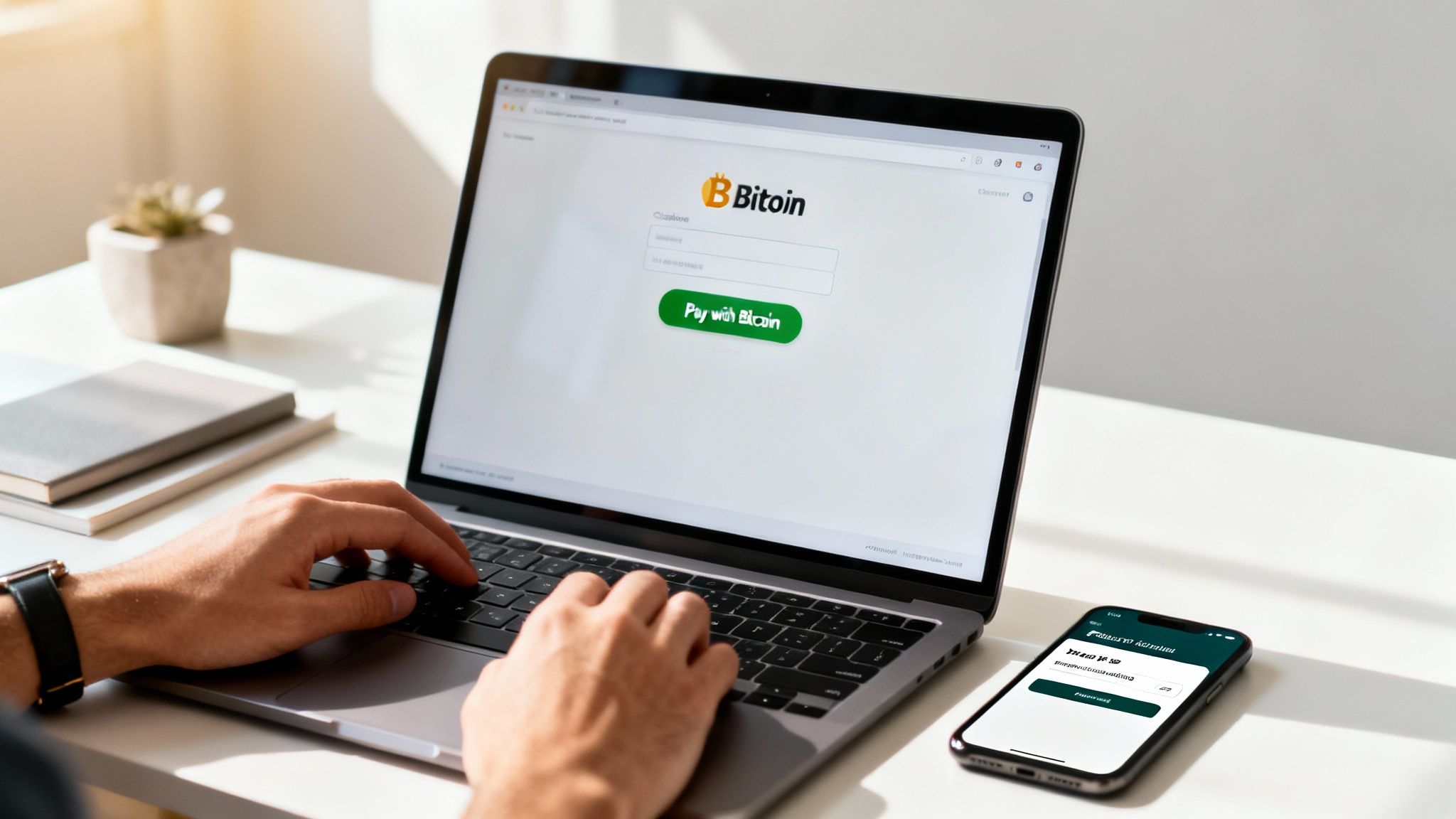
This "no-code" path is a huge win for small businesses, solopreneurs, and really anyone running on a popular e-commerce platform. It opens up the Bitcoin economy to everyone, letting you add this powerful payment option with just a few clicks.
WordPress and WooCommerce: A Perfect Match
For the millions of sites built on WordPress and powered by WooCommerce, adding Bitcoin payments is about as straightforward as it gets. WooCommerce is the king of e-commerce plugins, and its open-source community has built a massive ecosystem of extensions—including some fantastic Bitcoin payment gateways.
Your first move is to find the right plugin. A quick search in the official WordPress plugin directory for your chosen gateway is usually all it takes. For instance, a non-custodial service like Flash offers a dedicated plugin that does all the heavy lifting for you.
Here’s the typical flow:
- Search and Install: From your WordPress dashboard, go to
Plugins > Add Newand search for your Bitcoin gateway. - Activate: Click "Install Now," then "Activate." The plugin is now officially part of your site.
- Configure: Head over to your WooCommerce settings. You'll find a new tab for your Bitcoin gateway where you can enter your details—for non-custodial services, this is often just your public wallet address.
That's it. No custom coding needed. The plugin automatically adds the Bitcoin payment option to your checkout, handles invoice generation, and watches the network for incoming payments.
Shopify Integration Made Simple
Shopify operates a little differently. Instead of an open-source plugin directory, it has a curated App Store. The good news is that the integration process is just as painless; you're just working within Shopify's world.
To get started, just search the Shopify App Store for a Bitcoin payment gateway app that fits your needs. My advice? Look for one with solid reviews and clear setup instructions.
Once you install the app, it will walk you through connecting it to your store and tweaking your payment settings. In a matter of minutes, "Pay with Bitcoin" will show up as a choice for your customers at checkout.
The digital economy isn't waiting around. Cash usage is expected to fall to just 46% of payments worldwide by 2025, a noticeable dip from 50% in 2023. This shift makes these easy-to-use plugins and apps vital. With transaction volumes in regions like APAC predicted to jump from 528.7 billion in 2022 to 1,457.6 billion by 2028, getting this integration right isn't just a nice-to-have—it's essential.
The Power of Hosted Checkouts and Payment Buttons
But what if you don't use WordPress or Shopify? Maybe you have a simple static website, or you sell a single e-book from your blog. Perhaps you just want to accept donations. This is where hosted checkouts and payment buttons are brilliant.
A hosted checkout page is a secure, pre-built payment page that lives on your gateway provider's server. You don't build a thing; you just send your customers to the page with a simple link. It’s the ultimate low-effort solution.
Pro Tip: Hosted checkouts are fantastic for selling on social media. You can drop a payment link right into a post, an email, or a DM, letting people buy your product instantly without ever having to navigate your full website.
Payment buttons take this idea a step further. The gateway provider gives you a tiny snippet of HTML code. You can copy and paste this code pretty much anywhere on your site to create a "Pay with Bitcoin" button.
These tools are perfect for:
- Donation drives for non-profits and creators.
- Selling single digital products like guides, templates, or presets.
- Service-based businesses that need to send clients a simple payment link.
If you need a hand navigating the different options, it's worth exploring professional integrate payment gateway services to find the right fit.
Real-World Configuration Tips
When you’re setting up your plugin or hosted page, the small details matter. Here are a few practical tips I’ve picked up from countless setups that will ensure a smoother experience for both you and your customers:
- Confirmation Speed: Think about whether you want to accept "zero-confirmation" transactions. For low-cost digital goods, this offers instant fulfillment, making the experience as fast as a credit card. For high-value physical items, you'll probably want to wait for at least one confirmation on the blockchain for extra security.
- Invoice Expiration: Set a reasonable time limit on payment invoices. 15 minutes is pretty standard. This protects you from price swings since the Bitcoin exchange rate is locked in when the invoice is created.
- Customer Support Info: Make sure your checkout page has clear contact info or a link to an FAQ. If a customer messes up—like sending the wrong amount—they need an easy way to get in touch.
By focusing on these user-friendly methods, you can start accepting Bitcoin almost immediately. These solutions tear down the technical barriers, empowering any merchant to tap into a global, permissionless payment network without writing a single line of code.
Advanced API Integration for Custom Websites
While plugins and hosted checkouts are fantastic for getting up and running quickly, there comes a point when you need more power. For developers and businesses with custom-built websites, a direct API (Application Programming Interface) integration is the ultimate solution. This is how you build a completely bespoke checkout experience, woven seamlessly into the very fabric of your site.
Think of the API as a direct line between your application and our payment gateway. Instead of shipping your customer off to an external page, they stay on your site from start to finish. This creates a far more professional and trustworthy user experience, and it gives you fine-grained control over every single step of the payment flow. This method is how you integrate a payment gateway to your website when you need maximum customization.
Securing Your API Keys
Before you write a single line of code, the first—and most critical—task is to get your API keys. These keys are like a username and password for your application, authenticating your server's requests to our API. You'll typically get a public key (which is safe to use in your front-end code) and a secret key (which must be kept completely confidential on your server).
Guard your secret API key like it’s the keys to your business's bank vault. Never expose it in client-side code, commit it to a public Git repository, or share it insecurely. Because in a very real sense, that's exactly what it is.
The absolute best practice here is to store your secret key as an environment variable on your server. This keeps it out of your application's source code, dramatically reducing the risk of it being accidentally exposed. In a Node.js environment, accessing it via process.env.YOUR_API_SECRET_KEY is the standard, secure approach.
The Core API Transaction Flow
A direct API integration follows a pretty clear and logical sequence. While the exact endpoint names and parameters can differ between providers, the fundamental steps for a Bitcoin transaction are remarkably consistent.
Let's walk through a common flow, using Node.js for our server-side examples.
The whole journey kicks off the moment a customer is ready to check out:
- Your Server Creates an Invoice: Your front-end sends the cart details to your back-end. Your server then makes a secure, server-to-server API call to the payment gateway to create a new invoice.
- Gateway Returns Payment Details: The gateway responds with a unique Bitcoin payment address and the exact BTC amount required for that specific invoice.
- Display Details to the Customer: Your back-end passes this information back to the front-end, which then displays a QR code and the payment details for the customer to complete the transaction from their wallet.
This clean separation is key. It ensures all the sensitive operations happen on your secure server, not in the user's browser.
Creating an Invoice with Node.js
So, what does that first step—creating an invoice—actually look like in practice? Let's say your customer has an order totaling $99.99. Your server would send a request to the gateway's API to generate the corresponding Bitcoin invoice.
Here’s a simplified Node.js snippet using a hypothetical flash-node library to show you the concept:
// This code runs on your secure server
const flash = require('flash-node')('YOUR_SECRET_API_KEY');

async function createOrderInvoice(orderId, amount, currency) {
  try {
    const invoice = await flash.invoices.create({
      order_id: orderId, // Your internal order ID for tracking
      price: amount,     // The price in fiat, e.g., 99.99
      currency: currency, // The currency, e.g., 'USD'
      redirectUrl: `https://yourstore.com/order/confirmation/${orderId}`
    });

    // The 'invoice' object now contains the Bitcoin address and amount
    console.log('Invoice created:', invoice);
    return invoice.paymentDetails; // e.g., { address: '...', amount: '...' }

  } catch (error) {
    console.error('Error creating invoice:', error);
    // Handle the error appropriately
    throw new Error('Could not create payment invoice.');
  }
}
In this example, your server securely talks to the gateway, passing along the order details. The gateway handles the real-time fiat-to-BTC conversion and sends back the precise payment information you'll need for the next step.
Displaying the Payment Details
Once your server has the payment details, it passes them back to the client's browser. Now, it's all about presenting this information in a clear and intuitive way. A great user experience at this stage is non-negotiable and usually involves:
- Displaying a QR Code: This is the easiest way for mobile wallet users to pay. Plenty of libraries can generate a QR code from the Bitcoin payment URI.
- Showing the BTC Address: Provide a clickable address that users can easily copy to their clipboard for desktop wallets.
- Displaying the Exact BTC Amount: Clearly state the amount required. This helps avoid the headache of customer underpayments.
- Including a Countdown Timer: Since the exchange rate is typically locked in for a limited time (often 15 minutes), a timer creates a bit of urgency and lets the customer know what to expect.
This front-end interface is the "face" of your API integration. A clean, helpful design here directly translates to higher conversion rates and far fewer customer support tickets. Next up, we'll cover the final, crucial piece of the puzzle: listening for payment confirmations with webhooks to automate your order fulfillment.
Managing Payments and Security Like a Pro
A successful integration doesn’t end the moment your customer clicks “pay.” In fact, that’s just the beginning.
The real magic happens in the post-payment workflow, where you securely confirm the transaction and automate fulfillment. This is where you move from simply accepting payments to truly managing them like a professional.

This final mile of the integration process is what separates a clunky setup from a seamless, automated machine. Getting it right ensures your orders are processed instantly, your inventory is updated, and your customers get what they paid for without delay.
Using Webhooks for Real-Time Notifications
The most robust tool for managing this workflow is the webhook. A webhook is simply an automated message sent from the payment gateway to your server the instant a specific event occurs. Think of it as a push notification for your application.
Instead of your server constantly asking the gateway, "Is the payment confirmed yet?", the gateway proactively tells your server, "Hey, invoice #123 has just been fully paid." This is far more efficient and reliable.
Webhooks can notify you of several key payment statuses:
- Paid in Full: The customer sent the exact amount required. Time to ship the product!
- Confirmed: The transaction has hit the blockchain, providing maximum security.
- Underpaid: The customer sent less than the required amount.
- Expired: The customer didn't pay within the allotted time.
Setting up an endpoint on your server to listen for these webhook events is a non-negotiable step if you’re using an API to integrate a payment gateway to your website.
Securing Your Webhook Endpoint
An open webhook endpoint is a tempting target for bad actors who might try to send fake notifications, tricking your system into fulfilling unpaid orders. This makes verification an absolute must.
Never trust an incoming webhook request until you've verified its authenticity.
A common and highly effective method is using a shared secret. When you set up the webhook in your gateway's dashboard, you'll receive a secret token. The gateway then uses this secret to generate a cryptographic signature for every webhook it sends, usually included in the request headers.
Your server's job is to perform the same calculation using the raw request body and your stored secret. If your calculated signature matches the one in the header, you can be 100% confident the request is legitimate.
Key Takeaway: Always verify webhook signatures before processing any payment data. This single step is your best defense against spoofing attacks and ensures the integrity of your entire order fulfillment process.
Essential Security Best Practices
Beyond webhooks, maintaining a strong security posture is non-negotiable. The payment gateway market is projected to hit $132.2 billion by 2030, and with that growth comes increased attention from attackers. Data breaches now cost an average of $4.45 million, making security a top priority. A critical step is learning how to install an SSL certificate to encrypt communications between your customer and your server.
Here are some fundamental rules to live by:
- Protect Your API Keys: This is worth repeating: treat your secret API key like a password to your bank account. Store it securely in environment variables and never expose it in client-side code.
- Use a Sandbox Environment: Before going live, conduct thorough testing in a sandbox or testnet environment. This lets you simulate transactions and test your webhook endpoint without risking real funds.
- Implement Proper Error Handling: Your code should gracefully handle potential API errors, like network issues or invalid requests. This prevents your checkout from breaking and provides a much better user experience.
By combining secure webhook verification with these core security principles, you build a resilient and trustworthy payment system that protects both your business and your customers.
Even when you've got a plan for accepting Bitcoin, a few questions always seem to come up. It's totally normal. Getting these common concerns ironed out from the start can make the whole process feel a lot less intimidating.
Let's walk through some of the most frequent things I hear from merchants just like you.
Do I Have to Hold Bitcoin Myself?
Absolutely not. This is probably the biggest myth that stops businesses from even trying. Modern payment gateways are smart enough to handle this for you with automatic fiat conversion.
Here’s how it works: a customer pays you in Bitcoin, and the gateway instantly converts it into your local currency—whether that's USD, EUR, or GBP. The money lands right in your bank account. You get all the good stuff, like much lower fees and zero chargebacks, without ever touching a volatile asset.
What If a Customer Sends the Wrong Amount?
You'd be surprised how often this happens, but a good payment gateway is built for these exact moments. It's all automated, so you don't have to chase anyone down.
If a customer sends less than the total, the system logs it as an underpayment. The invoice is marked as partially paid, and your gateway can be set up to automatically email the customer, letting them know how to pay the rest.
On the flip side, if they send too much, it's flagged as an overpayment. Your settings will determine what happens next—either the extra is automatically refunded or it's kept as a credit on their account for a future purchase.
This hands-off way of handling payment mix-ups is a huge time-saver. It saves you from hours of frustrating customer support and keeps your buyers happy, even when they slip up.
How Long Do I Have to Wait for Payments to Clear?
This is where Bitcoin really shines. While a full, rock-solid confirmation on the blockchain can take anywhere from 10 to 60 minutes, you almost never have to wait that long.
For things like digital downloads, services, or even low-cost physical items, most merchants are perfectly safe accepting "zero-confirmation" transactions.
This just means the gateway tells your system the payment is on its way the instant it's sent—long before it's fully confirmed. This lets you fulfill the order immediately, making the checkout experience feel just as quick as a credit card.
Ready to unlock the power of Bitcoin for your business with a truly non-custodial solution? Flash provides the tools you need to integrate a secure, decentralized payment gateway in minutes, not days. Start accepting Bitcoin directly from your customers' wallets to yours by visiting .