Paying with Bitcoin is way simpler than most people think. It really just comes down to three things: getting a digital wallet, knowing the two main ways to send a payment, and then actually sending it.
The best way to think of a Bitcoin wallet is like your own personal digital cash app, but one where you’re in complete control.
Getting Started With Bitcoin Payments
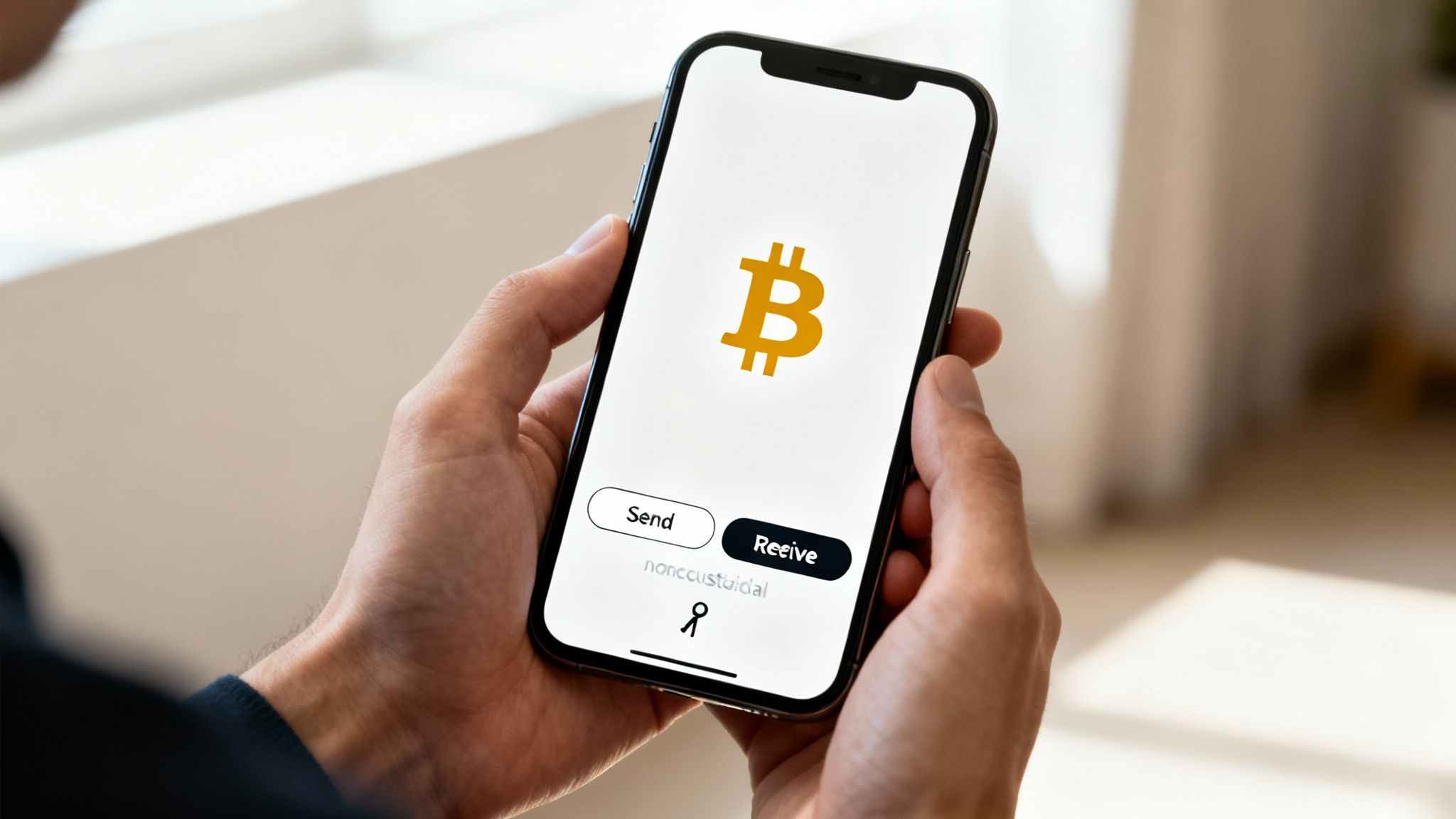
Before you can spend any Bitcoin, you need a place to keep it. That's where a Bitcoin wallet comes in. A Bitcoin wallet is just a piece of software (or sometimes a physical device) that lets you store, manage, send, and receive Bitcoin. It’s the very first, non-negotiable step.
The most critical concept to get your head around is who actually controls your funds. With Bitcoin, you get to choose:
- Non-Custodial Wallets: This is where you hold your own "private keys"—the secret password that proves you own your Bitcoin. This gives you total control. No company can freeze your funds or block a transaction. If you're serious about owning your money, this is the way.
- Custodial Services: This is when a third party, like a crypto exchange, holds the private keys for you. It can feel more convenient, sure, but you're trusting them with your money, just like you would a traditional bank.
For anyone who really wants to learn how to pay with cryptocurrency directly, a non-custodial wallet is the only way to go. It’s the whole point of Bitcoin—self-ownership and financial freedom.
Understanding the Two Payment Methods
Once you've got a wallet set up, you'll find there are basically two ways to send a payment. They each have a different job, and knowing which is which will make your life a lot easier.
The method you choose often depends on what you're buying. For a small, quick purchase like a cup of coffee, the Lightning Network is ideal. For a larger, more significant transaction where finality is paramount, an on-chain payment provides maximum security.
On-chain payments are the original, classic way to send Bitcoin. These transactions are recorded directly on the Bitcoin blockchain, a public ledger that's incredibly secure and can't be changed. They are perfect for larger amounts where security is your absolute top priority.
The other option is the Lightning Network. This is a secondary layer built on top of Bitcoin, designed specifically for instant, super-cheap payments. It’s perfect for everyday stuff, like online checkouts and paying for things in person where speed matters most. Thankfully, many modern wallets support both, so you get the best of both worlds.
On-Chain vs Lightning Bitcoin Payments
Here's a quick comparison to help you decide which Bitcoin payment method is right for your transaction.
| Feature | On-Chain Payments | Lightning Network Payments |
|---|---|---|
| Speed | Slower (minutes to hours) | Instant (seconds) |
| Fees | Higher, variable | Extremely low (fractions of a cent) |
| Best For | Large, high-value transactions | Small, everyday purchases |
| Security | Recorded on the public blockchain | Secure, but settled on-chain later |
| Privacy | Pseudonymous, all tx public | Higher privacy for individual payments |
Ultimately, having both options gives you incredible flexibility. You can use Lightning for your daily spending and keep on-chain payments for those bigger, more important transfers.
Globally, Bitcoin has cemented itself as the go-to cryptocurrency for payments, making up about 23.3% of all crypto transactions. Its dominance is even clearer in North America, where Bitcoin is used in a whopping 40% of all crypto purchases. It's the undisputed favorite for both shoppers and sellers. You can dig into more details about global crypto payment trends if you're curious.
Choosing the Right Bitcoin Wallet
Your Bitcoin wallet is ground zero for every payment you make. It's where you store, send, and receive your funds, so picking the right one isn't just a technicality—it’s about finding a tool that actually fits your life and how you handle your money.
The only real choice here is a non-custodial wallet. This type of wallet gives you—and only you—control over your private keys, which means you have full control over your bitcoin.
Think of it like being your own bank. No third party can freeze your account or stop a transaction. This is what using Bitcoin is all about, and it's the only way to truly own your assets. That’s why we’re only going to talk about non-custodial wallets; they’re essential for anyone serious about using Bitcoin securely.
Matching a Wallet to Your Needs
Different wallets are built for different jobs. The best way to decide is to think about your daily habits and what you actually plan to do with your bitcoin.
Here are a few common scenarios:
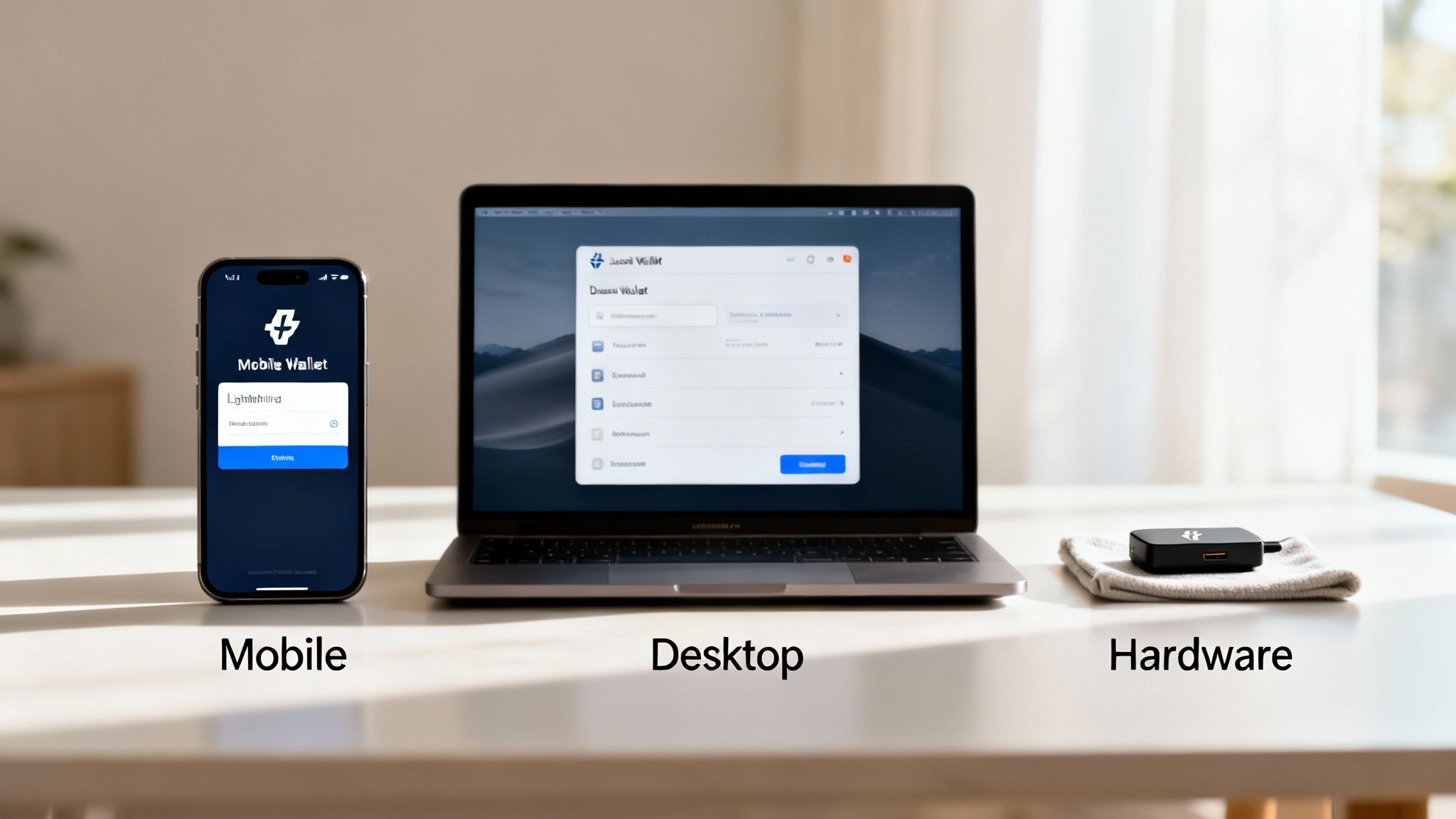
- For Everyday Spending: If you see yourself buying coffee, paying for lunch, or making small online purchases, a mobile wallet is what you want. It lives on your phone, making it perfect for scanning QR codes and using the Lightning Network for instant, super-cheap payments.
- For Managing Larger Balances: When you're dealing with more significant amounts or want more control, a desktop wallet is a solid choice. These apps run on your computer and usually offer more detailed transaction history, finer control over fees, and other advanced management tools.
- For Long-Term Security: Got a stash of bitcoin you don't plan on touching often? A hardware wallet is the gold standard. This little physical device keeps your private keys completely offline, safe from hackers, malware, and phishing scams. It’s the digital version of a bank vault.
Honestly, most people end up using a combination. You might keep a small amount of "spending money" on a mobile wallet and lock the rest away safely on a hardware wallet.
Key Features to Look For in a Wallet
It's easy to get bogged down in the technical details when comparing wallets. To cut through the noise, just focus on a few key features that make spending bitcoin easy and safe.
A good wallet should have:
- Lightning Network Support: This is a must-have for making fast, cheap payments. Any wallet with Lightning lets you pay for things in seconds with practically zero fees, which is exactly what you need for shopping online or in person.
- Intuitive User Interface: You shouldn't need a PhD to send a payment. Look for a clean, simple design where the send, receive, and scan buttons are obvious.
- Strong Security Features: A simple PIN isn't enough. Look for wallets that support biometric authentication like Face ID or a fingerprint scanner. It adds a crucial layer of security, making sure only you can send money from your device.
- Clear Backup and Recovery Options: The wallet absolutely must give you a simple way to back everything up. This is almost always a 12 or 24-word recovery phrase. Write this down on paper and store it somewhere safe. It's the only way to get your funds back if you lose your phone or computer.
The most important decision you'll make isn't which app to download, but committing to a non-custodial option. Taking control of your own keys is the single most effective step you can take to secure your Bitcoin and transact with confidence.
Ultimately, the best wallet is the one you actually feel comfortable using. By making self-custody a priority and looking for features like Lightning support and solid security, you'll be set up to handle any payment that comes your way.
Making Online Payments with Bitcoin
Ready to make your first online purchase with Bitcoin? It's a surprisingly straightforward and secure process. Once you have a wallet funded and ready to go, you're just a few taps from completing a transaction. Honestly, it often feels quicker than digging out your credit card and typing in all those numbers.
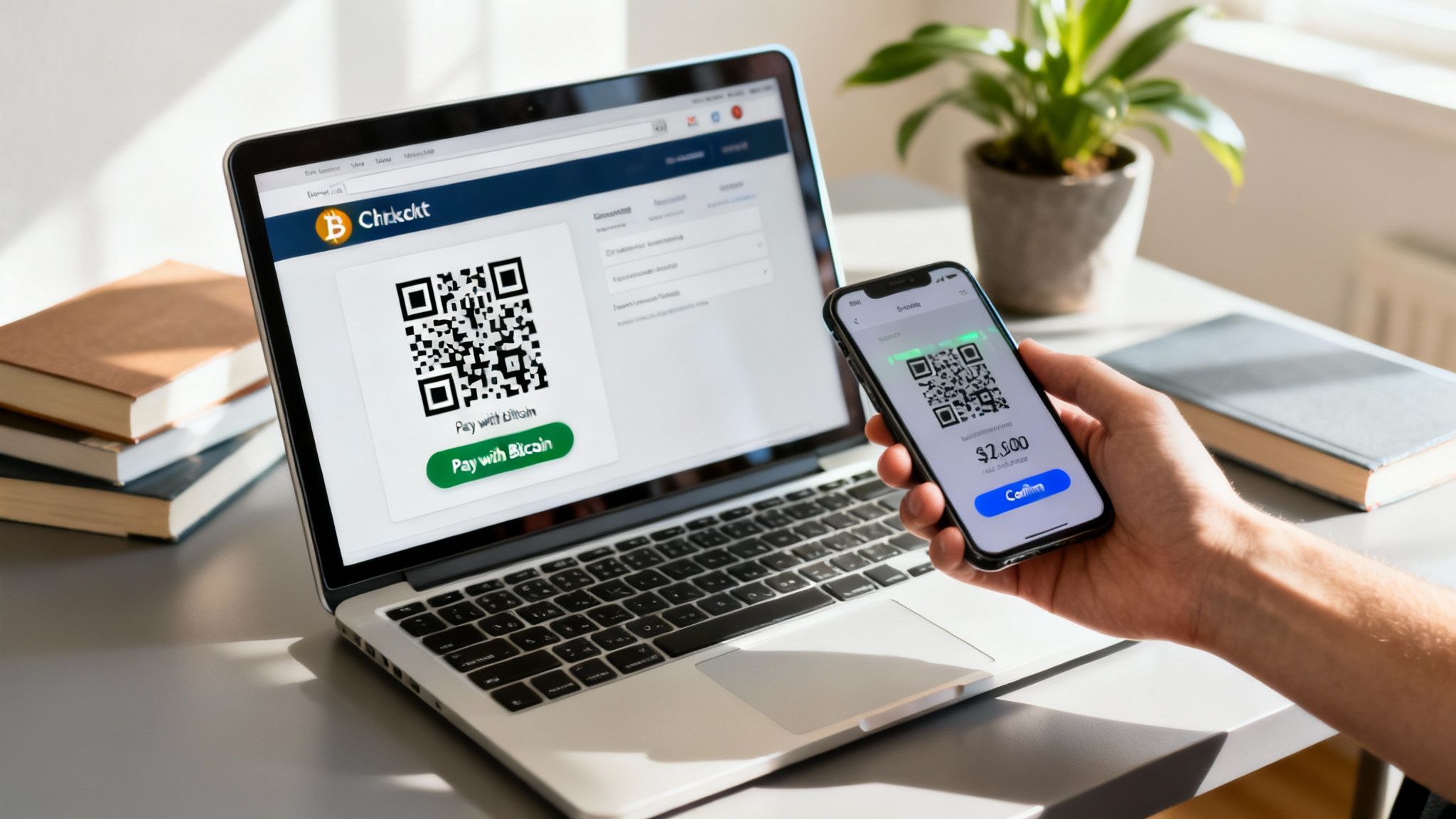
When you get to the checkout, most merchants will generate an invoice with all the details you need. This isn't a paper invoice, but a digital one showing the exact Bitcoin amount and the specific address to send it to. The easiest way you'll see this presented is through a simple QR code.
Scanning a QR Code at Checkout
Using a QR code is, by far, the fastest and most reliable way to pay online, especially from a mobile wallet. Why? It completely gets rid of the risk of typos—a real danger when you’re dealing with long, complex crypto addresses.
Let's say you're buying a new gadget or a digital subscription. You've chosen to pay with Bitcoin, and the website shows you a QR code. Here's what you'll do:
- Pop open your wallet. Unlock your Bitcoin wallet on your phone.
- Look for the 'Send' or 'Scan' button. Most wallets make this easy to find, usually with a little camera or QR code icon.
- Scan the code. Just point your phone's camera at the QR code on your computer screen. Your wallet will instantly read it and fill in all the payment details for you. No typing needed.
- Review and confirm. Your wallet will show you the destination address and the exact amount of Bitcoin you’re sending. Always give this a quick glance to make sure it matches what’s on the merchant’s page.
- Authorize the payment. A quick tap of your fingerprint, Face ID, or your PIN, and you're done.
Once you hit send, the payment is broadcast to the network. The merchant’s checkout page usually updates within seconds to confirm they’ve received it. It's an incredibly smooth process that removes nearly all the manual work.
Using Payment Links and Buttons
What if you're not on a desktop? Scanning a QR code from your phone's screen to your phone's wallet isn't exactly practical. That's where payment links and "Pay with Bitcoin" buttons come in.
When you tap one of these links, it's designed to automatically open your default Bitcoin wallet app with the address and amount already filled in. This is thanks to a standardized format called a BIP21 URI, which bundles all the transaction info into a single, clickable link.
If for some reason the link doesn't open your wallet, you'll have to do a quick copy-and-paste.
- Copy the Address: Merchants always provide a button to copy the Bitcoin address to your clipboard in one click. It’s much safer than trying to retype it.
- Copy the Amount: Do the same for the Bitcoin amount. Don't round it—the merchant’s system is programmed to expect that exact value.
- Paste into Your Wallet: Open your wallet, hit "Send," and paste the address and amount into the right fields.
- Double-Check Everything: Before you send, always verify that the first few and last few characters of the pasted address match what the merchant showed you. This simple check is your best defense against sneaky clipboard malware that can switch the address without you knowing.
The single most important habit to build when paying with Bitcoin is to always double-check the address. Bitcoin transactions are irreversible. One small mistake can mean your funds are gone forever, so taking those extra five seconds to verify is always worth it.
Paying for Subscriptions and Digital Services
Paying for something recurring, like a monthly subscription or a news paywall, works a bit differently. Bitcoin payments are "push" transactions—meaning you actively send the funds each time. You can't set up an automatic debit the way you would with a bank account or credit card.
What usually happens is the service will send you a new invoice each billing cycle. You'll then pay it manually using one of the methods we just covered. Some newer wallets are working on features to help automate this, but for now, you should expect to be in the driver's seat for each payment.
This is actually an area where payment processors like Flash make a huge difference for merchants. They provide the tools for things like digital paywalls and subscription management, handling all the invoicing and payment tracking behind the scenes. This makes it a breeze for businesses to accept recurring Bitcoin payments. For you, it just means you'll get timely invoices so your service continues without a hitch.
Using Bitcoin at In-Person Stores
Paying with Bitcoin at a physical store is becoming surprisingly common. And thanks to the Lightning Network, it's often faster than a traditional credit card. The whole experience is designed to be as simple as tapping your phone, turning a seemingly complex digital process into a smooth real-world transaction.
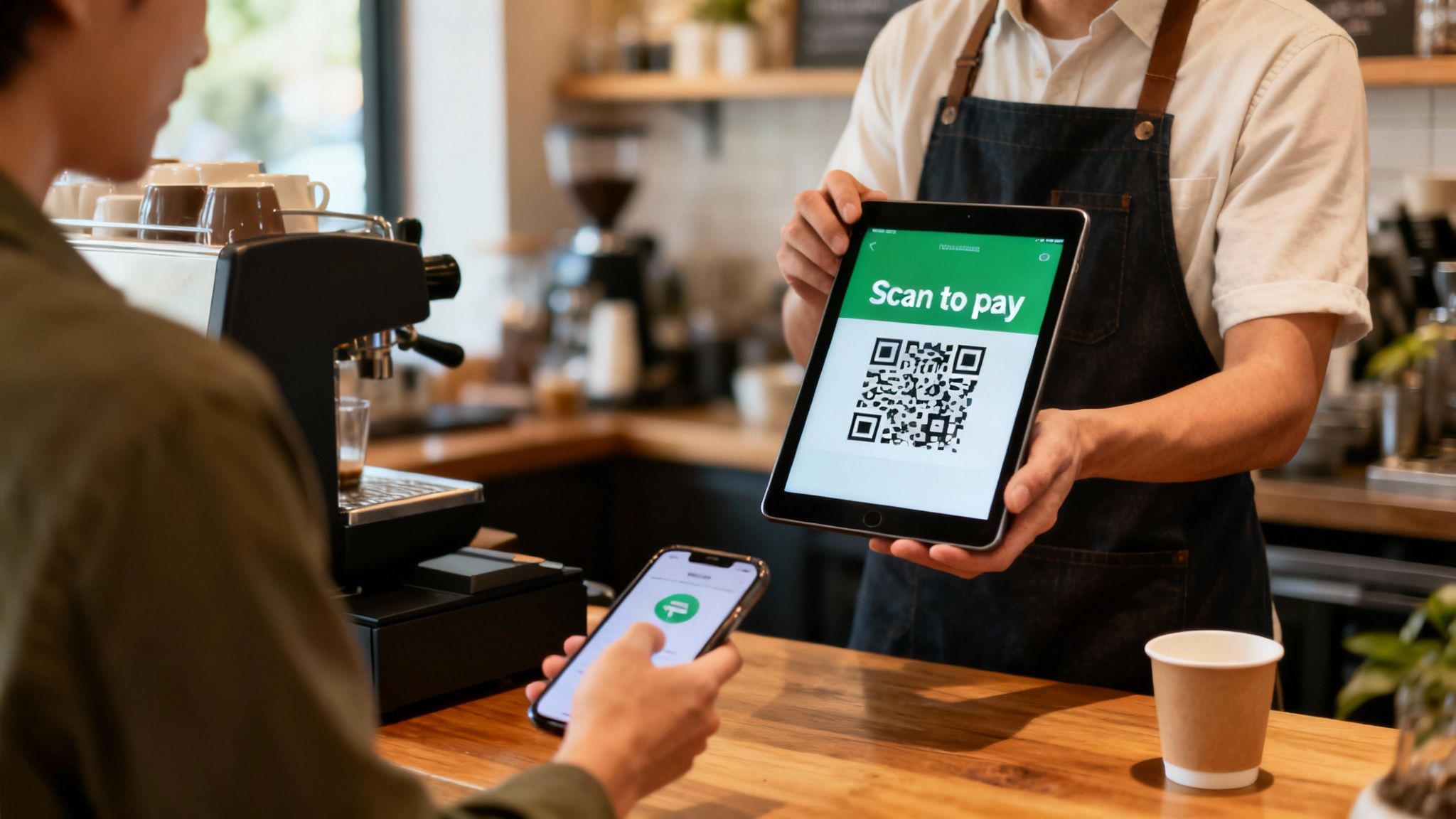
Picture this: you walk into your favorite local coffee shop or a boutique that accepts Bitcoin. When you’re ready to pay, the cashier just enters your total into their point-of-sale (POS) device or tablet. This action instantly generates a unique QR code for your specific purchase.
The In-Person Payment Flow
Now for the magic on your end. The process is incredibly intuitive—and fast. It has to be, to keep the line moving.
All you have to do is pop open your mobile Bitcoin wallet, tap the "scan" icon, and point your phone's camera at the QR code on the merchant's screen. Your wallet immediately reads the code, automatically filling in both the payment amount and the destination address. No more manually typing in long, complicated addresses, which eliminates any chance of sending the wrong amount or fumbling a character.
You'll see a final confirmation screen in your wallet. Just give it a quick glance to make sure everything looks right, then authorize the payment with a tap, your fingerprint, or Face ID. If you're using a Lightning-enabled wallet, the transaction is confirmed in just a few seconds—often before a chip card payment would even finish processing.
This isn't a niche thing anymore. The crypto payment apps market is growing exponentially, jumping from $1.04 billion to $1.26 billion in just one year. That same market is projected to hit $2.66 billion within five years, a clear signal that both businesses and consumers are jumping on board. You can dig into the numbers in this global market report on cryptocurrency payment apps.
Tips for a Smooth Checkout
While the process is dead simple, a little prep can make your checkout experience even smoother.
- Have Your Wallet Ready: Get your Bitcoin wallet app open and unlocked before you step up to the counter. This saves you from fumbling with your phone when it’s your turn to pay.
- Check Your Balance: Give your balance a quick check to make sure you have enough to cover the purchase and the tiny network fee. Lightning fees are usually just fractions of a cent, but it's a good habit.
- Know Which Network to Use: Most modern POS systems default to Lightning for its speed. If your wallet supports both, make sure you're sending over the Lightning Network to get that instant confirmation.
The whole point of the in-person experience is speed and simplicity. The entire system, from the merchant's terminal to your mobile wallet, is designed to make paying with Bitcoin feel as natural as any other tap-to-pay method.
By following these simple pointers, you'll find that using Bitcoin in a brick-and-mortar store isn't just possible—it's incredibly efficient. The near-instant settlement from the Lightning Network is a perfect real-world example of how to pay with cryptocurrency for everyday items without any hassle.
Understanding Bitcoin Fees and Confirmations
To really get comfortable paying with Bitcoin, you have to understand what happens after you hit "send." It’s not quite like a credit card payment, which feels instant. Bitcoin transactions have network fees and a process called confirmations, and getting a handle on these two things will help you make smarter, more cost-effective payments every single time.
When you send a traditional on-chain Bitcoin payment, you’re including a small fee for the miners who work to secure the network. This isn't a percentage of what you're sending; it's more like a bid for space in the next block.
The most important thing to remember is that Bitcoin fees are based on network demand, not the amount you send. You could send $10 or $10,000 worth of Bitcoin, and the fee could be exactly the same. It all comes down to how busy the network is at that moment. Think of it like a digital traffic jam—when tons of people are trying to send transactions, the "toll" (the fee) goes up.
How to Choose the Right Fee
Thankfully, you don't have to guess. Most modern Bitcoin wallets are smart enough to suggest the right fee based on current network conditions. They’ll usually give you a few options that let you decide between cost and speed.
- Low Priority: You’ll pay less, but your transaction might take a bit longer to go through. This is the perfect choice if you’re not in a hurry.
- Medium Priority: This is usually the default setting and offers a great balance, getting your payment confirmed in a reasonable amount of time.
- High Priority: You'll pay a bit more to essentially jump to the front of the line. It's ideal when you need your payment to clear as quickly as possible.
This whole fee situation is one of the main reasons the Lightning Network exists. For those small, everyday purchases where speed is everything and fees have to be tiny, Lightning is the clear winner. Lightning payments are nearly instant and cost fractions of a cent, completely bypassing any on-chain network congestion.
Your choice of fee directly impacts how quickly your on-chain payment is processed. If a transaction is urgent, a higher fee gives miners an incentive to include it in the very next block. For non-urgent payments, you can save some money by opting for a lower fee.
What Are Block Confirmations?
Once you send an on-chain transaction, it gets bundled into a "block" with other recent transactions and added to the Bitcoin blockchain. Every new block that gets added on top of it counts as one confirmation.
On average, a new block is mined about every 10 minutes. So, one confirmation usually means your transaction is roughly 10 minutes old. Two confirmations means it's 20 minutes old, and you get the idea.
For a small purchase, like buying a digital gift card, a merchant might consider the payment complete as soon as they see it hit the network (this is often called a "zero-conf" or 0-conf transaction). For larger, more significant purchases, however, they’ll almost always wait for a few confirmations to be absolutely sure the payment is final and can't be reversed.
Why merchants wait for confirmations:
- Security: Each confirmation makes the transaction exponentially more secure and harder to tamper with.
- Finality: After about six confirmations (roughly one hour), a transaction is considered permanently settled. It’s locked in for good.
- Risk Management: For high-value items, waiting protects the merchant from potential fraud.
This confirmation process is what gives Bitcoin its legendary security. While the Lightning Network provides instant settlement for small, everyday payments, the on-chain confirmation system offers the bulletproof finality needed for large, important transactions. Understanding this trade-off between speed, cost, and security is a core part of mastering how to pay with cryptocurrency.
Common Questions About Bitcoin Payments
Once you start paying with Bitcoin, you'll naturally run into a few questions. It’s a totally different beast than the card and banking systems we’ve all grown up with, so it's normal to wonder about things like transaction mistakes, how fast payments really are, and what's going on with security.
Let's clear up some of the most common things people ask. Getting straight answers will help you pay with confidence every time.
What Happens If I Send Bitcoin to the Wrong Address?
This is probably the most important thing to get right, so let's be crystal clear: Bitcoin transactions are irreversible.
Once you send a payment and it's confirmed on the network, it’s final. There's no bank, no customer service line, and no authority you can call to cancel or reverse it. This is a core feature of how Bitcoin is designed.
If you accidentally send your funds to the wrong address, you have to consider them gone. The only theoretical way to get them back is if you know who owns that address and can ask them to send it back. Since addresses are just strings of characters, this is almost never going to happen.
This is exactly why QR codes are your best friend. They take human error out of the equation.
The golden rule for Bitcoin is simple: Always double-check the destination address before you hit send. Use the merchant's copy button or, even better, just scan the QR code. That five-second check is the only safeguard you have.
How Long Does a Bitcoin Payment Really Take?
The answer here is "it depends," but it's a simple dependency: which network are you using? The speed can be anything from a couple of seconds to about an hour.
- Lightning Network Payments: These are pretty much instant. We're talking seconds. This makes Lightning the go-to for buying a coffee, paying at a shop, or anything else where you're standing in front of someone. It feels just as fast as any tap-to-pay card.
- On-Chain Payments: A traditional on-chain transaction follows the rhythm of the blockchain itself, where a new block is mined roughly every 10 minutes. For smaller online purchases, many merchants will accept the payment as soon as it's broadcast to the network (this is called a "zero-confirmation" transaction).
For bigger ticket items, however, a merchant will likely wait for at least one to six confirmations (10-60 minutes) to be absolutely sure the payment is locked in and irreversible. The fee you attach to the transaction also matters—a higher fee gives miners an incentive to include your payment in the very next block.
Are Bitcoin Payments Anonymous?
People often throw around the word "anonymous" when talking about Bitcoin, but a better word is pseudonymous.
Your real-world identity—your name, your physical address—isn't directly tied to your Bitcoin address. However, every single transaction is recorded on the blockchain, which is a public, permanent ledger.
This means all transactions can be traced. With the right tools, someone can analyze the blockchain, connect different addresses together, and potentially link that activity back to an individual. This is especially true if you're moving funds from an exchange where you completed a KYC (Know Your Customer) process. So while it's more private than a bank statement, it is definitely not anonymous.
How Do Refunds Work with Bitcoin?
Since you can't reverse a Bitcoin transaction, there's no such thing as a "chargeback" like with a credit card. If you need a refund, the process has to be started by the merchant.
Here's the typical flow:
- Contact the Merchant: You have to get in touch with the business and request a refund based on their return policy.
- Provide a Receiving Address: If they agree, you'll need to give them a new, fresh Bitcoin address from your wallet for them to send the money to.
- Merchant Sends a New Transaction: The merchant then creates a completely separate transaction, sending the refund amount from their wallet to yours.
This is a huge reason to only do business with reputable merchants who have clear, fair refund policies. The power to issue a refund is entirely in their hands. It really drives home the peer-to-peer nature of Bitcoin—it's a direct exchange, so any return has to be a direct exchange, too.
Ready to bring your business into the Bitcoin economy without the usual headaches? Flash gives you the tools to accept instant, secure, wallet-to-wallet Bitcoin payments in under a minute. Give your customers a better way to pay, with no intermediaries. Learn more and get set up at .