To send crypto, all you really need are two things: a secure wallet and the recipient's public address. From there, it's a simple process: open your wallet, pop in the recipient's address and the amount of Bitcoin you're sending, pick a network fee, and hit confirm. But here's the catch—crypto transactions are final. There's no "undo" button, so it's absolutely critical to get the details right before you send.
Setting Up Your Bitcoin Wallet for Secure Transactions
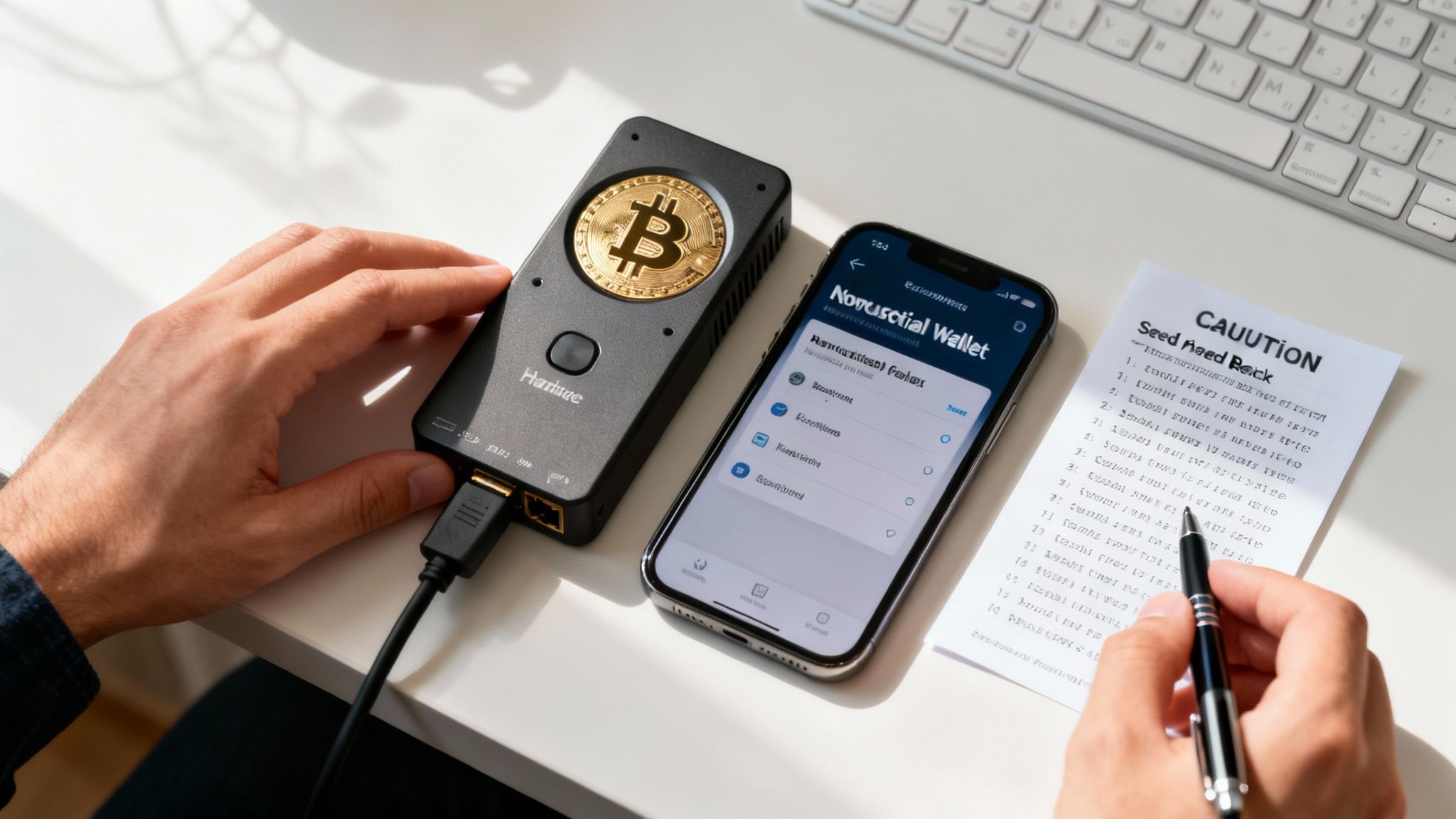
Before you can even think about sending crypto, your first job is to set up a digital wallet. Forget the idea that a wallet "holds" your Bitcoin. A better way to think of it is as a digital keychain that securely stores the secret keys you need to access and control your funds on the blockchain. This idea of self-sovereignty is the whole point of using Bitcoin without needing a bank.
The kind of wallet you choose has a huge impact on both your security and day-to-day convenience. You'll mainly come across two types: hardware wallets and non-custodial software wallets. Honestly, most serious users end up using both for different reasons.
- Hardware Wallets: These are little physical gadgets, often looking like a fancy USB drive, that keep your private keys totally offline. This "cold storage" method is the gold standard for security, making them perfect for stashing larger amounts of Bitcoin you don't plan on touching often.
- Non-Custodial Software Wallets: These are just apps for your phone or computer. The "non-custodial" part is key—it means you, and only you, are in control of your private keys. They're much more convenient for everyday spending and managing smaller, more active balances.
The Crucial Role of Your Seed Phrase
When you set up a new wallet, it will give you a seed phrase (sometimes called a recovery phrase). This is just a list of 12 or 24 random words, but it's the master key to everything. If your phone gets run over by a bus or your hardware wallet goes missing, this phrase is how you'll restore full access to your funds on a new device.
Backing this phrase up securely is non-negotiable. Write it down on a piece of paper. Never, ever store it as a screenshot, a note on your computer, or in a password manager. Put that piece of paper somewhere safe and private where it can't be found or damaged.
Your seed phrase is your ultimate safety net. Anyone who gets their hands on it can drain your wallet. Treat it with the same respect you would a stack of cash or bars of gold.
Public Address vs Private Keys
Getting the hang of the difference between public addresses and private keys is fundamental to using Bitcoin safely. Think of it like a bank account for a moment.
- Your public address is like your account number. It’s a long string of letters and numbers you can share with anyone who needs to send you Bitcoin. Your wallet can generate tons of new addresses, which is great for privacy.
- Your private keys (which are generated from your seed phrase) are the secret PIN for that account. They're what you use to sign and authorize outgoing transactions, proving you actually own the funds. You never share your private keys with anyone. Period.
Essential Security Practices for Wallet Management
Wallet security is about more than just hiding your seed phrase. Building good security habits is a must for anyone sending crypto. For starters, lock down the device your wallet is on with a strong, unique password and turn on biometrics like fingerprint or face ID if you have them.
You also have to be constantly on guard against phishing scams—those fake emails and websites designed to trick you into giving up your seed phrase or password. Always double-check that you're on a legitimate site before typing anything in. Beyond your wallet itself, it pays to understand broader online threats, like how to prevent Man-in-the-Middle attacks that could intercept your transaction data. Taking these steps builds a solid foundation, allowing you to manage your Bitcoin with confidence.
Creating and Sending a Bitcoin Transaction
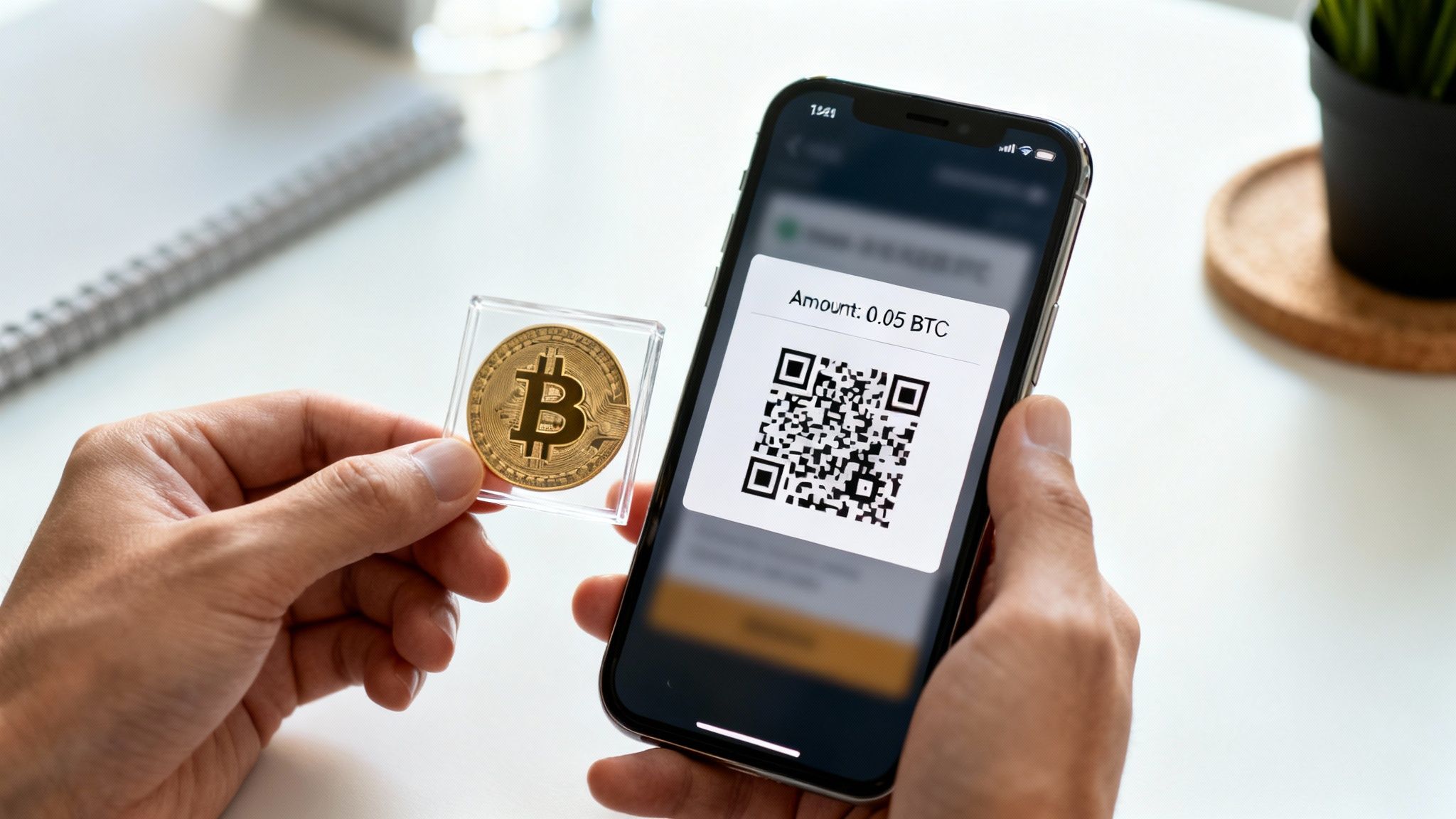
With your secure wallet ready, you're set for the main event: sending your first Bitcoin transaction. This is where the theory ends and the practical side of crypto begins. You're about to move value directly from your wallet to someone else's, anywhere in the world, without asking a bank for permission.
The process itself is pretty straightforward, but it demands your full attention. Unlike a bank transfer you can recall, Bitcoin transactions are final. They can’t be reversed. A simple typo can mean your funds are gone forever, so precision is everything.
Obtaining the Recipient's Address
First things first, you need the recipient’s Bitcoin address. Think of this as their crypto "account number"—a long, unique string of letters and numbers where you'll send the coins. There are a few standard ways to get this, and some are safer than others.
For in-person payments, like splitting a dinner bill with a friend or buying coffee, a QR code is king. The recipient just pulls up a QR code in their wallet app, you scan it with your phone, and voilà. Their exact address is instantly imported into your wallet, completely eliminating the risk of a typo.
For online payments, like paying an invoice or buying from a website, you'll usually encounter one of two methods:
- Copy-Pasting the Address: The recipient gives you their address as a line of text. Your job is to carefully copy the entire string and paste it into the "send" field of your wallet.
- Payment Links: Many merchants simplify this with payment links. Clicking the link often opens your wallet app directly, pre-filling both the address and sometimes even the exact amount due. It’s a smooth, error-proof way to pay.
The Golden Rule: Double-Check Everything
Before your finger even gets close to the "send" button, you have to verify every single detail. This isn't just a suggestion; it's a critical step.
Because Bitcoin transactions are irreversible, the moments before you confirm the payment are your last chance to prevent a costly mistake. Always pause and double-check both the recipient's address and the amount you are sending.
When you copy-paste an address, get into the habit of verifying the first few and last few characters. It’s a quick sanity check to make sure the address wasn't maliciously swapped out in your clipboard by malware. And double-check the amount, too—you don’t want to accidentally send 0.1 BTC when you only meant to send 0.01 BTC. That’s a painful mistake.
Setting the Right Transaction Fee
Every Bitcoin transaction includes a small fee, often called a miner fee or network fee. This doesn't go to the recipient. Instead, it goes to the miners who secure the network, acting as an incentive for them to include your transaction in the next block and get it confirmed.
The fee you choose has a direct impact on how quickly your transaction goes through. When the network is busy, miners will prioritize transactions offering higher fees. Thankfully, most modern wallets make this easy by suggesting different fee levels.
- Low Priority: Perfect for non-urgent payments. If you don't mind waiting a few hours (or sometimes longer) for confirmation, this is the cheapest option.
- Medium/Standard Priority: This is your go-to for most everyday transactions. It strikes a balance, typically aiming for confirmation within 10-20 minutes.
- High Priority: Choose this when your payment is time-sensitive. You'll pay a bit more, but your transaction will usually be confirmed in the very next block.
Knowing how to pick a fee that matches your urgency is a key part of using crypto efficiently. It's this kind of user control that’s helping drive a massive shift in how value is transferred globally. With over 560 million crypto owners and 420 million active wallets, direct wallet-to-wallet payments are becoming a powerful tool for merchants. In North America alone, this user base drove $1.3 trillion in crypto flows in a single year. You can discover more insights on crypto adoption trends to see just how big this movement is.
Once you’ve confirmed the address, amount, and fee, you're ready. Confidently sign and broadcast your transaction.
Navigating Bitcoin Transaction Fees and Network Speed
Transaction fees are often one of the most confusing parts of sending crypto for the first time. Unlike the fixed fees you might see from a bank, Bitcoin's fees are dynamic, driven entirely by the market. Getting a handle on what you're paying for—and why—is the key to balancing cost with urgency for every single payment you make.
I like to think of the Bitcoin network as a busy highway. Every transaction is a car trying to merge into traffic. The fee you pay is the toll you offer to the miners, who act as the network's traffic controllers. A higher toll gets you on the highway faster, plain and simple.
The Mempool and How It Affects Your Wait Time
When you broadcast a Bitcoin transaction, it doesn't confirm instantly. First, it lands in a global waiting room called the mempool, which is basically a massive, unorganized queue of all pending transactions. Miners grab transactions from this pool to include in the next block they're building.
Now, when the network gets busy—say, during a big market move—thousands of people are trying to send transactions at once. The mempool gets incredibly crowded. In this high-demand scenario, miners will naturally prioritize the transactions offering the highest fees. It’s pure supply and demand. This is why you'll see fee suggestions skyrocket during peak times.
Choosing the Right Fee for the Job
Thankfully, you don't need to be a network wizard to figure this out. Most modern Bitcoin wallets have taken the guesswork out of calculating fees in "satoshis per virtual byte" (the technical unit of measurement). Instead, they give you simple, easy-to-understand presets based on live data from the mempool.
You’ll typically see a few options:
Low Priority: This is your go-to for payments that aren't time-sensitive at all. Sending funds to a cold storage wallet or paying someone who isn’t in a rush? Go low and save some sats. Just be prepared for it to take an hour or even longer if the network is clogged.
Medium Priority: Think of this as the default setting for most everyday transactions. It's designed to get your payment confirmed within the next block or two, which usually translates to a 10 to 20 minute wait.
High Priority: When speed is everything—like snagging a limited-edition item online or closing a time-sensitive deal—this is the option you want. You're essentially paying a premium to jump to the front of the line, often getting your transaction confirmed in the very next block.
A crucial point to remember: The fee has nothing to do with the amount of Bitcoin you send. A $5 transaction can cost the exact same to send as a $50,000 one. Fees are based only on the data size of your transaction and how congested the network is at that moment.
For Instant Payments, There's The Bitcoin Lightning Network
But what about buying a cup of coffee or tipping a creator online? Sometimes, the main Bitcoin network is just too slow or expensive for these tiny, instant payments. That's precisely the problem the Lightning Network was built to solve.
The Lightning Network is a "Layer 2" protocol built on top of Bitcoin. It works by creating payment channels between users, allowing for nearly instant and incredibly cheap transactions. Instead of every small payment getting logged on the main blockchain, they happen "off-chain" and are settled later.
Many popular Bitcoin wallets now fully support Lightning. From a user's perspective, it feels just like a normal transaction—scan a QR code or paste an address, and the payment is sent in seconds. It’s the perfect tool for small, frequent payments, making it ideal for retail and everyday commerce. By using the right tool for the job—the main chain for secure, large value transfers and Lightning for speed and low cost—you can send crypto efficiently for any use case.
How to Verify and Troubleshoot Your Bitcoin Transaction
You’ve hit “send,” but the job isn't quite done. The moments after broadcasting a Bitcoin transaction are crucial. This is where you shift from sender to monitor, ensuring your payment navigates the network successfully and reaches its destination. It’s the difference between anxious waiting and confident control.
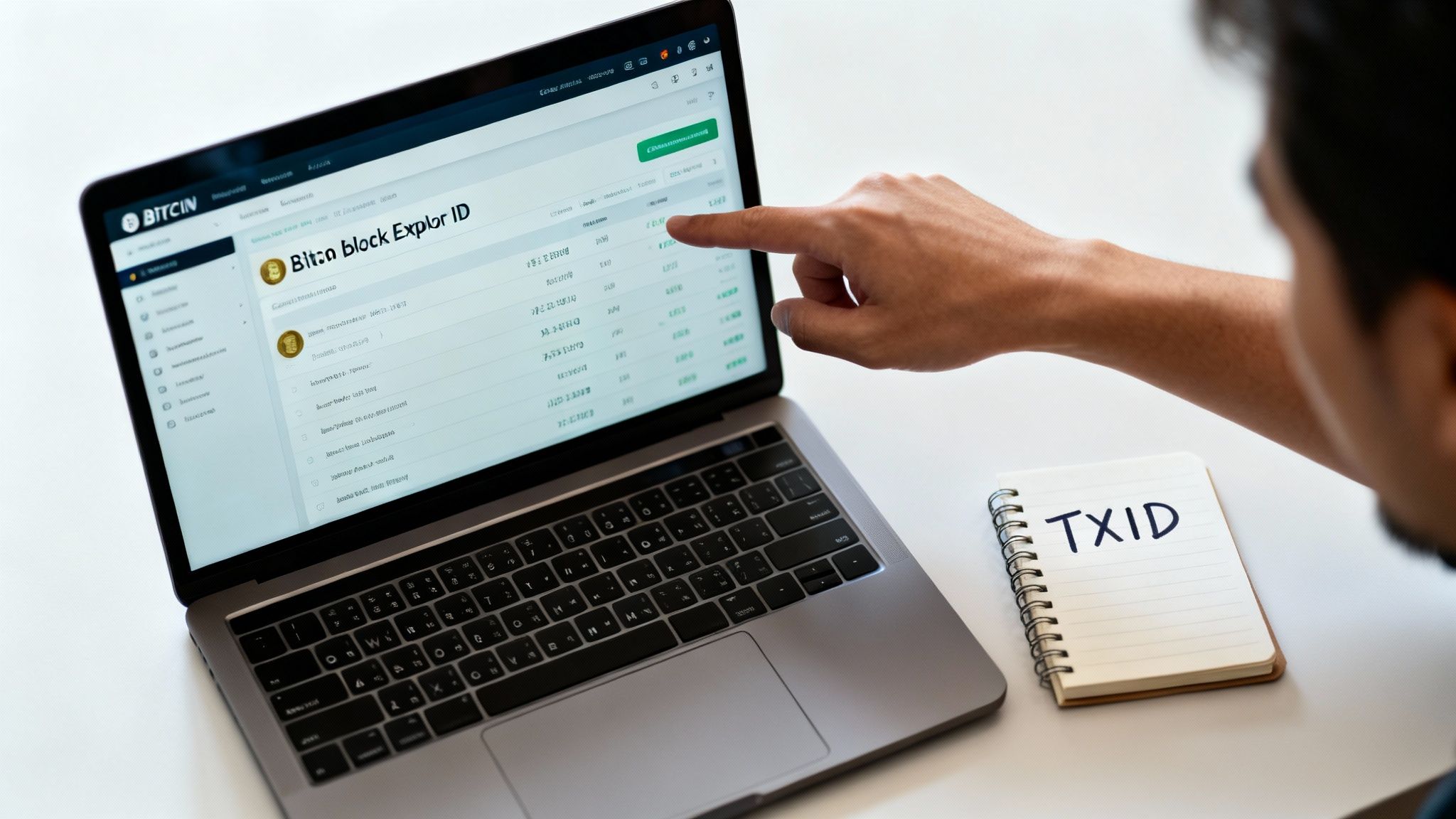
Once your transaction is sent, your wallet will spit out a unique Transaction ID, or TXID. Think of it as your digital receipt or the tracking number for your payment—a long string of characters that’s its permanent fingerprint on the blockchain.
Using a Block Explorer to Track Your Payment
With your TXID copied, your next stop is a public block explorer. These websites are essentially search engines for the Bitcoin blockchain. Just paste your TXID into the search bar, and you’ll get a real-time view of your transaction’s journey.
At first, you’ll likely see the status as "unconfirmed" or "pending." This means it's sitting in the mempool, waiting for a miner to pick it up and include it in a block. Once that happens, you'll see the status change and confirmations will start to accumulate.
Confirmations are the bedrock of Bitcoin's security. Each confirmation means a new block has been added to the chain after the block containing your transaction, making it progressively more difficult and expensive to alter or reverse.
For a small coffee purchase, one or two confirmations (around 10-20 minutes) is usually fine. But for significant payments, you’ll want to wait for at least six confirmations, which takes about an hour. This is the gold standard for considering a transaction truly final and irreversible.
To help you get comfortable with the process, here's a quick guide to what you'll see on a block explorer.
Bitcoin Transaction Status Guide
This table breaks down the common stages a Bitcoin transaction goes through, helping you understand what's happening at each step.
| Transaction Status | What It Means | Action Required |
|---|---|---|
| Unconfirmed/Pending | Your transaction is in the mempool, waiting to be included in a block by a miner. | None, just wait. If it takes too long, you may need to use RBF or CPFP. |
| 1 Confirmation | A miner has included your transaction in a validated block. It's now on the blockchain. | For small amounts, the transaction can be considered received. |
| 6+ Confirmations | Multiple blocks have been built on top of your transaction's block, making it permanent. | The transaction is now considered irreversible and fully settled. No further action is needed. |
| Dropped | Your transaction was removed from the mempool, usually due to a very low fee and network congestion. | The funds never left your wallet. You can simply try sending the transaction again. |
Knowing these statuses demystifies the process, giving you clarity and control over your payments.
What to Do When a Transaction Gets Stuck
Ever had a transaction take way longer than expected? It happens. Usually, it's because the fee you attached was too low to compete during a period of high network traffic. Your transaction is effectively "stuck" in the mempool while miners prioritize more profitable ones. Don't panic—you have a couple of solid options.
Many modern wallets have built-in features to handle exactly this scenario:
- Replace-by-Fee (RBF): If you enabled this option when sending, you can essentially re-broadcast the same transaction but with a higher fee. The network sees the new, more attractive fee and miners will pick it up, replacing your original stuck transaction.
- Child-Pays-for-Parent (CPFP): This is a clever trick the recipient can use. They can take the unconfirmed funds they're waiting for and create a new transaction spending them (the "child"). By attaching a very high fee to this child transaction, they incentivize miners to confirm both the parent (yours) and the child transaction together to claim the combined fees.
These tools are a powerful reminder of the control you have in the Bitcoin ecosystem. The ability to send funds directly, without intermediaries, is a massive reason why Bitcoin continues to see huge adoption. In just one year, Bitcoin attracted over $1.2 trillion in global fiat inflows. This kind of direct, wallet-to-wallet power allows merchants to tap into a global customer base instantly. You can read more about these global crypto adoption findings to see just how big this movement has become. Learning to handle a stuck transaction is a key skill for navigating this world effectively.
Accepting Bitcoin Payments for Your Business
Ready to move beyond personal transfers? Accepting Bitcoin can open your business up to a global customer base. Whether you run a local cafe or an online shop, adding a Bitcoin payment option is a surprisingly practical way to connect with a network of over 500 million users. The trick is to set up a system that’s dead simple for customers and even easier for you to manage.
For merchants, the core mechanics of receiving Bitcoin are pretty much the same as sending it. It all boils down to generating a receiving address. However, how you generate that address can completely transform the customer experience. Your goal should be to make paying with Bitcoin as seamless as tapping a credit card.
Point-of-Sale Payments with QR Codes
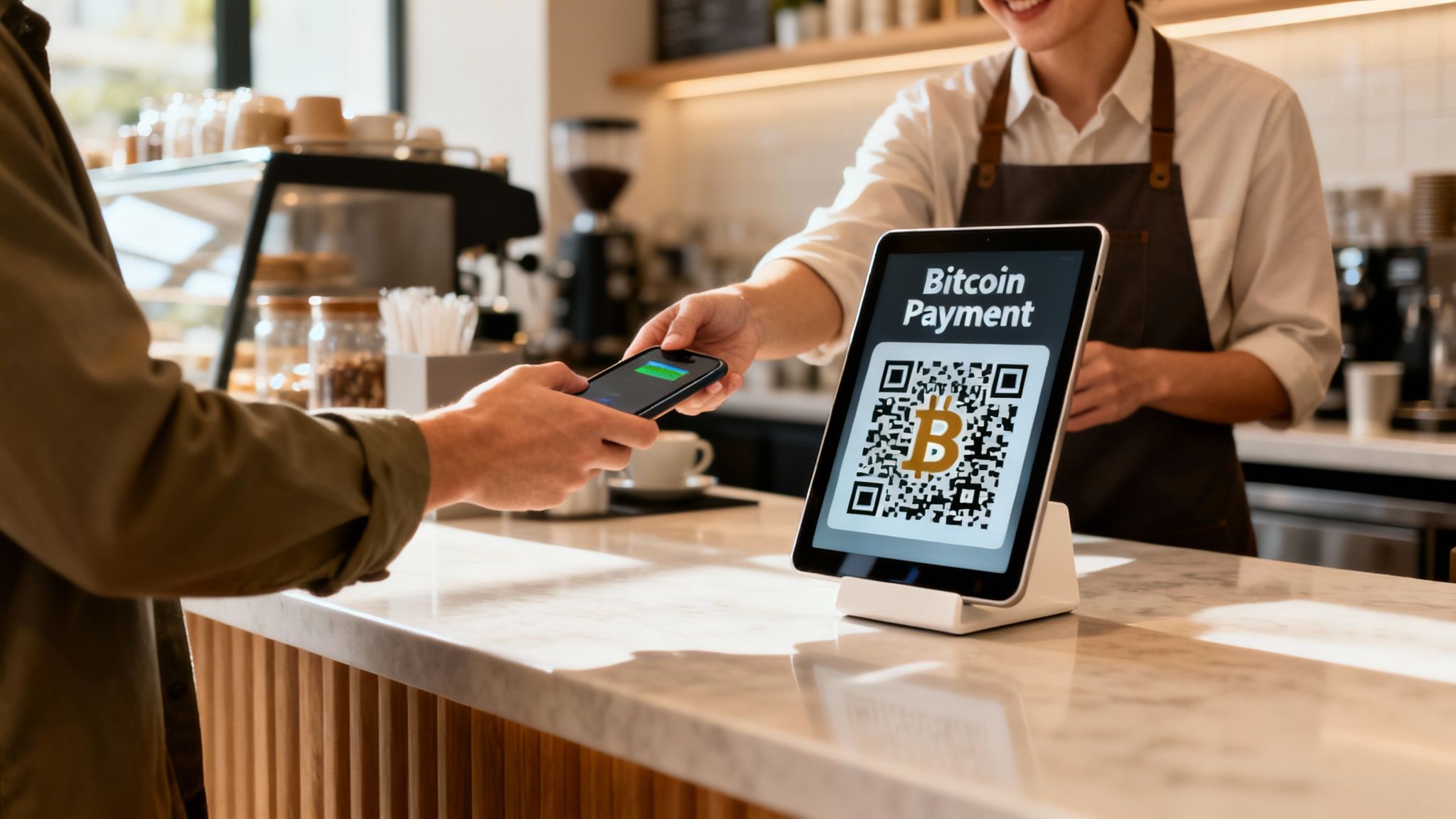
If you have a brick-and-mortar business—a coffee shop, a retail boutique, you name it—QR codes are the undisputed champion for in-person Bitcoin payments. A dedicated point-of-sale (POS) app running on a simple tablet or smartphone can generate a fresh, unique QR code for every single transaction.
The workflow is incredibly slick. You just punch in the sale amount in your local currency. The app instantly converts it to the current Bitcoin price and spits out a QR code packing the exact payment address and amount. Your customer scans it with their mobile wallet, taps confirm, and the payment is sent directly to your wallet.
This method completely sidesteps human error. No one has to squint and copy-paste long addresses or fumble with typing in the correct amount. It’s the fast, professional checkout experience that modern customers have come to expect.
Online Payments for E-Commerce and Digital Goods
For online businesses, the principles are identical, but the tools are different. Instead of a physical QR code on a screen, you’ll use payment links or integrated checkout buttons. This is perfect for e-commerce stores, content creators, or anyone selling services online.
- Payment Links: You can create a unique link for an invoice or a specific product. When a customer clicks it, their wallet (desktop or mobile) can pop open with all the transaction details pre-filled and ready to go.
- Website Widgets: For a truly native feel, you can embed customizable "Pay with Bitcoin" buttons right onto your product pages or at the final step of your checkout flow.
These tools let you accept Bitcoin payments from anywhere on the planet, 24/7. It’s a powerful way to serve an international audience without wrestling with the headaches of cross-border bank transfers or getting hammered by currency conversion fees.
The real magic here is the direct, wallet-to-wallet nature of the transaction. The Bitcoin moves straight from your customer's self-custody wallet to yours, cutting out the middlemen. This means lower fees, faster settlement times than traditional card payments, and better privacy for everyone involved.
Managing and Accounting for Bitcoin Revenue
Once you start bringing in Bitcoin, you absolutely have to stay on top of your bookkeeping and plan for any tax implications. It’s often a smart move to work with firms that offer professional accounting and tax planning services to make sure you're fully compliant. At a minimum, keep meticulous records of every single transaction—that means the timestamp and its value in your local currency at the moment you received it.
The rise of digital assets has completely changed how businesses approach payments. The core idea of direct, peer-to-peer transfers is what makes Bitcoin so compelling for merchants. This model is tailor-made for global e-commerce, a sector where the APAC region alone exploded by 69% year-over-year to $2.36 trillion. By adopting direct Bitcoin payments, businesses can tap into this growth with a fast, global settlement option.
Setting up a simple, efficient system gives your customers a modern way to pay while giving you more control over your revenue. It's a strategic move that gets your business ready for the future of commerce.
Got Questions About Sending Bitcoin?
It’s totally normal to have a few questions rattling around your head when you're getting started with Bitcoin. Even experienced users stop to think through the details. Getting these common concerns sorted is the last piece of the puzzle, giving you the confidence to know your payment is on its way, safe and sound.
Let's break down some of the most frequent questions that come up.
How Long Does a Bitcoin Payment Actually Take?
A Bitcoin transaction usually gets its first confirmation in about 10 minutes. That's the average time it takes for a new block to be added to the blockchain. But remember, this can speed up or slow down depending on how busy the network is and the fee you set.
For most everyday payments, waiting for one to three confirmations (that's roughly 10-30 minutes) is more than enough to consider it secure. If you're dealing with a really large amount, most people and businesses prefer to wait for at least six confirmations, which takes about an hour. After that, the payment is locked in and considered irreversible.
Can I Get My Bitcoin Back If I Send It to the Wrong Place?
This is a big one: No, Bitcoin transactions are irreversible. Once a payment is confirmed on the blockchain, it’s final. There's no "undo" button or customer support line to call. This finality is a core feature of what makes Bitcoin powerful, but it means you have to be extra careful.
Always, and I mean always, double-check the recipient's address and the amount before you hit send. Some advanced wallets have a feature called Replace-by-Fee (RBF) which might let you recall an unconfirmed transaction, but it's not a guarantee and shouldn't be relied upon.
What’s the Safest Way to Send Bitcoin?
When security is your top priority, nothing beats a hardware wallet. These little devices keep your private keys completely offline, making them immune to online threats like viruses or phishing scams. You physically approve the transaction on the device itself, so you know it's secure.
For smaller, day-to-day amounts, a good non-custodial mobile wallet is both secure and super convenient. Just make sure you’ve locked it down with a strong password and turned on any biometric features like fingerprint or Face ID.
What Info Do I Need to Send Someone Bitcoin?
All you need is the recipient's Bitcoin receiving address. It's that long string of letters and numbers they give you. To avoid any typos—which can be a costly mistake—it's almost always provided as a QR code you can simply scan with your wallet app.
You don't need their name, email, or any other personal details. Bitcoin is permissionless. Your only job is to make sure you're sending to the right person and that the address you have is 100% correct.
Ready to offer your customers a secure, direct way to pay with Bitcoin? With Flash, you can accept wallet-to-wallet Bitcoin payments in under a minute. Our easy-to-use tools, from point-of-sale apps to customizable payment links, connect you to over 500 million Bitcoin users worldwide without ever touching your funds. Start accepting Bitcoin today at .