So you're thinking about adding Bitcoin to your payment options. Good call. The process is pretty straightforward: you'll need to pick a non-custodial wallet, get a payment gateway or Point-of-Sale app hooked up, and then make sure the checkout flow is dead simple for your customers.
Doing this opens your doors to a global audience, slashes those annoying transaction fees, and completely wipes out chargeback fraud.
Why Accepting Bitcoin Is a Smart Move for Your Business
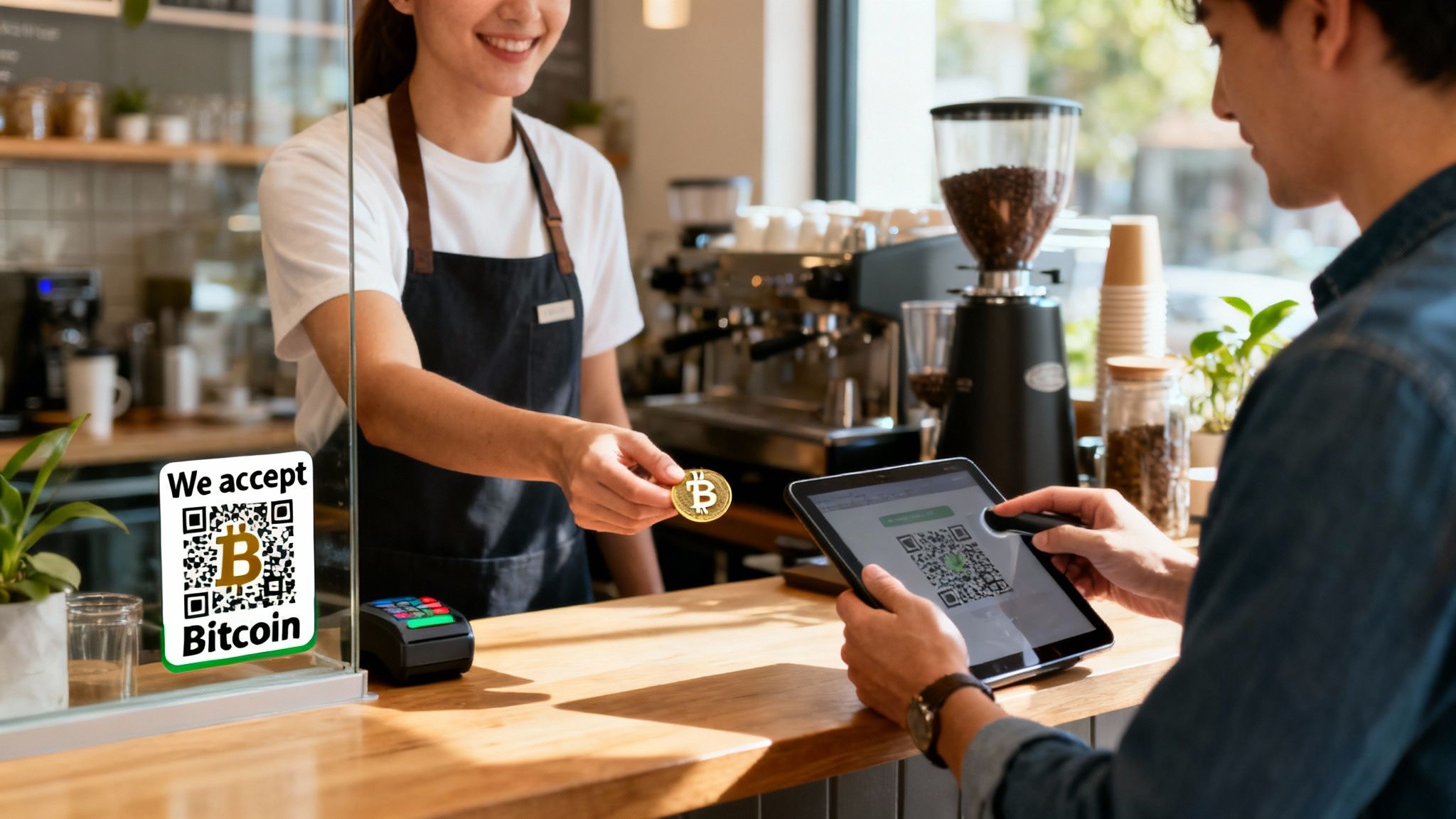
Bringing Bitcoin into your business might feel like a niche play, but it’s actually a sharp, strategic move that solves some very common headaches and can even open up entirely new revenue streams.
For most merchants I talk to, the appeal starts with the numbers. Traditional payment networks skim 2-3% off every single transaction, and that cuts directly into your profits. Bitcoin, especially when using the Lightning Network, can bring that cost down to a fraction of a cent. This isn't just trimming the edges; it's a fundamental change that can seriously pump up your net income over time.
But it's not just about cost. Bitcoin gives you an incredible shield against a merchant’s worst nightmare: chargeback fraud. Because Bitcoin transactions are final and irreversible, the whole concept of a chargeback just vanishes. Once a payment is confirmed on the network, those funds are yours. Period. This single feature eliminates a massive source of lost revenue and administrative pain, especially for online businesses.
Tapping Into a Growing Global Market
Adopting Bitcoin isn't just a defensive move to save money; it's about connecting with a new and rapidly growing customer base. We're talking about over 500 million Bitcoin users worldwide—a group that's typically tech-savvy, often has disposable income, and is actively looking for places to spend their Bitcoin.
When you accept Bitcoin, you're sending a clear signal that your business is forward-thinking. This alone can attract customers who specifically seek out merchants that get it.
Just look at what happened in El Salvador. When Bitcoin became legal tender there on September 7, 2021, a staggering 85% of small businesses started accepting BTC payments. This wasn't a slow burn; it transformed local commerce almost overnight, from street vendors to larger shops. The government’s Chivo wallet saw over 4 million downloads in its first year, proving how quickly people will adopt new payment tech when it's made accessible. This is the same kind of simplicity we're seeing with modern tools like Flash, which let merchants connect their own wallet and accept Bitcoin in under a minute, all without ever holding the user's funds. You can read more about this widespread adoption and how it’s changing the game for small businesses.
For a small business, every dollar counts. Eliminating chargebacks and slashing transaction fees isn't a small upgrade—it's a competitive advantage that directly impacts your ability to grow and thrive.
Enhancing Payment Speed and Simplicity
Another huge practical win is the settlement speed. Credit card payments can meander for days before the money actually lands in your bank account. Bitcoin payments? They settle almost instantly.
The money moves directly from your customer's wallet to yours, peer-to-peer. There's no middleman hitting the brakes on the process.
This direct wallet-to-wallet model gives you real financial autonomy. You hold your own keys, you control your own funds. This reduces your reliance on banks or payment processors that can freeze your account or hold your money hostage. It’s a game-changer for businesses in countries with shaky financial systems or for anyone serving a global customer base, since Bitcoin is completely borderless.
Here’s what that looks like in the real world:
- Improved Cash Flow: Instant settlement means you have your revenue right away. No more waiting. This makes financial planning and management so much easier.
- Reduced Admin Overhead: Forget about fighting chargeback disputes or waiting for batch settlements. It's just cleaner.
- Global Reach: Take a payment from anyone, anywhere on the planet, without thinking twice about currency conversion or cross-border fees.
Ultimately, learning how to set up Bitcoin is less about chasing a trend and more about implementing a payment system that's just flat-out more efficient, secure, and globally connected.
Choosing the Right Bitcoin Wallet for Your Business
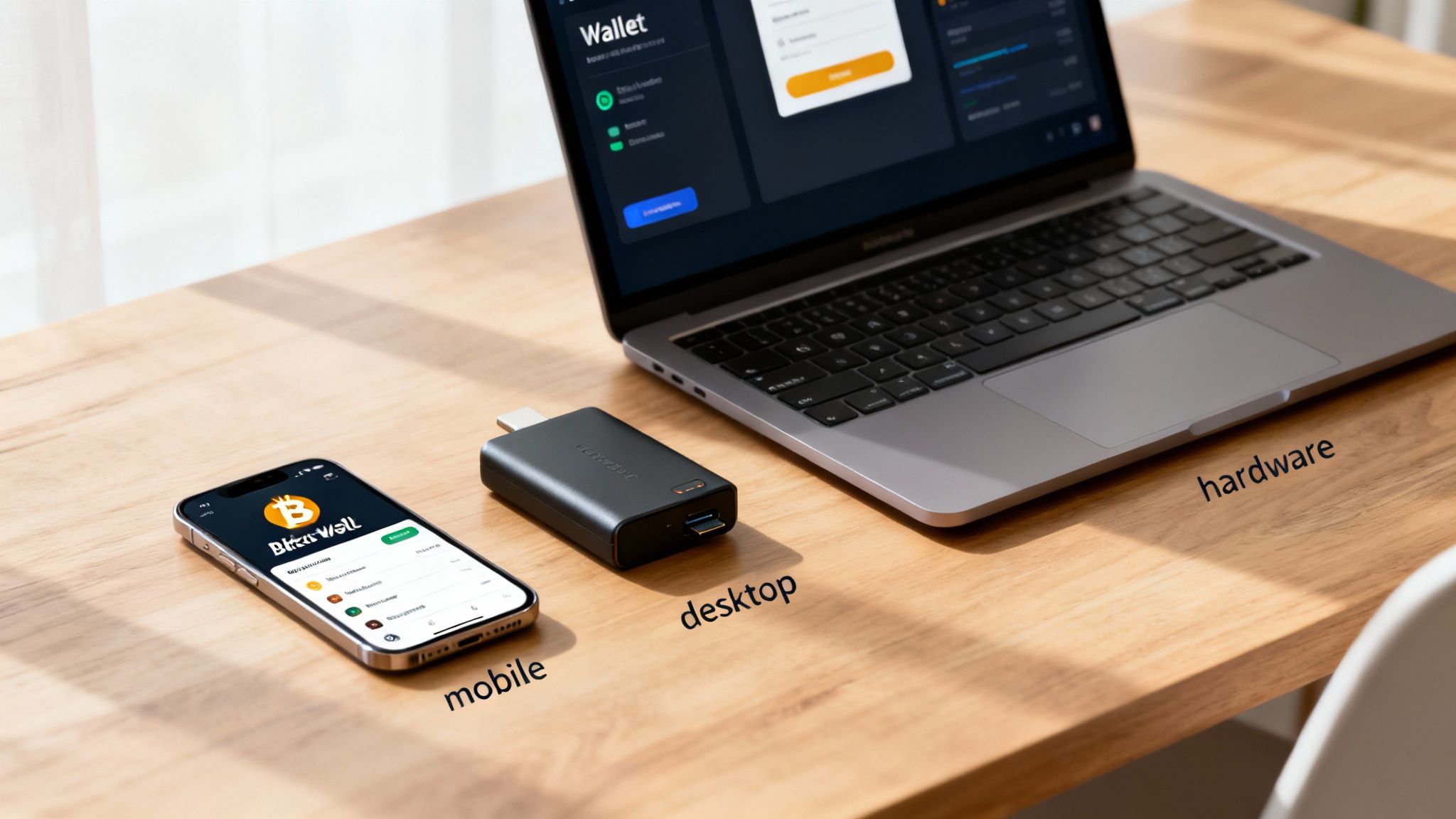
Think of your Bitcoin wallet as the new digital cash register for your business. It's more than just an app; it's the heart of your entire Bitcoin setup. Picking the right one is easily the most critical decision you'll make at this stage.
This choice really boils down to one simple, powerful concept in Bitcoin: custody. Who actually holds the keys to your money? The answer determines whether you truly own your Bitcoin or if you're just trusting someone else to hold it for you.
Custodial vs. Non-Custodial Wallets
A custodial wallet is basically an account with a third party, like an exchange. They can feel simple to use, but you're introducing a massive point of failure—if that company gets hacked or goes bust, your funds could disappear right along with it. You're handing over control.
A non-custodial wallet puts you firmly in the driver's seat. You manage your own private keys, which are like the master password to your Bitcoin vault. For any business serious about accepting Bitcoin, this approach is the gold standard for security and financial independence.
For any business serious about accepting Bitcoin, a non-custodial wallet is the only way to go. It eliminates counterparty risk and ensures that you, and only you, have access to your revenue. This is the core principle of "not your keys, not your coins."
When you set up Bitcoin with a non-custodial wallet, you have direct, immediate access to your funds. It's the digital equivalent of having cash in a physical register.
Types of Bitcoin Wallets for Your Business
Non-custodial wallets come in a few different flavors, and each one is suited for different business environments. The trick is to match the wallet type to how your business actually operates, whether you're running a busy cafe or a global e-commerce store.
Mobile Wallets: These are apps that live on your smartphone or tablet. They're perfect for face-to-face sales at a farmers' market, a pop-up shop, or a food truck. Their portability makes them a no-brainer for quick, on-the-go payments.
Desktop Wallets: Installed right on your computer, these wallets typically offer more features and a bigger interface for managing your funds. They're a solid choice for an e-commerce business or any company that handles its finances from an office computer.
Hardware Wallets: These are small, physical devices that keep your private keys completely offline, offering the highest level of security possible. You'd still use a mobile or desktop app to see your balance and create transactions, but the hardware wallet signs them securely. This is your business's digital safe—perfect for storing larger amounts of Bitcoin you don't need for daily operations.
Often, the smartest setup is a combination. For example, you might use a mobile wallet for daily sales at your coffee shop and then, at the end of the week, transfer the profits to a more secure hardware wallet for long-term storage.
Key Features to Look For
As you start looking at different non-custodial Bitcoin wallets, keep an eye out for a few crucial features. These will have a direct impact on your day-to-day efficiency, your security, and your customers' experience.
Lightning Network Support: For most merchants, this is non-negotiable. The Lightning Network is what makes instant, nearly-free Bitcoin transactions possible. Without it, you're stuck with slower on-chain transactions that can have higher fees—not exactly practical for selling a cup of coffee.
Ease of Use: The wallet's interface has to be intuitive for both you and your staff. Ringing up a customer and generating a new QR code should only take a couple of taps. A clunky, confusing app will just create a bottleneck at your checkout.
Security and Backup: A good wallet will make it dead simple to back up your private keys using a seed phrase (a list of 12 or 24 words). This phrase is your ultimate safety net. If your phone gets lost, stolen, or just stops working, that seed phrase is all you need to recover your funds on a new device.
By focusing on these key elements, you'll be able to pick a wallet that not only keeps your money safe but also fits seamlessly into your daily business operations.
Alright, you've picked a secure, non-custodial wallet and you're ready for the exciting part: actually integrating Bitcoin into your sales process. This is the moment many merchants get nervous, picturing some technical nightmare. The truth is, modern tools have made this surprisingly straightforward, whether you're selling online or in a physical shop.
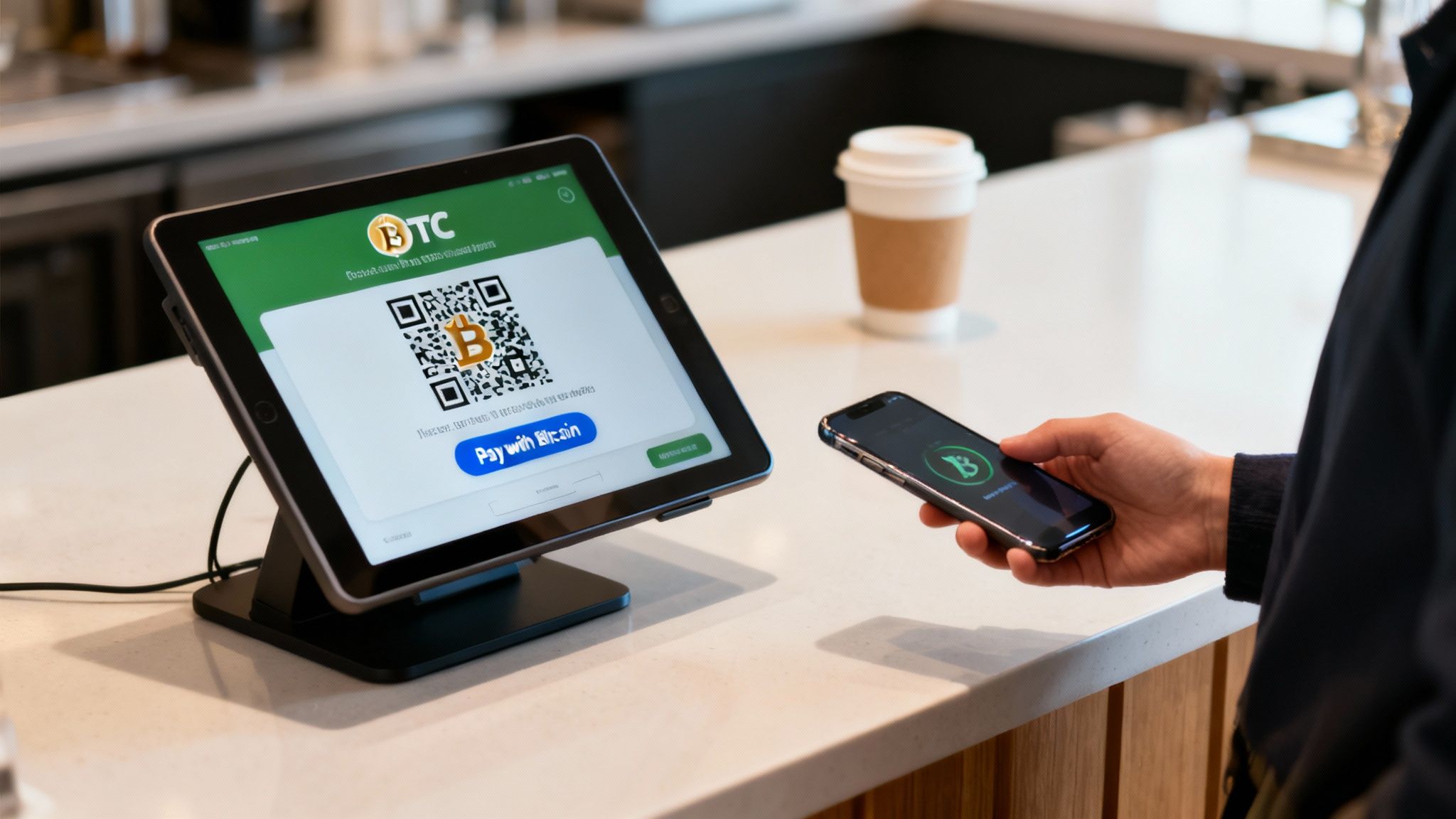
The real goal here is to create a payment experience that feels just as natural as swiping a credit card. For an e-commerce store, this could be as simple as adding a "Pay with Bitcoin" button to your checkout page. For a brick-and-mortar shop, it’s about turning a tablet or smartphone into a point-of-sale (POS) terminal that generates a QR code for customers to scan in seconds.
Setting Up a Bitcoin POS for Physical Stores
Let’s start with a real-world scenario. Imagine a local coffee shop owner, Sarah. She wants to accept Bitcoin, but she needs a system that her baristas can use without a headache during the morning rush. No time for clunky hardware or long training sessions.
This is exactly what dedicated Bitcoin POS apps were built for.
You download an app onto a tablet or phone you already own, link it to your non-custodial wallet (usually by scanning a QR code inside the app), and you're pretty much ready to roll. The whole process can take less than five minutes.
Here’s how it works for Sarah’s coffee shop:
- A customer orders a latte for $5.00.
- The barista enters $5.00 into the POS app and hits "Charge."
- The app instantly generates a unique QR code on the screen, showing the exact Bitcoin equivalent based on a live exchange rate.
- The customer opens their Bitcoin wallet, scans the code, and confirms the payment.
- Seconds later, the payment is confirmed over the Lightning Network, and the POS screen flashes "Payment Received." The funds are immediately settled in Sarah's business wallet.
It’s an incredibly efficient and secure flow. You aren't handling sensitive credit card numbers, there's zero chargeback risk, and the transaction fees are practically non-existent. Tools like the Flash POS app are designed specifically for this, turning any mobile device into a powerful Bitcoin terminal.
The real beauty of a Bitcoin POS system is its directness. The payment flows directly from your customer's wallet to yours. No intermediaries, no holding periods, and no one can freeze your funds. It's the digital equivalent of accepting cash.
Bitcoin Integration Options for Your Business
Choosing the right way to integrate Bitcoin really comes down to your business model. What works for an online freelancer won't be the best fit for a busy cafe. Here’s a quick breakdown to help you find the right tool for the job.
| Business Type | Integration Method | Best For | Flash Implementation |
|---|---|---|---|
| Physical Retail/Cafe | POS App | Fast, in-person transactions and easy staff training. | The Flash POS App turns any iOS or Android device into a dedicated Bitcoin terminal. |
| E-commerce Store | Plugin/API | Seamless checkout integration on platforms like Shopify or WooCommerce. | Flash offers plugins and a developer API to add a "Pay with Bitcoin" option at checkout. |
| Freelancers/Services | Payment Links | Sending custom invoices or accepting payments without a full website. | Generate a unique, shareable link for any amount directly from the Flash dashboard. |
| Content Creators | Payment Buttons | Selling digital goods, accepting tips, or pay-per-view content on a blog. | Embed a simple "Buy with Bitcoin" button anywhere on your site. |
| Subscription Services | Recurring Invoices | SaaS, memberships, and automated monthly billing. | Set up recurring payment schedules that automatically bill customers via Lightning. |
Ultimately, the best method is the one that creates the least friction for both you and your customer. The good news is that the ecosystem is mature enough to offer a tailored solution for just about any scenario you can think of.
Integrating Bitcoin into Your E-Commerce Store
For online businesses, the path you take depends heavily on your platform. If you’re using something like Shopify, there are often plugins or apps you can install to add Bitcoin as a payment choice. These tools typically handle the entire process, from generating the payment request to confirming the transaction.
If you run a custom-built website, you can lean on payment links or embeddable widgets. These are simple but powerful tools that create a dedicated checkout page for Bitcoin payments. When a customer is ready to pay, they’re sent to a page with a QR code and payment details—very similar to the in-person POS system.
Let’s say you sell digital products, like online courses or e-books. You have a couple of great options:
- Payment Buttons: You can place a "Buy with Bitcoin" button next to each product. When a customer clicks it, a unique payment request is generated for that specific item.
- Payment Links: If you're creating custom orders or sending invoices, you can generate a unique payment link and send it directly to your customer. This gives them a clean, secure way to pay you in Bitcoin.
This level of flexibility is a massive plus, allowing you to fit the Bitcoin payment experience perfectly into your existing business model.
Exploring Subscriptions and Recurring Payments
One of the more powerful applications is setting up recurring payments or subscriptions with Bitcoin. This is a game-changer for SaaS companies, creators with membership sites, or any business that depends on a subscription model.
This used to be a real challenge in the Bitcoin world, but new tools and protocols are finally making it a reality. Some platforms now let you create automated billing plans where your system requests payment from a customer's wallet on a set schedule, like every month.
For instance, a digital newsletter service could offer a monthly subscription for $10. By using a provider that supports recurring Bitcoin payments, they can set up a plan that automatically sends a payment request to subscribers each month. The subscriber just has to authorize the plan once, and the payments happen seamlessly from then on.
This opens up an entirely new way to build predictable revenue with Bitcoin, all while keeping the benefits of minimal fees and zero chargebacks. The key is to partner with a payment provider that has built the tough infrastructure needed to handle this kind of automated billing logic securely and reliably.
Managing Your Bitcoin Day-to-Day
So, you’re all set up, and the first Bitcoin payments are trickling in. Fantastic. Now, your focus shifts from setup to the daily rhythm of managing your new digital cash flow. Don't worry, this isn't about becoming a Bitcoin trader or staring at market charts all day. It’s about building simple, solid habits.
Getting this part right is what makes accepting Bitcoin sustainable for the long haul. The good news? The day-to-day stuff is pretty straightforward. It all boils down to a few key things: keeping your funds safe, understanding the fees, handling customers, and keeping clean records. Master these, and you'll be using Bitcoin like a pro.
Securing Your Digital Assets
If you take away only one thing from this guide, let it be this: you are your own bank. With a non-custodial wallet, the security of your Bitcoin is entirely your responsibility. This responsibility begins and ends with your private keys and that all-important recovery phrase (sometimes called a seed phrase).
Think of your private key as the actual key to your digital vault. Your recovery phrase is the master override—a list of 12 or 24 words that can bring your entire wallet back to life on a new device if your phone or computer gets lost, stolen, or fried.
Your recovery phrase is the most sensitive piece of information in your entire Bitcoin setup. Do not ever store it digitally. No screenshots, no notes app, no emails to yourself. Write it down on paper or, even better, etch it into metal, and store it somewhere safe and offline.
Here’s a practical security routine many merchants adopt:
- Hot Wallet for Daily Use: Keep a small, working balance in your mobile or Point of Sale wallet. Think of this like the cash in your register—enough for daily transactions and small refunds, but not your life savings.
- Cold Storage for Savings: At the end of the day or week, sweep larger balances into a more secure "cold storage" wallet. A hardware wallet is perfect for this, as it keeps your private keys completely offline and out of reach of hackers.
- Backup Your Backups: Store your physical recovery phrase somewhere incredibly safe and separate from your main devices. Seriously. Some business owners keep a copy in a fireproof safe at home and another in a safe deposit box or a trusted location.
Understanding Transaction Fees
One of the biggest draws to Bitcoin is ditching those eye-watering credit card fees. Bitcoin transaction fees, often called "miner fees," work completely differently. They aren't a percentage of the sale. Instead, they're a small, flat fee paid to the network operators (miners) who confirm and secure transactions.
When you're using the Lightning Network for payments—which you should be for most retail sales—these fees are ridiculously low, often just a fraction of a cent. It’s what makes buying a cup of coffee with Bitcoin not just possible, but practical. For larger, on-chain transactions, fees can vary depending on how busy the network is, but any good wallet will suggest the right fee to get your transaction confirmed quickly.
This shift to low-fee, global payment rails is happening now. A staggering number of people own Bitcoin, and in pioneering countries like El Salvador, 85% of businesses already accept it. From the US to Brazil to the Philippines, there’s a massive, ready-to-spend customer base waiting. You can dive deeper into the top countries driving Bitcoin adoption on Westafricatradehub.com.
Handling Refunds and Customer Service
Sooner or later, someone will need a refund. It happens. But since Bitcoin transactions are final and irreversible, you can't just "void" a payment like you would with a credit card. Instead, you simply send a new payment back to the customer.
Here’s the simple process:
- Request a Receiving Address: Ask the customer for a Bitcoin invoice or a wallet address to send the funds to. This is crucial to make sure it goes to the right place.
- Send the Refund: From your business wallet, create a new transaction for the agreed-upon refund amount and send it off.
- Log the Transaction: Make a note of the refund's transaction ID (TXID) in your records, just like you would for a sale.
While it's a manual step, this process completely eliminates the headache of fraudulent chargebacks. A customer can't yank money out of your account without your consent, protecting your revenue from a major source of loss for online merchants.
Maintaining Records for Accounting
Finally, let's talk bookkeeping. While Bitcoin can offer privacy, as a legitimate business, you still need to track your income for accounting and tax purposes. Don't skip this part.
Your wallet software is your best friend here. It keeps a perfect, timestamped ledger of every transaction—date, time, amount in BTC, and the equivalent value in your local currency at that moment. Most wallets let you export this history as a CSV file, which can be imported directly into QuickBooks, Xero, or whatever accounting software you use.
Make it a weekly or monthly habit to reconcile your Bitcoin transactions, just as you would with your traditional bank statements. By treating your Bitcoin wallet as just another payment processor in your financial workflow, you can keep your books clean without creating a mountain of extra administrative work.
Creating a Great Bitcoin Checkout Experience
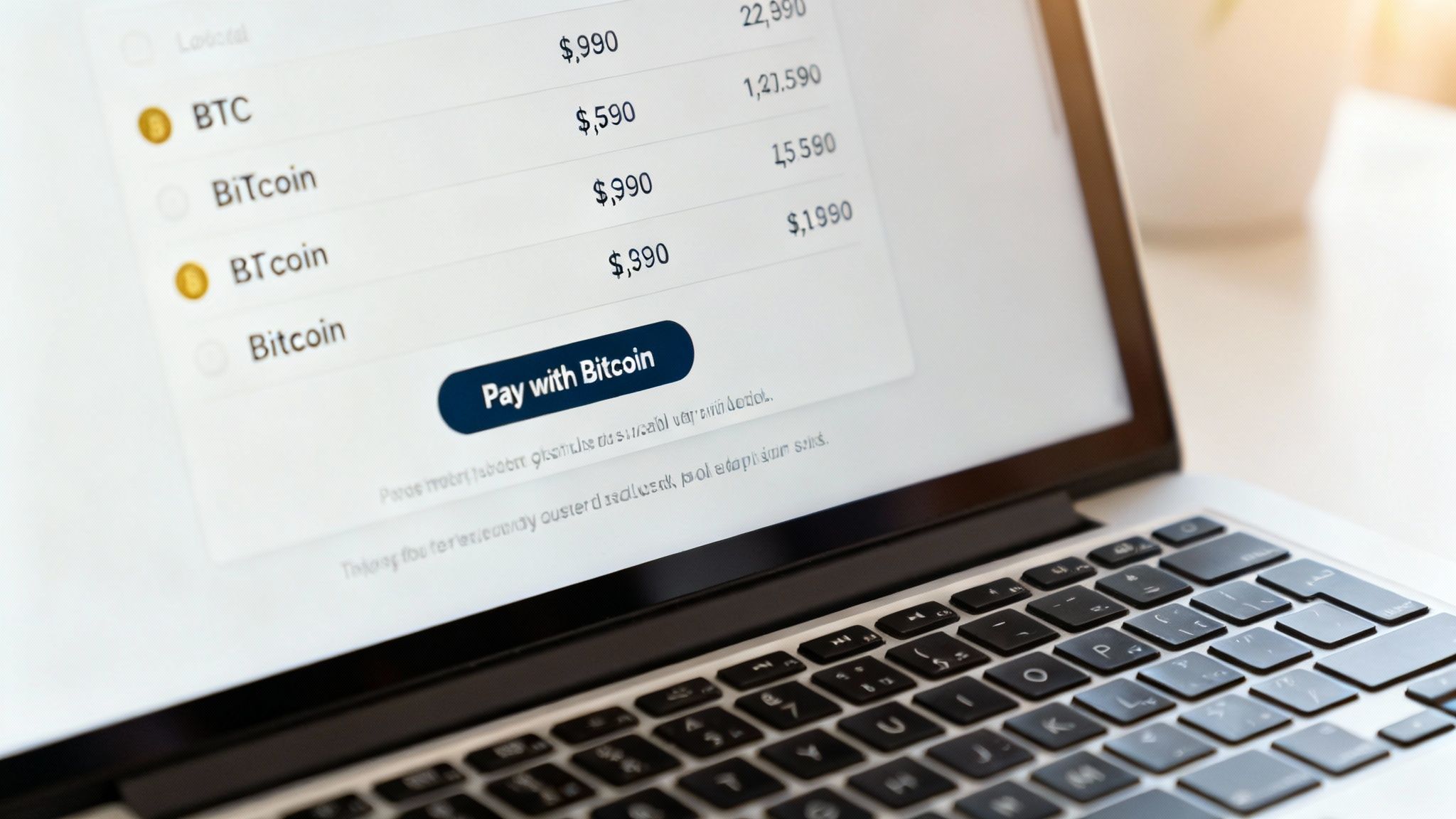
Getting your Bitcoin setup right isn't just about the tech behind the counter. It's about making the whole process completely effortless for your customers. If paying with Bitcoin is a hassle, even the biggest fans will just pull out their credit card.
Your goal should be to craft a checkout that isn't just functional, but genuinely better than the old way.
It all starts with being upfront. Don't bury the fact that you accept Bitcoin. Announce it on your website, put a sticker in your window, and make it clear at your register. A simple "Bitcoin Accepted Here" sign can pull in a whole new crowd of people actively looking to support businesses like yours.
Designing a Frictionless Checkout Flow
Once a customer decides to pay with Bitcoin, the next few seconds are everything. A clunky interface or confusing directions will kill the sale instantly. Simplicity is your best friend here.
Whether it’s online or in-person, the process needs to feel automatic. The customer should know exactly what to do without thinking. To get this right, it helps to apply solid e-commerce website design principles that optimize your store for modern digital payments.
Ultimately, a great checkout flow has the fewest steps and requires the least amount of brainpower from the customer.
The best Bitcoin checkout experience is one the customer barely notices. It should feel as natural as tapping a card—just scan, confirm, and go. The speed of the Lightning Network makes this more than possible; it makes it a competitive advantage.
Key Elements of an Effective Bitcoin Checkout
To build that seamless experience, you need to nail a few key elements that get rid of common hang-ups and build your customer's confidence. These little details make a massive difference.
Here are a few practical things you can do right away:
- Display Dual Pricing: Always show the price in your local currency (like USD) and its live Bitcoin equivalent (BTC or sats). This transparency removes the guesswork and stops your customer from having to do mental math.
- Provide Simple Instructions: Don't assume everyone's a pro. A quick, clear prompt like, "Scan with your Bitcoin wallet to pay," is usually all you need. Online, one simple sentence guiding them can be the difference between a sale and an abandoned cart.
- Use Clear and Visible QR Codes: In a physical store, the QR code on your point-of-sale screen needs to be big, sharp, and easy to scan. Online, make sure the QR code and the "copy address" button are front-and-center and work perfectly on both desktop and mobile.
By getting these small but critical details right, you strip out the friction and make the whole process feel familiar and trustworthy.
Highlighting the Benefits to Your Customers
Don't just make it easy; actively sell the benefits of paying with Bitcoin. A lot of customers, especially newcomers, might not realize the upsides on their end.
Think about how to frame it. Instead of fumbling for a wallet and punching in card numbers, they can pay with a quick, secure scan from their phone. This is especially true with Lightning payments, which are often faster than a chip-and-pin transaction.
You can position it as a modern, private, and slick way to pay. Doing so shows your business is forward-thinking and customer-focused, which builds loyalty and brings back customers from the growing Bitcoin community. A great checkout turns a simple transaction into a positive brand experience.
Even after you’ve got a solid plan, jumping into something new always brings up a few last-minute questions. That's perfectly normal. Let's run through some of the most common things merchants ask when they first start setting up Bitcoin payments.
Think of this as your final check-in before going live. We'll hit the big topics—volatility, taxes, and customer support—so you’re ready for the day-to-day of managing this new payment rail.
How Do I Handle Bitcoin's Price Volatility?
This is the big one, usually the first question on everyone's mind. The price of Bitcoin moves, so how do you protect your business from a sudden dip?
You’ve got a couple of straightforward strategies here. The simplest is to just hold the Bitcoin you receive. Many businesses do this, treating it as a long-term asset for their company treasury. They believe in Bitcoin's long-term value and are comfortable riding the market's waves.
But if you need to lock in your revenue in dollars, euros, or whatever your local currency is, you can convert your Bitcoin the moment you receive it. Many modern payment processors offer instant conversion services. The moment a sale is made, they automatically swap the BTC for fiat. This completely takes volatility risk off the table, letting you get the benefits of Bitcoin's low fees without any exposure to price swings.
Deciding whether to hold Bitcoin or convert it is a business strategy decision. There's no single right answer—it depends entirely on your cash flow needs and your long-term financial goals.
What Are the Tax Implications?
Yes, you have to pay taxes on Bitcoin income, just like any other revenue. The key is to think of Bitcoin as property, not currency, from a tax perspective. This just means you need to keep good records.
Here’s what you’ll generally need to track for every transaction:
- The date and time of the payment.
- The fair market value of the Bitcoin in your local currency at the exact time you received it.
- The date and value if you later sell or exchange that Bitcoin.
Don't worry, you don't have to do this manually. Good wallet and point-of-sale software makes this a breeze. Most can export a detailed transaction history (usually as a CSV file) with all this information ready to go. You can then just hand that file to your accountant, who will treat it like any other business income. It's always a good idea to chat with a tax professional who gets digital assets to make sure you’re staying compliant.
What If a Customer Has a Payment Issue?
Honestly, customer support for Bitcoin payments is usually pretty simple. The most common hiccup is a customer sending the wrong amount or a payment taking a moment to confirm.
If a payment is underpaid, your POS system will flag it immediately, and you can simply ask the customer to send the small remaining balance. If a payment is taking a while to confirm (which is super rare on the Lightning Network but can happen with on-chain transactions), it's usually just a matter of waiting a few more minutes for the network to catch up.
And for refunds? As we've covered, the process is a piece of cake: you just send a new payment back to the customer's wallet. Keeping the lines of communication open and having a clear policy for these scenarios ensures a smooth experience for everyone involved.
Ready to eliminate chargebacks and tap into a global customer base? Flash provides all the tools you need to accept Bitcoin payments securely and instantly, with no middlemen and no KYC. Get started in under a minute at .