Powering Your Business with the Right Online Payment Methods
Choosing the right online payment methods for small business is crucial for success. This comprehensive guide dives into nine leading options, providing actionable insights to help you select the perfect fit for your specific needs in 2025. From transaction fees and security measures to seamless integration and user experience, we'll cover the key factors influencing your decision.
This listicle provides a detailed comparison of each payment method, highlighting their strengths and weaknesses. You'll learn about:
- Processing Fees: Understand the various fee structures, including transaction fees, monthly fees, and chargeback fees.
- Security Features: Explore the security measures each platform employs to protect your business and your customers from fraud.
- Integration Options: Discover how easily each payment gateway integrates with popular eCommerce platforms and website builders.
- User Experience: See how each method impacts the checkout experience for your customers, influencing conversion rates and customer satisfaction.
Efficient payment processing is essential for maintaining healthy cash flow. Consider how a professional can help you strategize and optimize your business finances. A local small business accountant can provide valuable insights into managing your financial operations effectively.
This guide will equip you with the knowledge to make informed decisions, streamlining your operations and boosting your bottom line. Whether you're running an eCommerce store, a brick-and-mortar business, or a subscription service, understanding the nuances of online payment processing is essential. Let's explore the top options available:
- PayPal
- Stripe
- Square
- Apple Pay
- Google Pay
- Amazon Pay
- Venmo Business
- Shopify Payments
- Authorize.Net
1. PayPal
PayPal is a ubiquitous online payment method, enabling small businesses to accept payments globally. It supports various funding sources, including credit cards, debit cards, and PayPal account balances. Functioning as a trusted intermediary, PayPal securely processes transactions, shielding customers' sensitive financial data from merchants. This simplifies the checkout process and builds trust with buyers.

When to Use PayPal
PayPal's versatility makes it suitable for diverse business models. E-commerce stores, freelancers, and service providers benefit from its easy integration and global reach. Non-profits can leverage it for donations, while subscription services appreciate its recurring billing features. Even brick-and-mortar stores can use PayPal's mobile card reader for in-person transactions.
Examples of PayPal in Action
- Etsy sellers: Many craft businesses on Etsy rely on PayPal for secure and convenient transactions.
- Service-based businesses: Consultants and freelancers often use PayPal invoicing for streamlined billing.
- Online retailers: Integrating PayPal checkout simplifies the purchase process for customers, potentially reducing cart abandonment.
Actionable Tips for Small Businesses
- Enable PayPal Express Checkout: Streamline the checkout process, reducing friction and boosting conversions. This feature allows customers to pay with their PayPal account without entering extensive information.
- Leverage PayPal Invoicing: Simplify B2B transactions with professional invoices, making payment tracking and reconciliation easier.
- Automate Recurring Payments: Set up automatic payments for subscription services, ensuring consistent revenue streams.
- Link Your Bank Account: Reduce transaction fees by directly linking your business bank account to your PayPal account.
Why Choose PayPal?
PayPal has earned its place as a leading online payment method thanks to its widespread acceptance, ease of use, and robust security features. Its global reach allows businesses to tap into international markets, while its diverse features cater to various business needs. For small businesses seeking a reliable and versatile online payment solution, PayPal offers a comprehensive platform (www.paypal.com). Its popularity, pioneered by figures like Peter Thiel, Elon Musk, and Max Levchin, solidified its position as a key player in online commerce, offering a valuable tool for small businesses looking to efficiently and securely manage online payments.
2. Stripe
Stripe is a developer-friendly payment processing platform enabling businesses to accept online payments through a robust API. Designed for businesses wanting extensive customization and control over their payment experience, it offers seamless integration with websites and mobile applications. Stripe efficiently handles complex payment workflows, including subscriptions, one-time purchases, and international transactions.

When to Use Stripe
Stripe's flexibility makes it ideal for various online businesses. SaaS companies benefit from its robust subscription management features. E-commerce stores can create custom checkout flows for a branded experience. Mobile apps can leverage Stripe for in-app purchases and recurring billing. Its powerful API also allows businesses to tailor the platform to their specific needs.
Examples of Stripe in Action
- SaaS companies: Subscription-based software platforms utilize Stripe for managing recurring billing and customer subscriptions.
- E-commerce stores: Online retailers integrate Stripe to create custom checkout experiences and offer various payment options.
- Mobile apps: Developers use Stripe's mobile SDKs for processing in-app purchases and managing user subscriptions.
Actionable Tips for Small Businesses
- Use Stripe Elements: Implement secure, customizable payment forms that enhance the user experience and reduce cart abandonment.
- Implement Webhooks: Receive real-time payment notifications to automate business processes and improve response times.
- Take Advantage of Stripe's Testing Environment: Thoroughly test your integration before going live to ensure smooth payment processing.
- Use Stripe Radar: Leverage Stripe's advanced fraud detection tools to minimize fraudulent transactions and protect your business.
Why Choose Stripe?
Stripe stands out as a preferred online payment method for its developer-friendly approach, extensive customization options, and robust security features. Its focus on providing a seamless and customizable payment experience makes it a valuable tool for businesses seeking granular control. Founded by Patrick and John Collison, Stripe offers a powerful and versatile platform (www.stripe.com) for small businesses to manage their online payment processes effectively.
3. Square
Square is a comprehensive payment ecosystem designed to bridge online and offline transactions. This makes it ideal for small businesses operating both physical locations and online stores. It offers point-of-sale (POS) hardware, e-commerce solutions, and payment processing in one integrated platform, particularly beneficial for retail and restaurant industries. Square simplifies accepting various payment methods, managing inventory, and tracking sales across multiple channels.

When to Use Square
Square's versatility makes it suitable for a wide range of business models. Brick-and-mortar retailers benefit from its robust POS system and inventory management tools. Online businesses can leverage its e-commerce integrations and online payment processing. Businesses operating in both spaces gain from its unified platform, streamlining operations and providing a consistent customer experience.
Examples of Square in Action
- Coffee shops: Utilizing Square for both in-store orders and online pre-orders, managing loyalty programs, and tracking sales data.
- Retail boutiques: Managing inventory across physical and online stores, processing various payment types, and generating sales reports.
- Food trucks: Accepting card payments on the go and enabling online pre-orders for events or daily operations.
Actionable Tips for Small Businesses
- Use Square's free website builder: Create a quick online presence with integrated e-commerce functionality.
- Take advantage of same-day deposits: Improve cash flow by receiving funds quickly.
- Integrate inventory management: Sync online and offline stock levels for accurate tracking.
- Use Square Appointments: Streamline scheduling and bookings for service-based businesses.
Why Choose Square?
Square offers a user-friendly and integrated platform for managing both online and offline payments. Its diverse features, including POS hardware, e-commerce solutions, and inventory management tools, make it a valuable asset for small businesses. For businesses seeking a streamlined solution, Square simplifies payment processing and business operations (squareup.com). Popularized by Jack Dorsey and Jim McKelvey, Square offers robust tools for efficiently managing payments and growing a business.
4. Apple Pay
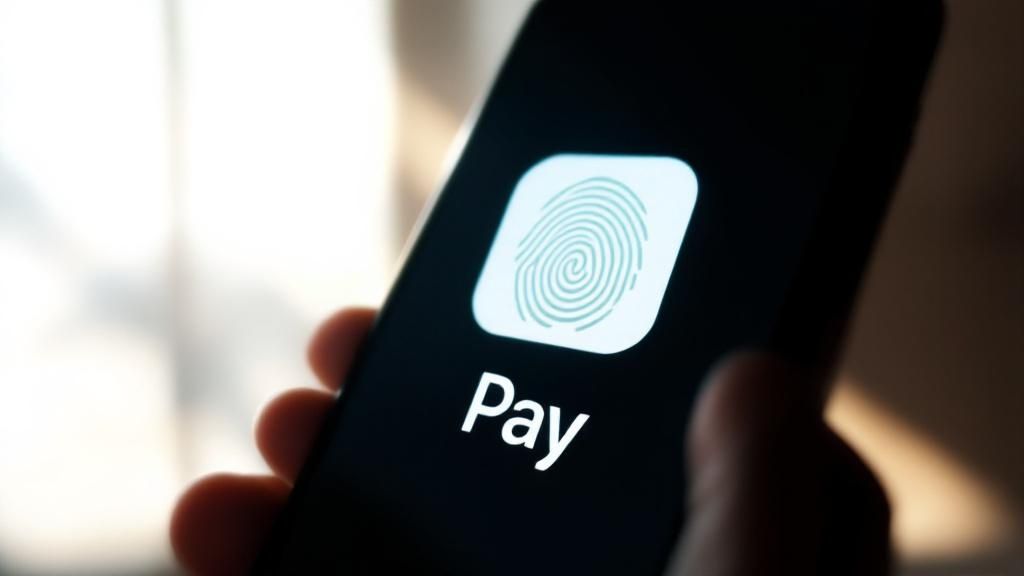
Apple Pay is a mobile payment and digital wallet service enabling customers to make secure contactless payments in stores, in apps, and on the web using their iPhone, iPad, Apple Watch, or Mac. For small businesses, it represents a growing segment of mobile commerce. It offers customers a quick, secure, and convenient payment method that leverages biometric authentication and tokenization for enhanced security. This means sensitive credit card information is never shared directly with the merchant, boosting customer confidence and reducing fraud risk.
When to Use Apple Pay
Apple Pay is particularly beneficial for businesses with a significant mobile customer base. E-commerce stores, subscription services, and quick-service restaurants can all benefit from its streamlined checkout experience. Brick-and-mortar stores with contactless payment terminals can also accept Apple Pay, offering a faster and more secure alternative to traditional card payments.
Examples of Apple Pay in Action
- Online retailers: Integrating Apple Pay reduces checkout friction, leading to higher mobile conversion rates. Studies show a 20-30% increase in conversions when Apple Pay is offered.
- Subscription services: Implementing Apple Pay can simplify the signup process, reducing churn and boosting customer acquisition.
- Quick-service restaurants: Apple Pay enables quick and easy payments, improving customer experience and reducing wait times.
Actionable Tips for Small Businesses
- Ensure your website is mobile-optimized: A seamless mobile experience is crucial for Apple Pay users.
- Display Apple Pay buttons prominently on checkout pages: Make it easy for customers to choose Apple Pay as their preferred payment method.
- Test the payment flow across different Apple devices: Ensure compatibility and a consistent user experience.
- Use Apple Pay for both one-time and recurring payments: Simplify billing and offer flexible payment options.
Why Choose Apple Pay?
Apple Pay provides a secure and convenient payment solution that aligns with the increasing preference for mobile commerce. Its streamlined checkout process reduces cart abandonment and increases conversions. The enhanced security features protect both businesses and customers, building trust and encouraging repeat business. Championed by Apple Inc. and Tim Cook, Apple Pay continues to grow as a key player in mobile payments, offering small businesses a valuable tool for optimizing mobile transactions and enhancing customer experience.
5. Google Pay
Google Pay is a digital wallet and online payment platform that simplifies the checkout experience for customers. It allows users to make secure online and in-app purchases using payment methods stored in their Google account. This eliminates the need to repeatedly enter card details, speeding up transactions and improving customer satisfaction. It's especially beneficial for businesses targeting Android users and those heavily integrated into the Google ecosystem.
When to Use Google Pay
Google Pay is ideal for businesses seeking to streamline their checkout process, particularly for mobile transactions. E-commerce websites, mobile apps, and subscription services can significantly benefit from its speed and convenience. Its seamless integration with other Google services makes it an attractive option for businesses operating within that ecosystem. Brick-and-mortar stores can also utilize Google Pay for contactless in-person payments.
Examples of Google Pay in Action
- E-commerce sites: Integrating Google Pay can reduce checkout time, potentially leading to higher conversion rates. Some businesses have reported a 50% decrease in checkout time after implementing Google Pay.
- Mobile apps: In-app purchases become significantly easier, encouraging more transactions and improving user experience. The streamlined checkout process removes friction for customers making small in-app purchases.
- Subscription services: Simplifying recurring payments with Google Pay can reduce churn and improve customer retention. Automatic payments tied to Google accounts provide convenience for subscribers.
Actionable Tips for Small Businesses
- Implement Google Pay alongside other payment methods: Offer customers a variety of options to cater to their preferences. Don't solely rely on Google Pay, as some customers may prefer other methods.
- Optimize for both web and mobile implementations: Ensure a smooth and consistent experience across all platforms. Test the Google Pay integration thoroughly on different devices and browsers.
- Use Google Pay for express checkout options: Reduce the steps required for customers to complete their purchase. This quick and easy option can boost conversion rates.
- Monitor Google's updates and new features regularly: Stay informed about the latest developments to maximize the benefits of using Google Pay. Take advantage of new features as they become available.
Why Choose Google Pay?
Google Pay's seamless integration with the Android operating system and other Google services makes it a powerful tool for businesses. Its streamlined checkout process enhances user experience, potentially leading to increased sales and customer loyalty. The platform's focus on security and ease of use provides a valuable solution for small businesses looking to optimize their online payment processes (pay.google.com). Popularized by Google Inc. and under the leadership of Sundar Pichai, Google Pay has become a prominent player in the online payment space, providing small businesses with an effective tool for managing digital transactions.
6. Amazon Pay
Amazon Pay leverages the trust and convenience of Amazon's vast customer base and payment infrastructure, allowing customers to use their existing Amazon account information to make purchases on third-party websites. This streamlined checkout process reduces friction for buyers already familiar with Amazon, potentially increasing conversion rates for small businesses. It simplifies transactions by eliminating the need for customers to create new accounts or enter payment details, fostering a quicker and smoother buying experience.
When to Use Amazon Pay
Amazon Pay is a particularly powerful tool for online retailers looking to capitalize on Amazon's existing customer base. Businesses with a strong online presence, especially those selling physical goods or digital content, can benefit significantly from its seamless integration. Subscription services can also leverage Amazon Pay for recurring billing, simplifying payment management for both the business and the customer. Furthermore, B2B companies can benefit from the integration with Amazon Business accounts, streamlining purchasing for corporate clients.
Examples of Amazon Pay in Action
- Online retailers: Some businesses have reported a 30% increase in conversion rates after implementing Amazon Pay, demonstrating its effectiveness in simplifying the checkout process.
- B2B companies: Businesses leveraging Amazon Business accounts can streamline procurement processes and offer convenient payment options to corporate buyers.
- Subscription boxes: Using Amazon Pay for recurring billing simplifies subscription management and reduces churn due to payment issues.
Actionable Tips for Small Businesses
- Place Amazon Pay buttons prominently on product pages: Ensure high visibility to encourage its use and capitalize on customer familiarity.
- Use Amazon Pay for both guest and registered checkouts: Offer flexibility and convenience for all customers, regardless of their account status on your website.
- Take advantage of Amazon's A-to-Z guarantee: Boost customer confidence and trust by highlighting the buyer protection offered through Amazon Pay.
- Monitor Amazon's merchant guidelines and policy updates: Stay informed about any changes to ensure continued compliance and seamless operation.
Why Choose Amazon Pay?
Amazon Pay offers a compelling solution for small businesses seeking to simplify online transactions and leverage the trust associated with the Amazon brand. By tapping into Amazon's extensive customer base and established payment infrastructure, businesses can streamline the checkout process, reduce cart abandonment, and potentially boost conversion rates. Its ease of integration and familiarity for millions of online shoppers make it a valuable tool for enhancing the customer experience and driving sales (pay.amazon.com). Built upon the success of Amazon, founded by Jeff Bezos, Amazon Pay offers small businesses a robust and reliable online payment solution.
7. Venmo Business
Venmo Business is the commercial version of the popular peer-to-peer payment app, allowing small businesses to accept payments from Venmo's extensive user base. It leverages the social aspect of Venmo, creating a more casual and engaging payment experience that resonates particularly well with younger demographics. This integration with existing social habits streamlines transactions and fosters a sense of community between businesses and their customers.
When to Use Venmo Business
Venmo Business is ideal for businesses catering to younger audiences who actively use the Venmo platform. Food trucks, pop-up shops, and local service providers can benefit from the quick and easy payment option, especially for smaller transactions. Retail businesses targeting Gen Z and Millennials can leverage Venmo's social features to increase engagement and brand visibility. It also works well for online payment methods for small business looking to establish a modern, tech-savvy image.
Examples of Venmo Business in Action
- Food trucks and pop-up vendors: QR codes displayed at the point of sale enable quick and contactless payments, minimizing wait times.
- Local service providers: House cleaners, dog walkers, or other service providers can easily request and receive payments through the app.
- Small retail businesses: Integrating Venmo offers a familiar and convenient payment option, appealing to younger customer bases.
Actionable Tips for Small Businesses
- Use Venmo QR codes: Display QR codes prominently for quick in-person payments, streamlining the checkout process.
- Encourage social sharing: Prompt customers to share their purchases on their Venmo feed, increasing your business's visibility within their network.
- Mind the transaction limits: Be aware of Venmo's transaction limits (currently $3,000 for person-to-person payments) and combine Venmo with other payment methods for larger purchases.
- Track payments effectively: Utilize Venmo's reporting features to monitor transactions and reconcile payments efficiently.
Why Choose Venmo Business?
Venmo Business offers a unique advantage by tapping into a pre-existing social network and payment ecosystem. Its seamless integration with the widely used Venmo app provides a convenient and familiar payment experience for customers. This can lead to increased customer engagement and brand loyalty, particularly among younger demographics. For small businesses seeking a modern and socially integrated online payment method for small business, Venmo Business offers a valuable solution (venmo.com/business). Its popularity, driven by its parent company PayPal and founders like Andrew Kortina and Iqram Magdon-Ismail, positions it as a strong contender in the mobile payment landscape.
8. Shopify Payments
Shopify Payments is the native payment solution for Shopify e-commerce stores. Powered by Stripe but deeply integrated into the Shopify ecosystem, it offers a seamless checkout experience. It eliminates the need for third-party payment gateways, simplifying setup and management. Shopify Payments provides competitive transaction rates and comprehensive features tailored for online retail.
When to Use Shopify Payments
Shopify Payments is ideal for businesses already using the Shopify platform. Its tight integration simplifies payment processing, reducing complexity. E-commerce stores, from small startups to rapidly scaling businesses, benefit from the streamlined workflow and direct access to payment data within the Shopify dashboard. This makes it particularly suitable for businesses focused on growth and efficiency.
Examples of Shopify Payments in Action
- Fashion boutiques: Scaling from local to international sales becomes easier with Shopify Payments' multi-currency features.
- Artisan creators: Selling handmade products globally is simplified through the integrated platform.
- Drop-shipping businesses: Managing high transaction volumes is more efficient with streamlined payment processing.
Actionable Tips for Small Businesses
- Enable accelerated checkouts: Reduce cart abandonment by simplifying the purchase process.
- Use Shopify's built-in fraud analysis: Minimize chargebacks and protect your revenue.
- Take advantage of multi-currency features: Expand into international markets and reach a wider audience.
- Monitor payment analytics directly in your Shopify dashboard: Gain valuable insights into your sales and customer behavior. For improved customer interaction on platforms like Shopify, consider a WhatsApp Chatbot Integration to streamline communication and enhance customer service, as suggested by FlowGent AI.
Why Choose Shopify Payments?
Shopify Payments simplifies online payments for Shopify merchants. Its deep integration, competitive rates, and comprehensive features make it a compelling choice. Direct access to payment data and streamlined workflows offer valuable efficiencies for growing businesses. By centralizing payment processing within the Shopify ecosystem, businesses can focus on core operations and expansion. Shopify Payments, popularized by Shopify Inc. and Tobias Lütke, has become a valuable tool for online retailers seeking a simplified and effective payment solution within the Shopify platform.
9. Authorize.Net
Authorize.Net is a long-standing payment gateway offering reliable payment processing with extensive customization and robust security. It caters to businesses needing a stable, traditional payment solution with strong customer support and proven reliability across various industries. Authorize.Net supports various payment types, including credit cards, debit cards, and e-checks, making it a flexible option for diverse business needs. If you are using Shopify for your small business, you might consider using their native payment system, such as Shopify Payments, but Authorize.Net offers a broader range of features and customizations that might be beneficial for specific business needs.
When to Use Authorize.Net
Authorize.Net is ideal for established businesses, particularly B2B companies with complex billing needs. Subscription-based services benefit from its reliable recurring billing functionality. High-volume merchants needing advanced fraud protection also find Authorize.Net's security features valuable. Its focus on stability and security makes it a reliable option for those seeking a proven online payment method for small business.
Examples of Authorize.Net in Action
- B2B wholesalers: Authorize.Net facilitates seamless transactions and invoicing for wholesale businesses.
- Subscription box services: Recurring billing features simplify subscription management and ensure consistent revenue.
- E-commerce stores with high transaction volumes: Advanced fraud protection tools help minimize losses from fraudulent activities.
Actionable Tips for Small Businesses
- Use the Customer Information Manager: Securely store customer data, simplifying PCI compliance and streamlining the checkout process.
- Set up advanced fraud detection rules: Minimize losses by implementing custom rules to flag suspicious transactions.
- Take advantage of the virtual terminal: Process phone orders and manually enter transactions when necessary.
- Integrate with your existing business management systems: Streamline operations by connecting Authorize.Net to your accounting and CRM software.
Why Choose Authorize.Net?
Authorize.Net offers a robust and customizable platform for businesses seeking a reliable and secure payment gateway. Its long-standing presence in the industry speaks to its stability and commitment to providing excellent service. Owned by Visa Inc. and leveraging technology from CyberSource, it provides a trustworthy solution for businesses needing a dependable online payment method for small business (www.authorize.net). Its comprehensive features and strong security make it a compelling choice for businesses of all sizes.
Payment Methods Feature Comparison
| Payment Platform | Implementation Complexity 🔄 | Resource Requirements ⚡ | Expected Outcomes 📊 | Ideal Use Cases 💡 | Key Advantages ⭐ |
|---|---|---|---|---|---|
| PayPal | Low - Quick same-day setup | Moderate - No monthly fees | Reliable, secure global payments | Small online retailers, service invoicing | High trust, strong fraud protection, easy setup |
| Stripe | High - Requires technical knowledge | High - Developer-focused API | Highly customizable payment experience | SaaS, custom e-commerce, mobile app in-app purchases | Powerful API, transparent pricing, fast settlement |
| Square | Low - Instant approval | Moderate - POS hardware included | Unified online & offline payments | Retail, restaurants, omnichannel small businesses | Free POS software, inventory tools, easy setup |
| Apple Pay | Medium - Depends on processor | Low - No extra PCI compliance | Fast, secure mobile payments | Mobile commerce targeting Apple users | Biometric security, fast checkout, no added fees |
| Google Pay | Low - Quick integration | Low - Uses Google ecosystem | Simplified checkout across devices | Android users, apps, subscription services | Large user base, strong security, no extra fees |
| Amazon Pay | Medium - 1-2 weeks approval | Moderate - Requires integration | Increased conversions via Amazon customers | Online retailers, subscription, B2B | Access to Amazon users, strong fraud protection |
| Venmo Business | Low - Quick approval | Low - Mobile-first platform | Social, casual payments for younger demographics | Small local businesses, casual/mobile payments | Low fees, social marketing, popular with youth |
| Shopify Payments | Low - Instant activation for Shopify | Low - Native Shopify integration | Seamless, optimized e-commerce payments | Shopify stores, online retail, drop-shipping | No extra transaction fees, unified reporting |
| Authorize.Net | High - 2-3 days setup with complexity | High - Monthly gateway fee | Reliable, traditional payment gateway | Established businesses, subscription billing, high-risk | Extensive customization, strong fraud tools |
Optimizing Your Payment Strategy for Success
Navigating the world of online payment methods for small businesses can feel overwhelming. This roundup has explored nine prominent options, each with its strengths and weaknesses. From established players like PayPal and Authorize.Net to mobile-first solutions like Apple Pay and Google Pay, understanding their nuances is crucial for optimizing your revenue streams. Remember, the best online payment method isn't a one-size-fits-all solution. It's the one that best aligns with your specific business needs.
Key Takeaways for Small Business Owners
- Transaction Fees: Carefully analyze the fee structure of each provider. Consider factors like per-transaction costs, monthly fees, and chargeback fees. Small differences can significantly impact your bottom line over time.
- Target Audience: Consider your customer demographics and their preferred payment methods. Offering familiar and convenient options can boost conversion rates and customer satisfaction.
- Security: Prioritize secure payment gateways that protect your business and your customers from fraud and data breaches. Look for features like PCI compliance and fraud prevention tools.
- Integration: Seamless integration with your existing website or platform is essential for a smooth checkout experience. Evaluate the ease of integration for each payment method.
- Scalability: Choose a payment solution that can grow with your business. Consider factors like transaction volume limits and international payment capabilities.
Actionable Next Steps
To solidify your online payment strategy, take the following steps:
- Review your business needs: Identify your must-have features and prioritize them based on your specific business model.
- Compare options side-by-side: Create a comparison chart of the payment methods discussed, focusing on your prioritized features and fees.
- Test and evaluate: Consider testing a few different payment methods to see which performs best for your target audience.
- Monitor and adapt: Regularly review your payment data and make adjustments as needed to optimize your strategy.
Mastering your online payment methods is more than just processing transactions; it's about building trust, enhancing customer experience, and ultimately, driving growth. By strategically implementing the right payment methods for your small business, you'll be well-positioned to thrive in today's competitive digital landscape. The right choices empower you to streamline operations, minimize costs, and maximize revenue potential.
Looking for a seamless and secure way to manage your online payments? Flash offers innovative solutions tailored for small businesses like yours, simplifying transactions and optimizing your payment strategy. Explore the possibilities and take your business to the next level by visiting Flash.