Before you can even think about accepting Bitcoin, you need a place to put it. This is where your wallet comes in. It’s your digital cash register and your vault, all rolled into one, giving you direct, sovereign control over your funds without ever needing to ask a bank for permission. Getting this part right is the absolute cornerstone of taking Bitcoin payments securely.
Why Your Business Needs Its Own Bitcoin Wallet
Let's be clear: setting up your own wallet isn't just a suggestion—it's non-negotiable. This isn’t just a digital bucket to hold coins; it’s your personal, direct on-ramp to the Bitcoin network. It's what lets you receive payments straight from customers anywhere on the planet, instantly and with almost zero friction.
Unlike old-school payment systems that rely on banks and third-party processors, a non-custodial Bitcoin wallet puts you in the driver's seat. No one else can freeze your account, dip into your funds, or tell you what you can and can't do with your money. For any merchant or creator, that level of financial self-sovereignty is a total game-changer.
Gaining Full Financial Control
The real difference between wallet types boils down to one simple thing: who controls your private keys. Think of your keys as the password and the deed to your digital money, combined. A non-custodial wallet means you, and only you, hold them.
This direct control brings some serious business advantages to the table:
- No More Middlemen: Payments zip directly from your customer's wallet to yours. Say goodbye to the frustrating delays and high fees that come with the traditional banking system.
- Censorship-Proof: Your money can't be frozen or seized by a third party. This offers a level of financial security that conventional bank accounts simply can't match.
- Truly Global Reach: You can take payments from anyone, anywhere, without sweating about currency conversions, international transfer fees, or banking restrictions.
- Better Privacy: These wallets give you and your customers more privacy since they don't demand a mountain of personal information just to get started.
Choosing a non-custodial wallet is the single most important decision you'll make here. It's the difference between truly owning your Bitcoin and just holding an IOU from someone else.
The Foundation for Modern Payments
A properly set up wallet is also the essential first step for using modern payment tools like Flash. These systems are built to plug directly into your wallet, letting you generate payment links, spin up a point-of-sale terminal on a phone, or create paywalls for your content.
Without your own wallet, you're locked out of these powerful, decentralized payment solutions. Your wallet is the secure anchor for your entire Bitcoin payment setup, making sure every single transaction settles directly under your control. By taking this crucial first step, you unlock a much more efficient, secure, and global way of doing business.
Choosing the Right Bitcoin Wallet for Your Operations
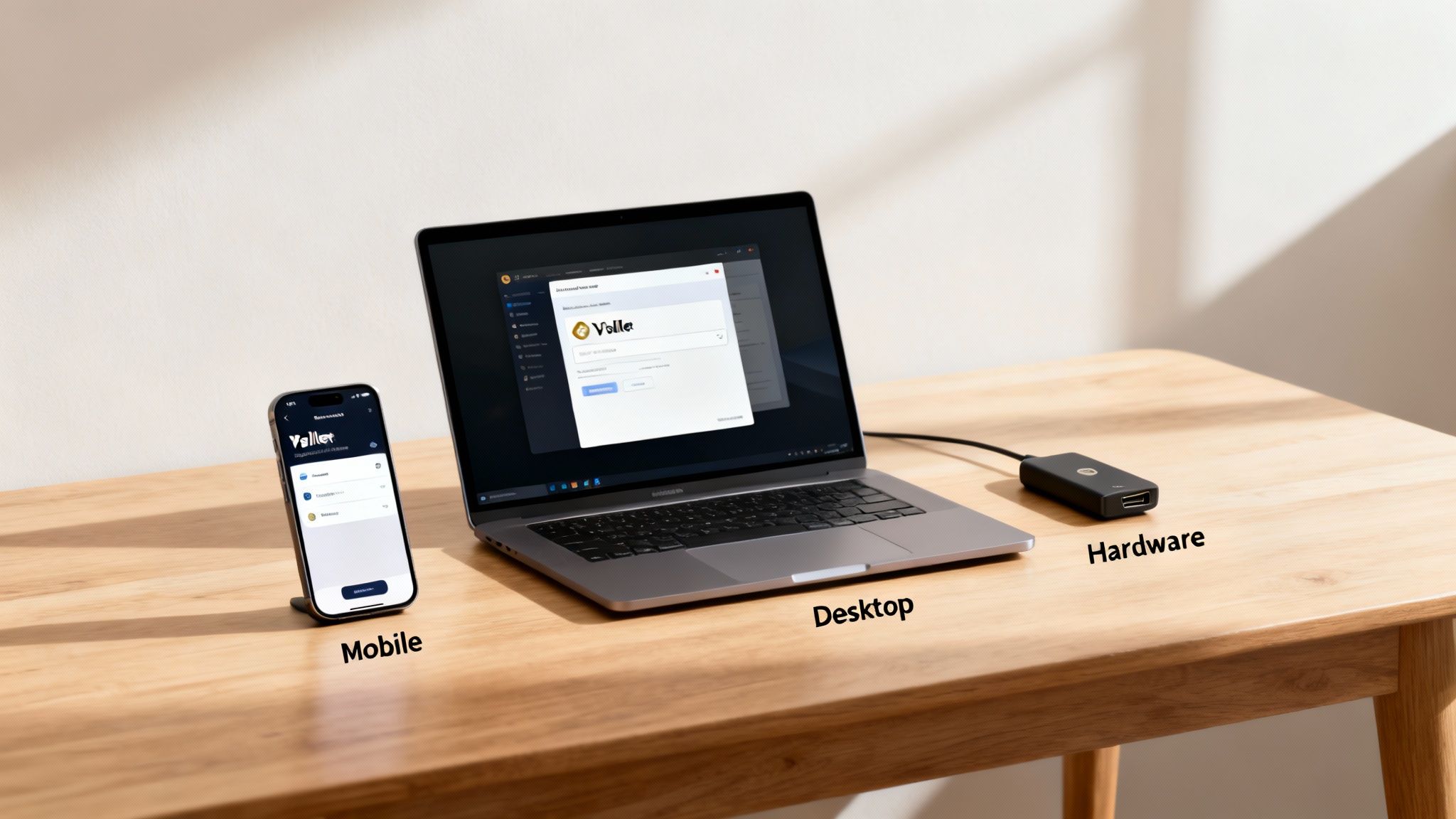
Before you can accept a single satoshi, you need a place to put it. Choosing the right Bitcoin wallet isn't about finding the "best" one on the market—it's about finding the one that seamlessly plugs into your business. A freelance artist taking tips has entirely different needs than an e-commerce store juggling dozens of orders every hour.
The decision boils down to a classic trade-off: accessibility versus security. Internet-connected "hot wallets" are built for speed and convenience, while offline "cold storage" wallets are digital fortresses. For most businesses, the sweet spot isn't one or the other; it's a smart combination of both.
Let’s break down your options so you can build the right setup for your needs.
Comparing Bitcoin Wallet Types for Merchants
To make the decision clearer, it helps to see the different wallet types side-by-side. Each has a distinct role to play in a business setting, and understanding their strengths and weaknesses is the first step to building a secure and efficient payment system.
| Wallet Type | Best For | Pros | Cons |
|---|---|---|---|
| Mobile | In-person sales, quick transactions, on-the-go payments. | Highly portable, user-friendly, fast QR code generation. | Least secure (always online), risk of device loss or theft. |
| Desktop | E-commerce management, back-office operations, daily transaction reconciliation. | More features than mobile, better security, integrates with hardware wallets. | Tied to one computer, less portable, vulnerable to malware. |
| Hardware | Long-term savings, securing large amounts of Bitcoin, ultimate protection. | Maximum security (keys are offline), immune to online attacks. | Slower to use for payments, has a cost, can be lost or damaged. |
Ultimately, a hybrid approach is the professional standard. You use hot wallets (mobile/desktop) for daily cash flow and a hardware wallet as your business's savings vault.
Mobile Wallets: The Point of Sale in Your Pocket
Think of a mobile wallet as your digital cash register. It's an app on your smartphone that turns your device into a portable point-of-sale terminal, perfect for any business that deals with customers face-to-face.
Imagine you're running a food truck. A customer walks up, and in seconds, you can generate a unique QR code for their order. They scan it, pay, and you get an instant confirmation. This is why mobile wallets are the go-to for coffee shops, market vendors, and consultants who are always on the move.
The numbers back this up. Hot wallets, designed for frequent use, are the most common type out there. In fact, mobile hot wallets are used by 78% of users across the globe, highlighting just how much people value convenience for everyday transactions.
Desktop Wallets: Your Command Center for Operations
A desktop wallet is a software program you install on your computer, giving you a powerful command center for managing your business's Bitcoin finances. They generally offer more advanced features and a higher degree of security than mobile apps, making them a solid choice for businesses operating from a fixed location.
An e-commerce merchant, for instance, can use a desktop wallet to do more than just receive payments. They can label transactions to match order numbers, export payment histories for bookkeeping, and get a clear overview of daily revenue—all from one dashboard.
Many desktop wallets are also designed to work directly with hardware wallets, letting you create a setup that offers both day-to-day usability and ironclad long-term security.
Hardware Wallets: The Vault for Your Business Savings
When it comes to securing your earnings, nothing beats a hardware wallet. These small, physical devices store your private keys completely offline, making them the gold standard for Bitcoin security. Because your keys never touch an internet-connected device, they are completely safe from online threats like viruses and phishing scams.
This is your business's vault.
While your mobile or desktop wallet holds your "spending cash" for daily operations, your hardware wallet is where you transfer your profits for safekeeping. A smart workflow for an online store is to sweep the day's revenue from their desktop wallet into their hardware wallet every evening.
This two-wallet strategy is a fundamental security practice:
- Hot Wallet (Mobile/Desktop): Holds a small, operational amount of Bitcoin for daily payments.
- Cold Wallet (Hardware): Secures the majority of your funds, acting like a business savings account or a safe.
This hybrid approach gives you the best of both worlds: convenience for daily business and fortress-like security for the money you've earned.
Once you’ve nailed down your wallet setup, it's worth understanding the broader ecosystem, including resources like South African cryptocurrency exchange platforms, which can be crucial for managing your funds.
Choosing your wallet is a foundational step. By thinking carefully about how your business operates, you can build a system that’s fast enough for today’s sales and secure enough for tomorrow’s growth.
A Practical Walkthrough of Your Wallet Setup
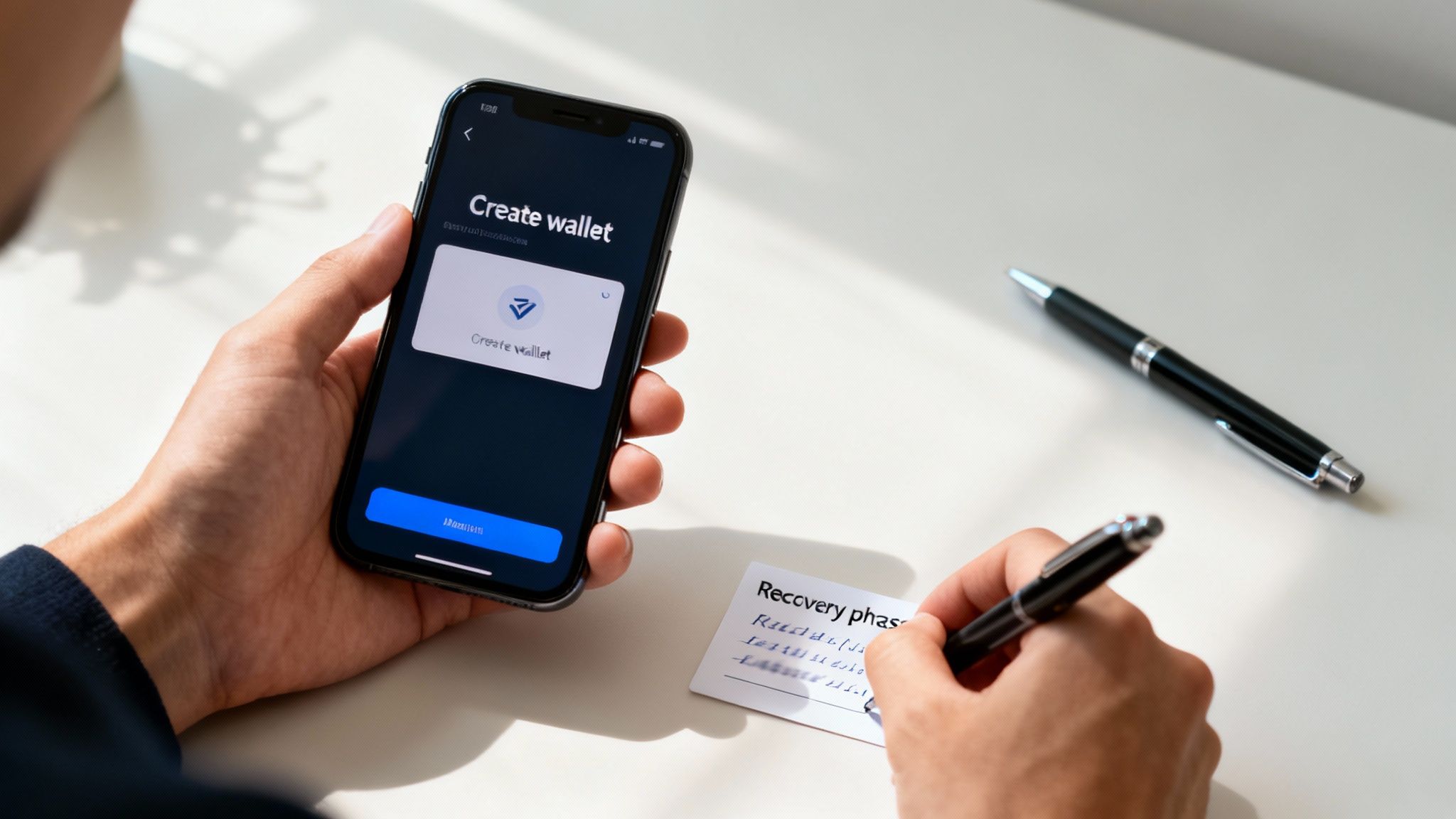
Alright, theory's one thing, but now it's time to roll up our sleeves and get a wallet set up. If you're new to this, it might seem intimidating, but the process is surprisingly straightforward. It’s designed from the ground up to give you total control.
We'll walk through a real-world example using a popular mobile Bitcoin wallet. Don't worry about the specific app—the core steps are nearly identical for any good non-custodial wallet, whether it's on your phone or your desktop. Once you’ve done this once, you’ll have the confidence to set up any wallet your business needs.
The main event here is creating and securing your backup. Let’s get it right.
Downloading and Installing the Wallet
First things first, you need to get the official wallet software. This is a step where you absolutely cannot afford to be careless. Scammers love to create convincing fake wallet apps, designed to look just like the real thing, that will steal your funds the moment you send them.
To sidestep this common trap, make it a habit to:
- Go directly to the source: Always download from the developer’s official website. Never, ever trust links from social media, random emails, or sketchy search results.
- Verify on the app store: For mobile wallets, triple-check you’re downloading the legitimate app from the Apple App Store or Google Play. Look for a large number of downloads and plenty of positive reviews—these are good signs of authenticity.
Once you've found the real deal, download and install it. For this walkthrough, we’ll assume you’re setting up on a smartphone.
The Single Most Important Step: Creating Your Wallet
When you open the app for the first time, you'll see an option like "Create a new wallet." Clicking this kicks off the most critical part of the entire process. The software will generate the one thing that guarantees your financial sovereignty: your recovery phrase.
This is usually a list of 12 or 24 simple words, shown to you in a specific order. Think of this phrase as the master key to every bitcoin your wallet ever touches. It's your only backup. If your phone gets lost, stolen, or just stops working, this sequence of words is the only way to restore your wallet and access your funds on a new device.
A recovery phrase isn't like a password you can reset. If it's gone, your Bitcoin is gone. Forever. No company, developer, or support team can get it back for you.
The wallet will prompt you to write down these words, in order. Give this your full attention.
- Grab a pen and a piece of paper.
- Write down each word, numbering them from 1 to 12 (or 24).
- Double-check every single word for spelling and order.
After you've written them down, the app will almost certainly test you by asking you to re-enter some or all of the words. This isn’t just a quiz; it’s a vital confirmation that you’ve recorded your backup correctly before you put any money on the line.
Rookie Mistakes to Avoid During Setup
The initial setup is where most people make their biggest mistakes. Nailing this part is the foundation of your security. Here's a list of what NOT to do with your recovery phrase:
- Don't take a screenshot: Your phone's photo gallery is a goldmine for hackers. A picture of your recovery phrase is like leaving them a treasure map.
- Don't save it in a password manager: While great for website logins, password managers are online targets. They aren't the right place for the keys to your Bitcoin.
- Don't type it into a text file or email draft: Storing your phrase in any unencrypted digital format on a device connected to the internet completely defeats the purpose of having a secure, offline backup.
- Don't share it with anyone: No legitimate support person from any company will ever ask you for your recovery phrase. Anyone who does is trying to rob you, plain and simple.
The guiding principle is simple: your recovery phrase must never touch the internet. Keep it in the physical world, under your control. By sticking to this one rule, you eliminate almost every common way people lose their Bitcoin.
With your phrase safely written down and stored offline, your wallet is officially created. You'll now see the main screen, showing a zero balance and options to "Send" and "Receive."
You’re now in full control of your own little corner of the Bitcoin network—a secure, fully functional wallet ready to accept payments from anyone, anywhere. Now, let's put it to work.
Securing Your Business Funds with Smart Wallet Practices
You’ve set up your wallet and now you’re holding the keys to your own financial future. That control comes with a serious dose of personal responsibility. You are the bank now; you're in charge of the vault.
The initial setup is just the starting line. Real, long-term security is an ongoing practice, not a one-time checkbox.
Protecting your business's Bitcoin means building layers of security around your recovery phrase and your daily operations. This isn’t about being paranoid; it's about being a professional. Let’s walk through the essential practices that will shield your funds from the most common threats that merchants and creators run into.
Bulletproof Backups for Your Recovery Phrase
That 12 or 24-word phrase you wrote down? It’s now the single most valuable piece of information your business owns. A simple piece of paper is a decent start, but it’s incredibly vulnerable—think fire, water damage, or just plain losing it. To truly secure your funds for the long haul, you need to think in terms of resilience and redundancy.
Here are a few robust, real-world methods for storing that phrase offline:
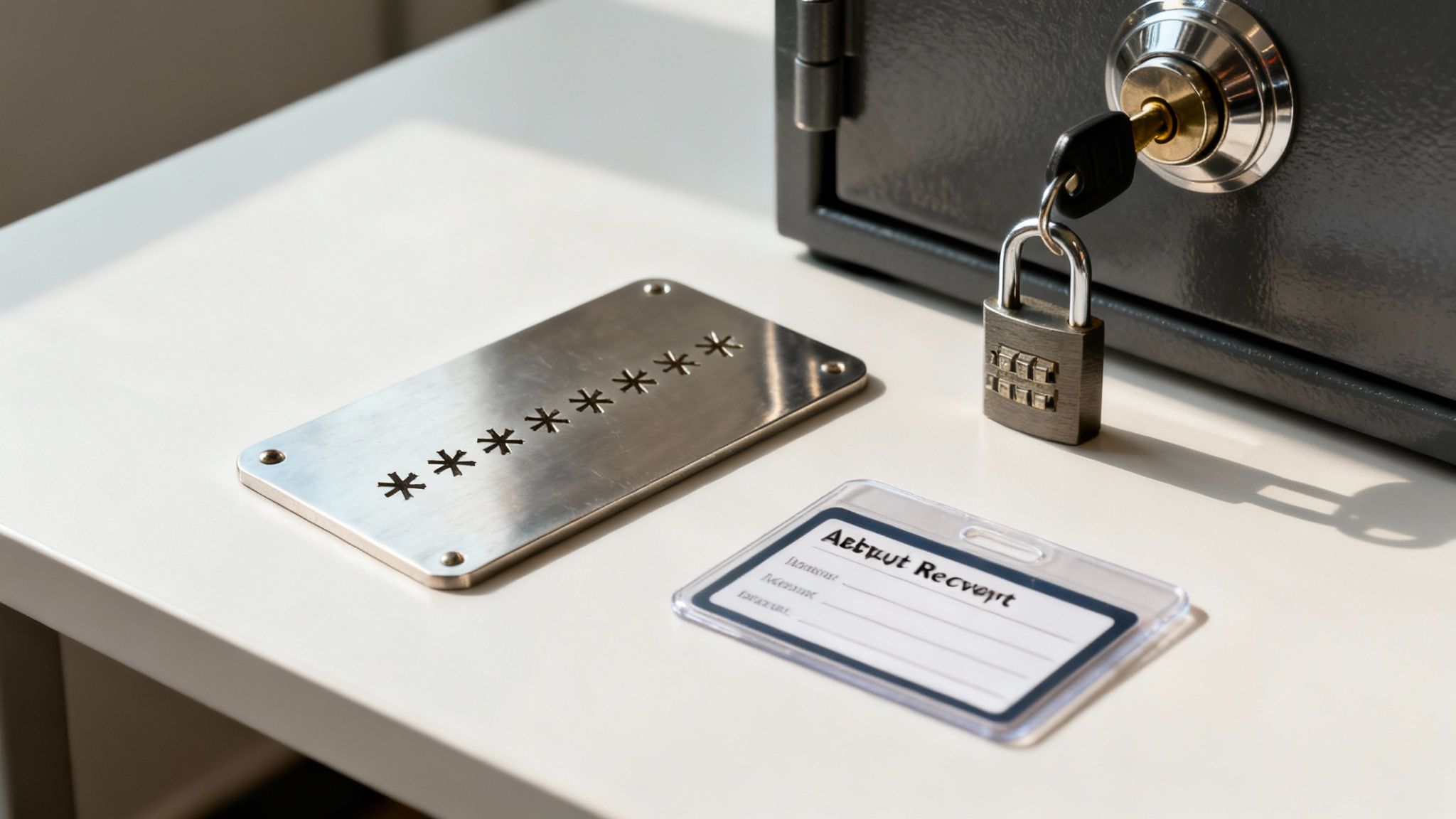
- Steel Plates: Etching your words onto a small steel plate makes them practically indestructible. They’re resistant to fire, corrosion, and just about any physical damage you can throw at them. It's a permanent record that can survive almost anything.
- Laminated Cards: A simpler but still effective upgrade is to laminate your paper backup. This protects it from moisture and basic wear and tear, making it a more durable option for storage in a safe or a bank deposit box.
- Multiple Locations: This is non-negotiable. Never, ever keep all your backups in one place. Store copies in at least two different, secure physical locations. This redundancy ensures that if one location is compromised—whether by theft, fire, or flood—you still have a way to recover your funds.
Your goal is to create a backup system so robust that you could lose your phone, your computer, and even your primary paper backup, and still be able to restore your wallet without breaking a sweat.
This level of preparation is what separates an amateur setup from a professional one.
Enhancing Security with a Passphrase
For businesses holding significant value, adding a passphrase (sometimes called the "13th" or "25th" word) offers another incredibly powerful layer of protection. Think of it as a password for your password. It’s an optional, custom word or phrase you create that gets added to your existing recovery phrase.
A passphrase effectively creates a brand new, hidden wallet. Even if a thief somehow got their hands on your 12-word recovery phrase, they couldn't access your funds without also knowing your unique passphrase.
This is an advanced feature that provides exceptional security, but it comes with a massive warning: if you forget the passphrase, your Bitcoin is gone forever. There is absolutely no "forgot my password" link. No one can help you recover it.
Only use a passphrase if you have a rock-solid system for remembering or storing it completely separately from your main recovery phrase.
Daily Operational Security for Your Business
Securing your backup is half the battle. The other half is practicing smart operational security every single day. The biggest threats aren't always sophisticated hacks; they're often simple human error and targeted scams. A core part of this is understanding the role of encryption in information security, which is the foundation of how your wallet protects your data in the first place.
To keep your business safe, bake these habits right into your workflow:
- Use a Dedicated Device: If you can, use a smartphone or computer exclusively for managing your Bitcoin transactions. This device should have a minimal number of apps and be used for nothing else. This simple step dramatically reduces its exposure to malware and viruses.
- Stay Vigilant Against Phishing: Become extremely suspicious of any unsolicited email, message, or link asking you to enter your recovery phrase or connect your wallet. Scammers are masters at creating fake "wallet update" or "security alert" pages to trick you into giving up your keys.
- Double-Check Addresses: When sending Bitcoin, always, always double-check the recipient's address. Copy and paste it carefully, and then visually verify the first and last few characters to make sure it hasn't been altered by clipboard-hijacking malware.
These practices turn security from an afterthought into a core business process. They protect your hard-earned revenue and give you the confidence to manage your funds on your own terms.
Alright, you've got your wallet set up and your recovery phrase is tucked away safely. Now for the fun part: actually putting it to work.
Having a wallet is one thing, but using it to seamlessly accept payments is the real goal. This is where you connect your secure, self-custodied wallet to the tools that let you run a business on the Bitcoin standard. Thankfully, modern platforms have made this incredibly simple.
Connecting your wallet to a payment service like Flash is a surprisingly quick process, often taking less than a minute. Because these systems are non-custodial, they will never ask for your private keys or recovery phrase. Instead, they just need a public key from your wallet so they know where to send your customers' payments. That’s it.
Generating Your First Bitcoin Payment Request
Once you're connected, your wallet becomes the secure back-end for a whole suite of powerful payment tools. You're no longer just manually sending and receiving bitcoin; you're creating a professional, smooth payment experience for your customers.
The entire point is to move beyond the clunky, error-prone method of copying and pasting long, intimidating Bitcoin addresses. Instead, you can generate clean, simple payment requests designed for how you do business.
You can start accepting Bitcoin almost immediately in a few ways:
- Payment Links: Got a specific product or service? Create a unique, shareable link for it. You can send it in an email, a text message, or drop it in a social media chat. When the customer clicks, they get a simple payment page with the amount and a QR code.
- Point-of-Sale (POS) Interface: This is a game-changer for brick-and-mortar businesses. You can turn your smartphone or tablet into a Bitcoin-ready terminal. At your coffee shop or market stall, just type in the sale amount, and the app generates a fresh QR code for the customer to scan.
- Digital Paywalls: If you're a creator selling articles, videos, or online courses, you can set up a paywall that asks for a small Bitcoin payment to unlock access. The payment settles directly into your wallet, and the content is unlocked instantly.
The core principle here is automation and professionalism. Your wallet acts as the secure vault, while a platform like Flash provides the user-friendly front end that makes the transaction painless for both you and your customer.
This setup is crucial because it ensures you maintain 100% custody of your funds at all times. Every payment goes directly from your customer's wallet to yours. No middleman ever touches the money.
Running a Live Test Transaction
Let's walk through a real-world example. Imagine you're a freelance designer who just finished a project. You need to invoice your client for $100.
Using your payment tool, you generate a payment link for that invoice and email it over. Your client clicks the link, sees the invoice details, and is presented with a QR code showing the equivalent amount in Bitcoin. They simply scan the code with their mobile wallet and confirm the transaction.
Seconds later, you get a notification. You open your wallet, and the funds are there.
That's it. No three-day bank settlement period. No exorbitant processing fees. And absolutely no risk of a chargeback. The money is yours, instantly and finally. This simple test shows just how efficient a direct, wallet-to-wallet payment system can be. It cuts out all the friction we've come to expect from traditional finance.
This instant settlement isn’t just a nice-to-have feature; it’s a fundamental upgrade to your business's cash flow. By connecting your self-custodied wallet to the right tools, you unlock a payment method that's faster, cheaper, and more global than anything that has come before it.
Got Questions About Business Bitcoin Wallets?
Jumping into Bitcoin payments for your business is exciting, but it's natural to have a few questions. When you're dealing with money, you want to make sure you’re setting things up right from day one. We’ve pulled together some of the most common questions we hear from merchants and creators to give you clear, straightforward answers.
Think of this as your practical FAQ. No jargon, no fluff—just what you need to know to run your business on a Bitcoin standard, securely and professionally.
What’s the Real Difference Between Wallets?
The single most important thing to get your head around is the difference between custodial and non-custodial wallets. It’s a game-changer.
A custodial service is like a bank—they hold your private keys for you. While that might sound convenient, it means you're trusting a third party with your money. They can freeze your funds, lose them, or get hacked. You’re not really in control.
A non-custodial wallet, which is what this guide is all about, puts you in the driver's seat. You hold the keys. Nobody else can touch your Bitcoin without your permission. This is the heart of self-sovereignty and the only way to operate if you're serious about your business.
The market has already voted with its feet. The preference for non-custodial solutions is obvious, with most users choosing them over custodial options. It’s a clear signal that people want direct control over their assets. You can dig into more wallet statistics and trends to see just how strong this movement is.
Should I Mix Business and Personal Funds?
Absolutely not. You wouldn't run your business from your personal bank account, and the same rule applies here. Keep your business and personal Bitcoin completely separate.
Setting up a dedicated wallet just for your business isn't just a "best practice"—it's fundamental for clean books, simple tax reporting, and professional financial management.
Here’s why that separation is non-negotiable:
- Clean Record-Keeping: It makes tracking revenue and expenses a million times easier. No more untangling personal spending from business income.
- Better Security: It firewalls your business funds. If your personal wallet ever gets compromised, your business assets are safe and sound.
- Professionalism: It shows you’re running a legitimate operation by maintaining clear financial boundaries.
How Do I Handle Taxes and Accounting?
Getting paid in Bitcoin doesn’t mean you get to skip out on taxes. In most places, Bitcoin is treated as property. That means you need to track its fair market value every time you receive it for both income and capital gains reporting.
Here are a few tips to stay on top of your records without losing your mind:
- Use Wallet Labels: Most desktop wallets let you add notes or labels to transactions. Get in the habit of tagging every payment with an invoice number or customer name. It’ll save you headaches later.
- Export Your History: Regularly export your wallet's transaction history. This file is your source of truth for accounting and can be plugged into most crypto tax software.
- Talk to a Pro: Tax rules for digital assets can be a maze, and they change depending on where you are. It’s always smart to find a tax professional who actually knows their way around Bitcoin.
Treat your Bitcoin wallet with the same seriousness as a business bank account, and you’ll have no problem integrating this powerful payment rail into your operations.
Ready to start accepting Bitcoin payments the right way? Flash gives you the tools to connect your secure wallet and start taking payments in under a minute. Generate payment links, set up a point-of-sale, and get instant, wallet-to-wallet settlement with zero middlemen.