So, you're thinking about accepting Shopify crypto payments? Good call. While Shopify itself doesn't directly process Bitcoin, its platform is incredibly flexible, making it a breeze to plug in third-party payment processors. This setup lets you securely accept Bitcoin right alongside your usual credit card options.
Why Accept Bitcoin on Your Shopify Store?

Adding Bitcoin to your Shopify store isn't just about slapping another logo on your checkout page. It’s a smart business move with some serious upsides. The biggest and most immediate win? A huge drop in transaction fees.
Credit card processors routinely skim 2-3% (plus a flat fee) off every single sale. Bitcoin network fees, on the other hand, are often significantly lower. That means more of your hard-earned revenue actually stays in your pocket.
Even better, you can say goodbye to chargeback fraud. Bitcoin transactions are final and irreversible, which completely wipes out the costly headache of fraudulent chargebacks. For any merchant, that’s a welcome dose of financial certainty and one less administrative nightmare to deal with.
Let's take a quick look at how Bitcoin stacks up against traditional credit cards. The differences are pretty stark.
Bitcoin Payments vs Traditional Credit Cards
| Feature | Bitcoin Payments | Credit Card Payments |
|---|---|---|
| Transaction Fees | Typically much lower than card fees. | 2-3% + flat fee per transaction. |
| Chargebacks | Impossible. Transactions are final. | A major source of fraud and revenue loss. |
| Settlement Time | Nearly instant. | Can take several business days. |
| Global Reach | Borderless. Anyone, anywhere can pay. | Subject to cross-border fees and restrictions. |
| Customer Base | Appeals to a growing, tech-savvy market. | Limited to customers with bank accounts. |
As you can see, the advantages of Bitcoin go far beyond just saving a few percentage points on fees. It's about creating a more efficient, secure, and global payment system for your store.
Expand Your Customer Base Globally
Accepting Bitcoin instantly cracks your store open to a worldwide audience. Traditional payment systems are notoriously slow and clunky for international buyers, often piling on currency conversion fees and hitting cross-border roadblocks.
Bitcoin just works. It’s a borderless network that lets anyone, anywhere, buy from you with the same effortless experience.
Picture this: you sell custom mechanical keyboards, and there's a booming community in a country with a tricky banking system. With Bitcoin, a customer there can finalize their purchase in minutes, dodging all the usual frustrations that lead to abandoned carts. You've just unlocked a new revenue stream and built loyalty with a new, tech-forward customer base.
By enabling Bitcoin payments, you're not just offering another checkout option. You're signaling to a global community that your business is forward-thinking, accessible, and ready for the future of commerce.
A Modern and Flexible Payment Solution
The broader trend in ecommerce is clear. Shopify has seen a massive jump in Bitcoin adoption as more merchants integrate specialized gateways to meet customer demand.
While Shopify Payments doesn't handle Bitcoin directly, the platform's genius lies in its flexibility. It allows for seamless integration with dozens of third-party processors. This means you can offer Shopify crypto payments without messing up your existing sales flow, giving you a modern solution that benefits both you and your customers.
Choosing the Right Bitcoin Payment Processor
Before you can even think about adding Bitcoin to your checkout, you have to pick the right tool for the job—a dedicated payment processor. This isn't just about grabbing the first app you see. It’s about finding a partner that actually fits how you do business.
Think about it from the perspective of a real store owner. Let's say you sell sustainable home goods. You’re ready to dive into Bitcoin, but you need to weigh your options. The first thing you'll notice is that transaction fees are all over the place, so that's an obvious starting point.
But the real make-or-break decision comes down to settlement flexibility. This is where you need to get crystal clear on your strategy.
Fiat or Bitcoin: Your Choice
So, what's it going to be? Do you want the processor to send Bitcoin directly to your wallet, or would you rather they instantly convert it to your local currency (like US Dollars) and drop it in your bank account?
- Direct Bitcoin Settlement: This is for merchants who are comfortable holding Bitcoin as an asset. You'll sidestep conversion fees, but you're also taking on the responsibility of managing its price volatility.
- Automatic Fiat Conversion: For most businesses, this is the path of least resistance. You get the stability of cash in your bank without ever having to watch Bitcoin's price charts.
There's no wrong answer here. It all boils down to your company's financial strategy and how comfortable you are with holding digital assets.
When you're looking at different processors, it helps to understand the wider ecosystem. Seeing how various South Africa Cryptocurrency Exchange Platforms operate, for instance, can give you a better feel for the market.
Security and Compliance First
No matter which settlement option you choose, using a dedicated business wallet is non-negotiable. Don't even think about mixing business funds with your personal wallet—that’s just asking for security risks and accounting nightmares. A proper business wallet keeps everything secure and your transaction records clean for tax time.
A seamless checkout is paramount. A clunky or confusing payment process will send customers running. The best Bitcoin gateways integrate smoothly into the Shopify checkout flow, making the experience feel as natural as paying with a credit card.
Finally, a couple of quick compliance steps will set you up for a professional launch. You’ll want to update your store's terms of service to mention your new Bitcoin payment policy. It’s a small change, but it tells customers you’re serious and sets clear expectations right from the start.
Despite all the buzz, Bitcoin payments on Shopify are still in their early days. In 2025, Shopify Payments is expected to process about 62% of all gross merchandise value, leaving the rest to third-party gateways. Right now, Bitcoin payments are mostly driven by niche stores, not huge mainstream retailers. This makes choosing a solid, reliable processor even more critical if you want to stand out and do it right.
How to Integrate a Bitcoin Payment Gateway

You've picked your processor. Now it's time to connect the dots and bring Shopify crypto payments to your storefront. Honestly, this part is much more straightforward than most people think.
I'll walk you through the practical steps using a popular processor like Flash as our example. The whole process really just boils down to finding the right menu in your Shopify admin and securely transferring a piece of information called an API key.
Think of an API key as a secure, digital handshake between your store and your payment processor. It's what authorizes them to talk to each other, creating a smooth checkout for customers paying with Bitcoin.
Finding the Alternative Payments Section
First things first, let's get you to the right place in your store's back end. Shopify keeps all of its payment options neatly organized in one central hub, which makes adding or removing providers a breeze.
From your main Shopify dashboard, look for Settings in the bottom-left corner. Click it, then select Payments.
You'll see your main provider (probably Shopify Payments) right at the top. Just scroll down past that, and you'll find the section for Alternative payment methods. This is where your new Bitcoin gateway is going to live.
Generating and Securing Your API Keys
Before you can flip any switches in Shopify, you need the credentials from your Bitcoin payment processor. Sticking with our Flash example, you'll log into your Flash account and look for a developer or API section in the dashboard. This is where you generate your unique keys.
You'll typically get two keys: a Publishable Key and a Secret Key. You have to treat the Secret Key like gold—never share it publicly or send it through unsecured channels. It's basically the password to your payment gateway.
Once you've generated them, copy the keys. I always recommend pasting them into a temporary, secure note-taking app to make sure you don't introduce any typos when moving them over to Shopify.
Activating the Gateway in Shopify
Alright, head back to that Alternative payment methods screen in your Shopify admin. Click on "Choose alternative payment," then search for your processor's name in the list. Once you select it, Shopify will pop up a configuration screen.
This is where you'll need those API keys you just copied. Carefully paste the Publishable Key and the Secret Key into their matching fields. A common mistake I see all the time is accidentally adding an extra space at the beginning or end of a key, which will cause the connection to fail. So, double-check that.
If you're ready to go live, make sure the "Enable test mode" box is unchecked. We'll dive into proper testing in the next section. Hit "Activate" to save everything.
Your Bitcoin payment option should now be live on your checkout page. It's always a good idea to go look at it yourself. A good integration will display the Bitcoin option clearly alongside your other methods, like credit cards, without cluttering the checkout experience.
Configuring Your Payout Preferences
The final piece of the puzzle is deciding how you want to get paid. For this, you'll go back to your Bitcoin processor's dashboard (Flash, in this case), not Shopify's. Find the payout or settlement settings.
This is where you tell the processor whether you want to receive payouts in Bitcoin directly to your business wallet or have them automatically converted to your local currency and sent to your bank.
For most businesses just getting started with Shopify crypto payments, automatic conversion to fiat currency is the simplest route. You get all the benefits of accepting Bitcoin without having to manage the price volatility yourself. Just set your payout schedule—daily, weekly, or monthly—and you're good to go. The integration is complete.
Testing Your New Bitcoin Payment Setup
Alright, you've connected the payment gateway. It's tempting to flip the switch and go live, but hold on. Hitting "activate" is only half the battle.
Before you announce to the world that you're accepting Bitcoin, you need to be absolutely certain the entire process works from start to finish. This is the crucial testing phase that separates a professional launch from a frustrating customer experience. The last thing you want is a customer excited to pay with Bitcoin, only for the transaction to fail.
The goal is simple: confirm a customer can complete a purchase with Bitcoin and see that order pop up correctly in your Shopify dashboard. A live test transaction is the only real way to verify this.
Creating a Dedicated Test Product
First things first, you don't want to mess with your actual inventory for a test. A common mistake I see is merchants temporarily lowering the price of a real product. This can confuse customers browsing your store or, worse, lead to an accidental purchase at the wrong price.
The best practice is to create a hidden, low-cost product just for testing.
Here’s how I always set one up:
- Make a New Product: Head into your Shopify admin and create a new product. I usually name it something obvious like "Test Product" or "Z-Internal Test Item" so it automatically sorts to the bottom of my product list and stays out of the way.
- Set a Dirt-Cheap Price: Price it as low as you can go, something like $0.50 or $1.00. This lets you send a tiny amount of Bitcoin for the test without worrying about network fees eating into the cost.
- Hide It From Your Storefront: Under the product's "Publishing" settings, make sure it’s not available on your main "Online Store" sales channel. This is key. It prevents regular customers from finding and buying it, but you can still get to it with a direct link for your test.
This simple step keeps your live store clean and gives you a safe way to validate your Shopify crypto payments integration.
Executing a Live Test Transaction
With your test product ready, it’s time to play customer.
Grab your personal Bitcoin wallet and use the direct link to navigate to your hidden product page. Add it to your cart and go through the checkout process exactly as a real shopper would.
When you get to the payment options, select the new Bitcoin method. The gateway will pop up a payment request with a QR code and a Bitcoin address. Go ahead and send the exact amount of Bitcoin from your wallet to complete the purchase.
Now, jump back to your Shopify admin. A new order should appear almost instantly, marked with the payment details from your Bitcoin processor. If you see that order come through, congratulations—your integration is working perfectly!
One critical setting to double-check in your payment processor's dashboard is the payment window timer. This controls how long a customer has to complete their Bitcoin payment before the invoice expires. If you set it too short, you risk transactions failing if the Bitcoin network is congested. Give your customers a reasonable amount of time.
While getting Bitcoin up and running is a huge win, keep an eye on how digital payments on Shopify are evolving. For example, some processors have started to introduce other digital currencies at checkout. You can read about developments like Shopify's USDC payments to see where things are headed.
Your successful Bitcoin integration is a fantastic first step into this world, putting you ahead of the curve.
Managing Bitcoin Orders and Customer Refunds
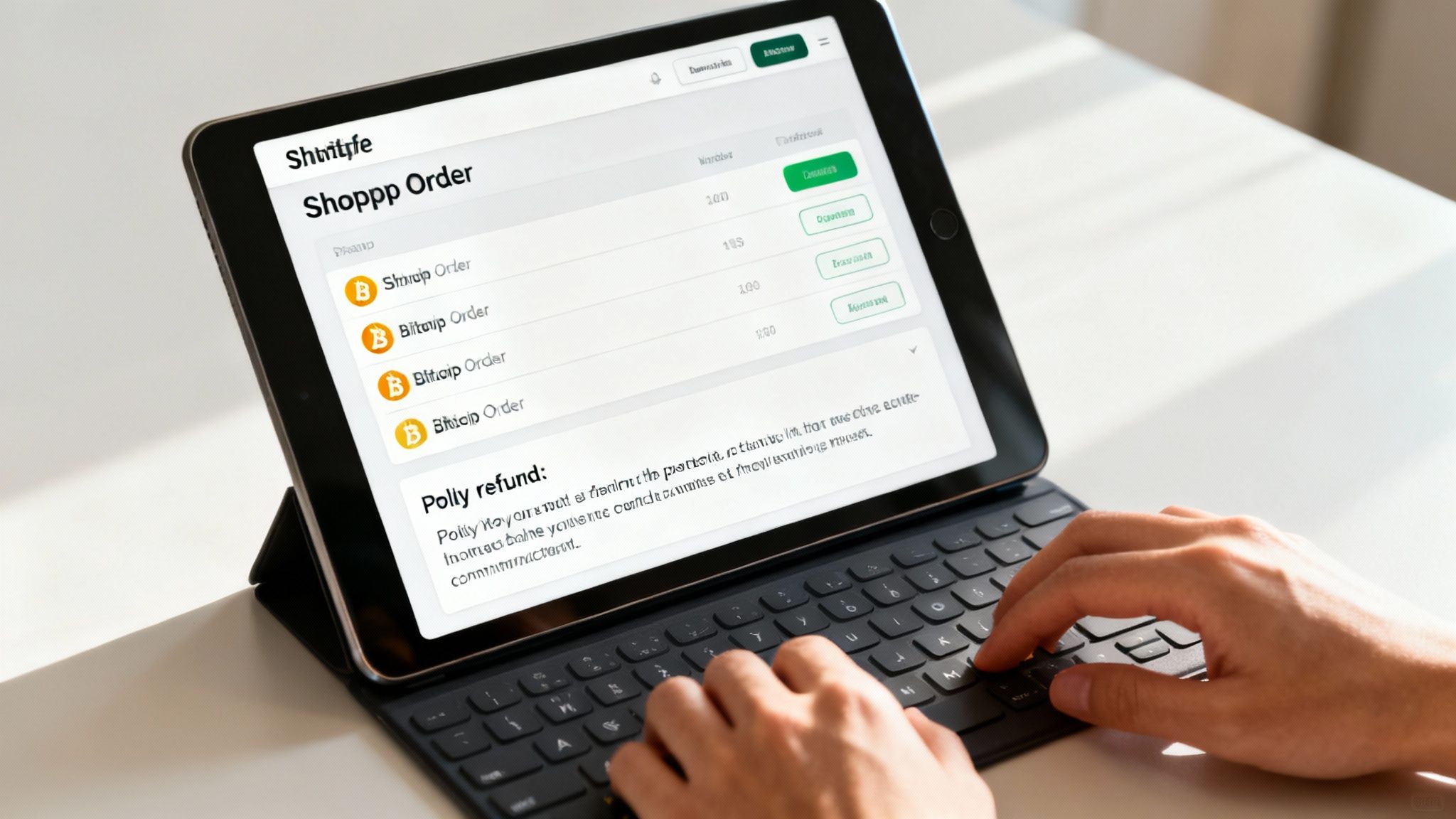
That first Bitcoin sale is a fantastic feeling, but it also brings a few new routines into your day-to-day operations. The good news is that managing these orders inside your Shopify dashboard is a breeze and will feel pretty familiar.
When a customer pays with Bitcoin, the order lands in your queue just like any credit card transaction. The only real difference you'll see is the payment method, which will be listed as your chosen Bitcoin gateway—in this case, Flash. This makes it super easy to filter and keep tabs on all your Shopify crypto payments.
Where things really change is when a customer needs a refund. Bitcoin transactions are, by their very nature, irreversible. You can't just click a "refund" button and have the money magically go back. This means you’ll need a clear policy and a hands-on process, but getting it right is key to keeping your customers happy.
Crafting a Clear Bitcoin Refund Policy
First things first: you absolutely need a transparent refund policy specifically for Bitcoin purchases. This simple step avoids a world of confusion and sets customer expectations right from the checkout page. The main thing your policy needs to cover is how you calculate the refund. You’ve got two main ways to go.
- Refund the original fiat value: You can return the purchase price in the customer's original currency (like USD or EUR). This is the most straightforward and common method, and it protects your business from Bitcoin's infamous price volatility.
- Refund the original Bitcoin amount: The other option is to send back the exact amount of BTC the customer paid. While this approach is often appreciated by the Bitcoin community, it does expose your business to potential losses if Bitcoin’s price has shot up since the original purchase.
My advice for most merchants? Stick to refunding the original cash value. It's cleaner for your accounting, sidesteps any financial risk from price swings, and guarantees you never refund more value than you originally received.
Manually Processing a Bitcoin Refund
Once a customer requests a return and you've given it the green light, you'll need to send the funds back manually from your business wallet. It's a hands-on process, but it’s simple as long as you communicate clearly.
To start, you need to get the customer's Bitcoin wallet address. Never assume the address they paid from is the correct one for the refund, as many modern wallets generate a fresh address for every transaction. Just ask them directly for a refund address.
Next, open your business's Bitcoin wallet and start a new transaction. Carefully copy and paste the address your customer provided and enter the calculated refund amount. I can't stress this enough: double-check the address. One wrong character can send the funds into the digital ether, lost forever.
After you've sent the Bitcoin, the final step is to mark the order as "Refunded" in your Shopify admin. This keeps your books tidy and your order history accurate. This straightforward workflow allows you to handle returns like a pro, building trust with your new Bitcoin-savvy customers.
Your Questions on Shopify Bitcoin Payments
Even with a solid game plan, stepping into the world of Shopify crypto payments for the first time can feel a little uncertain. That's totally normal. Let's walk through some of the most common questions merchants have so you can move forward feeling confident.
What About Bitcoin’s Price Volatility?
This is usually the first question on everyone's mind: what happens if the price of Bitcoin tanks right after a customer pays me? It’s a fair question, but one that modern payment processors have completely solved.
Processors like Flash give you the option for instant conversion. The moment a customer pays you in Bitcoin, it’s immediately converted into your local currency, like US Dollars, and sent to your bank account.
This means you get the exact amount you charged, every single time. Your business is completely shielded from market swings. You get all the upsides of accepting Bitcoin—like tiny fees and zero chargebacks—without ever holding a volatile asset.
How Does This Affect My Accounting?
Bookkeeping is another area that gives merchants pause, but it’s far simpler than you'd imagine, especially with automatic conversion.
When every Bitcoin sale is instantly converted to cash, your accounting process barely changes. The payouts land in your bank account just like a regular credit card settlement. For your accountant, it’s just another sale from a new payment channel in your reports. Easy.
Now, if you decide to hold the Bitcoin yourself, things get a bit more complex. You'll need to track the asset's value for tax purposes. For most businesses just getting started, sticking with automatic conversion is the path of least resistance.
The key takeaway is that you don’t need to be a Bitcoin expert to accept it. Modern payment gateways are designed to handle all the complexity behind the scenes, giving you a simple, reliable payment option that feels just as familiar as any other.
What About Customer Support?
So, what happens when a customer has an issue with their Bitcoin payment? Your role doesn't really change. You’ll still handle all the usual questions about your products, shipping, and returns.
If the issue is specific to the payment itself—say, a transaction is taking a while to confirm on the blockchain—you can guide the customer to their own wallet provider for help. You can also point them to a public blockchain explorer where they can track the status themselves.
Your payment processor will also have dedicated support resources to help troubleshoot any technical snags. By setting these clear boundaries, you can offer great service without needing to become a blockchain expert overnight.
Ready to unlock the power of Bitcoin for your Shopify store? Flash provides secure, decentralized, wallet-to-wallet transactions with no KYC and minimal fees. Integrate in under a minute and start accepting payments from a global audience. Get started with Flash today: